
How to install and use GitHub Copilot CLI
By CodeAgentSwarm · Updated October 31, 2026
copilot command. This guide covers installation, sign-in, models, MCP, history and the limits we found while testing version 1.0.93 on October 8, 2026.What GitHub Copilot CLI is

GitHub Copilot CLI is a terminal agent: it reads your project, edits files and runs commands after you approve them. The command is copilot and the npm package is @github/copilot. It also runs as an Agent Client Protocol server with copilot --acp --stdio, which GitHub lists as a public preview.
It is a different product from the old gh copilot extension, which only suggested and explained shell commands.
Install it on macOS, Linux or Windows
| Method | Command |
|---|---|
| Official script (macOS, Linux) | curl -fsSL https://gh.io/copilot-install | bash |
| Homebrew (macOS, Linux) | brew install --cask copilot-cli |
| WinGet (Windows) | winget install GitHub.Copilot |
| npm (Node.js 22 or later) | npm install -g @github/copilot |
Source: GitHub installation docs, checked October 8, 2026. Without root access, the script installs ~/.local/bin/copilot. Check the result with copilot --version.
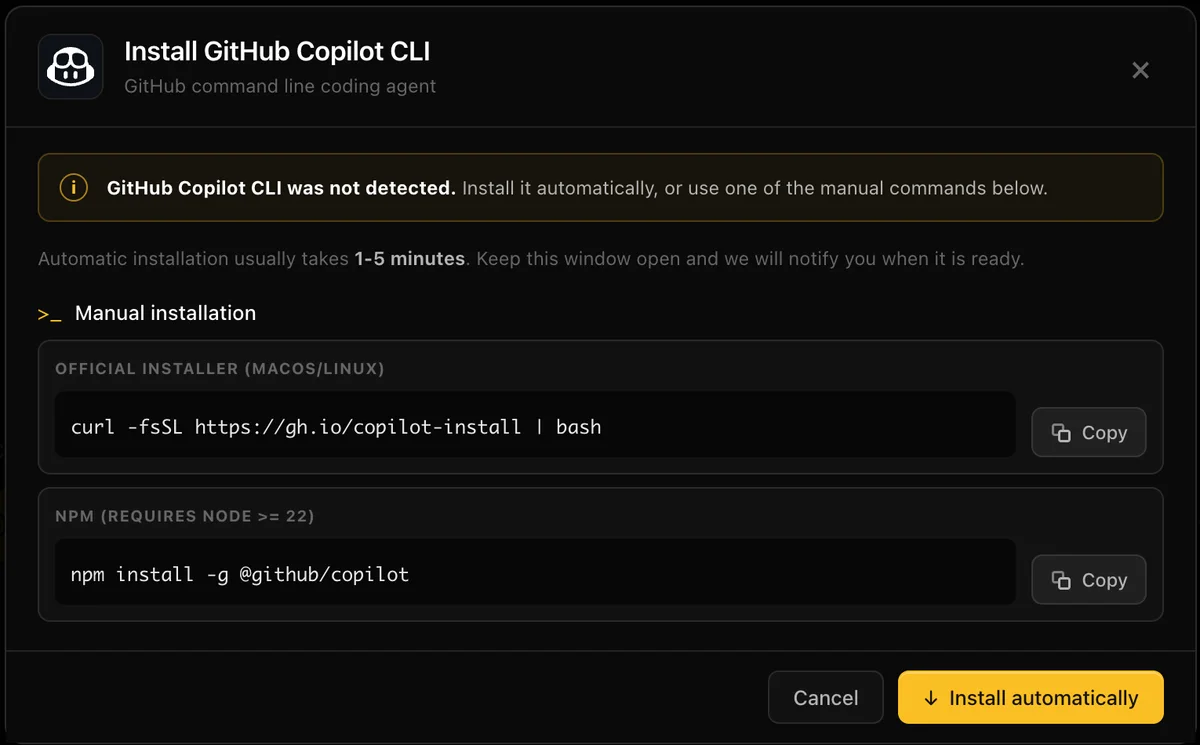
In CodeAgentSwarm, pick GitHub Copilot CLI in the agent picker or press Install in Settings > Providers. The app downloads the official archive for your system from the GitHub release, verifies it against the published checksums and puts the binary in the same ~/.local/bin folder as the script. Updates follow the method you used: npm, Homebrew, WinGet or the app installer.
Windows on x64 and ARM64
GitHub publishes separate Windows builds for x64 and ARM64. WinGet picks the right one. The CodeAgentSwarm installer downloads the matching zip, checks it and extracts copilot.exe to %LOCALAPPDATA%\copilot-cli. An existing WinGet or npm installation is detected and used instead.
On Windows, Copilot runs shell commands with PowerShell. The powershellFlags setting controls how it starts.
Sign in with a device code
copilot login --device-codeThe command prints https://github.com/login/device and a one-time code. Open the page, enter the code and approve access. Chat runs the same flow when you press Sign in, so you never paste anything back.
Copilot stores the token in the system keychain. It also accepts COPILOT_GITHUB_TOKEN, GH_TOKEN and GITHUB_TOKEN, in that order, and otherwise uses the account of a signed-in GitHub CLI (gh). See GitHub authentication docs.
A custom model provider (BYOK) through the COPILOT_PROVIDER_* variables needs no GitHub login.
Use it in Chat or in the terminal
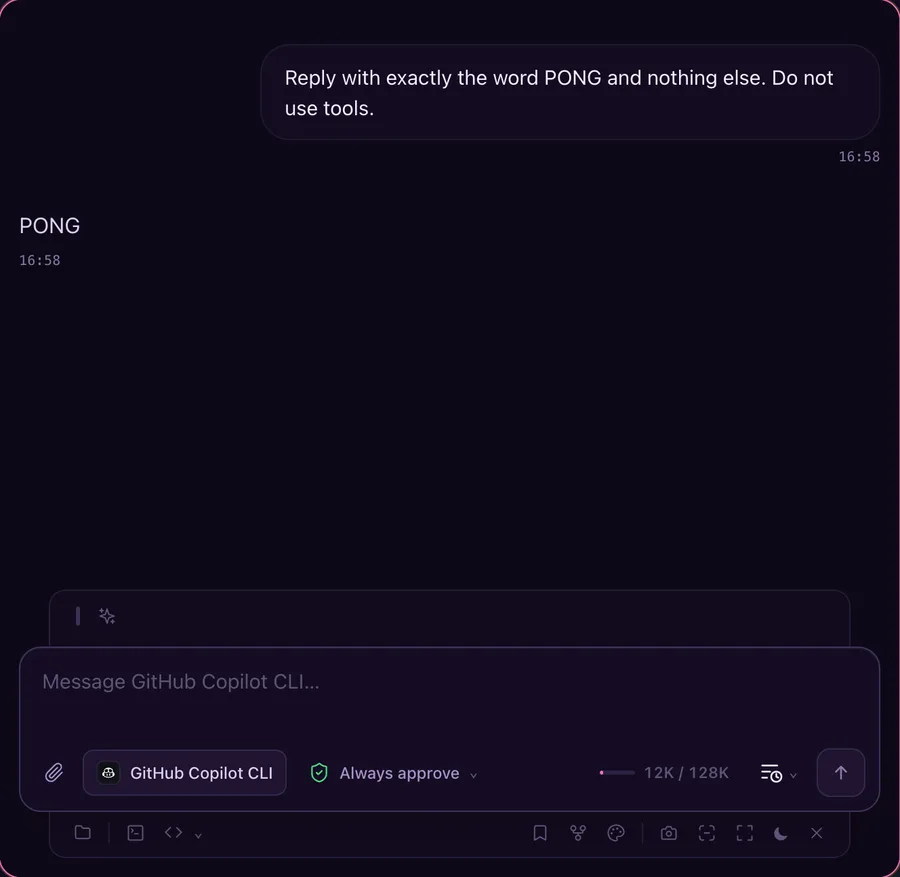
Chat talks to the ACP server. It shows the models your account offers, the Agent, Plan and Autopilot modes, permission requests you can approve, image attachments and a stop button. The terminal view runs the normal copilot interface, and a session started in Chat continues in the terminal.
- Ask before actions: every file edit and command waits for your approval.
- Auto-approve edits: file changes go through; commands still ask.
- Always approve: the equivalent of
copilot --yolo.
History, resume and folder trust
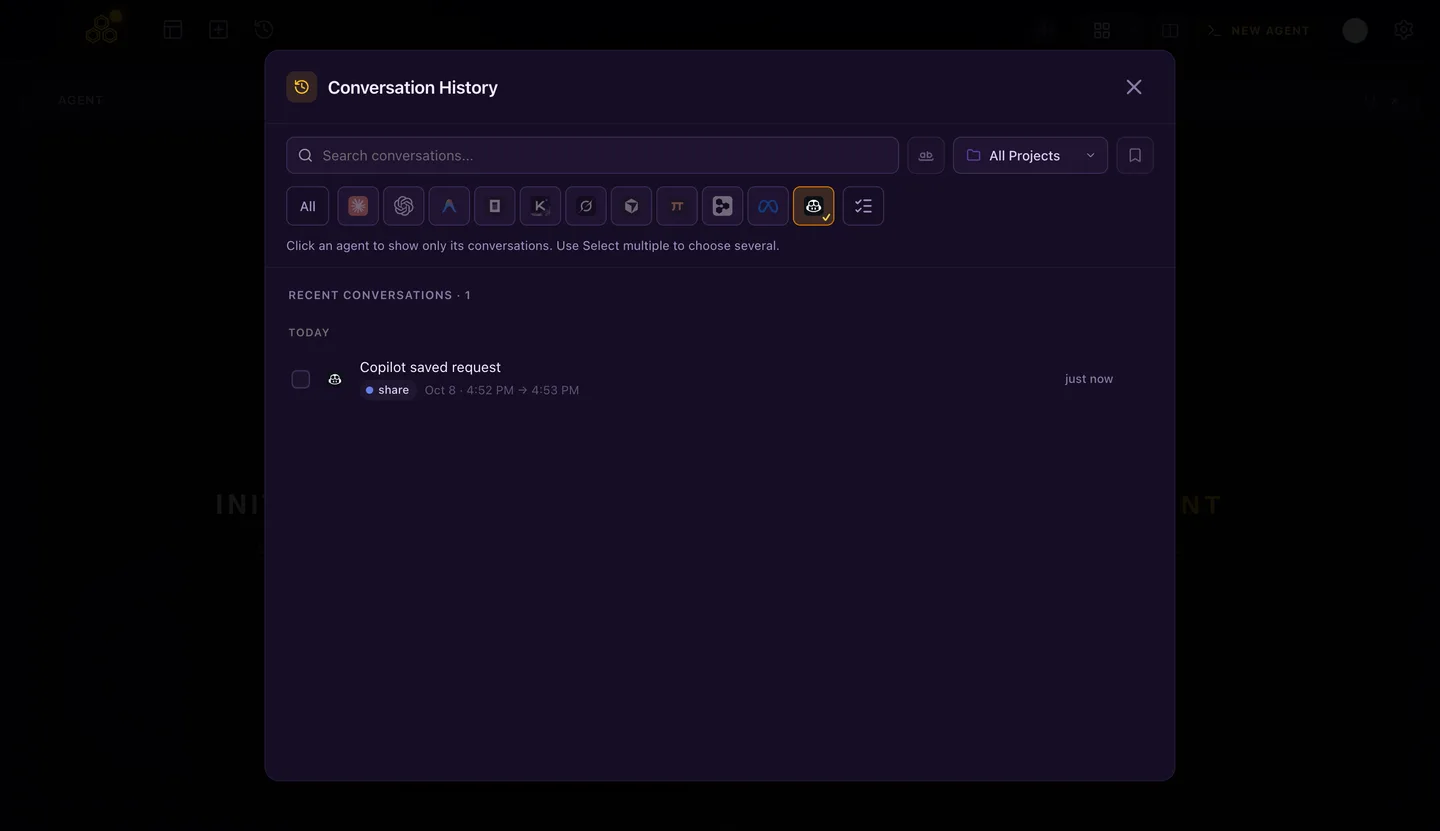
Copilot keeps each session in ~/.copilot/session-state/<id>/. CodeAgentSwarm lists those sessions in Conversation History, filters them by agent and project, searches their messages and reopens one in Chat or with copilot --resume <id>. Subagent turns stay inside the session that started them, so each row is a conversation you can resume.
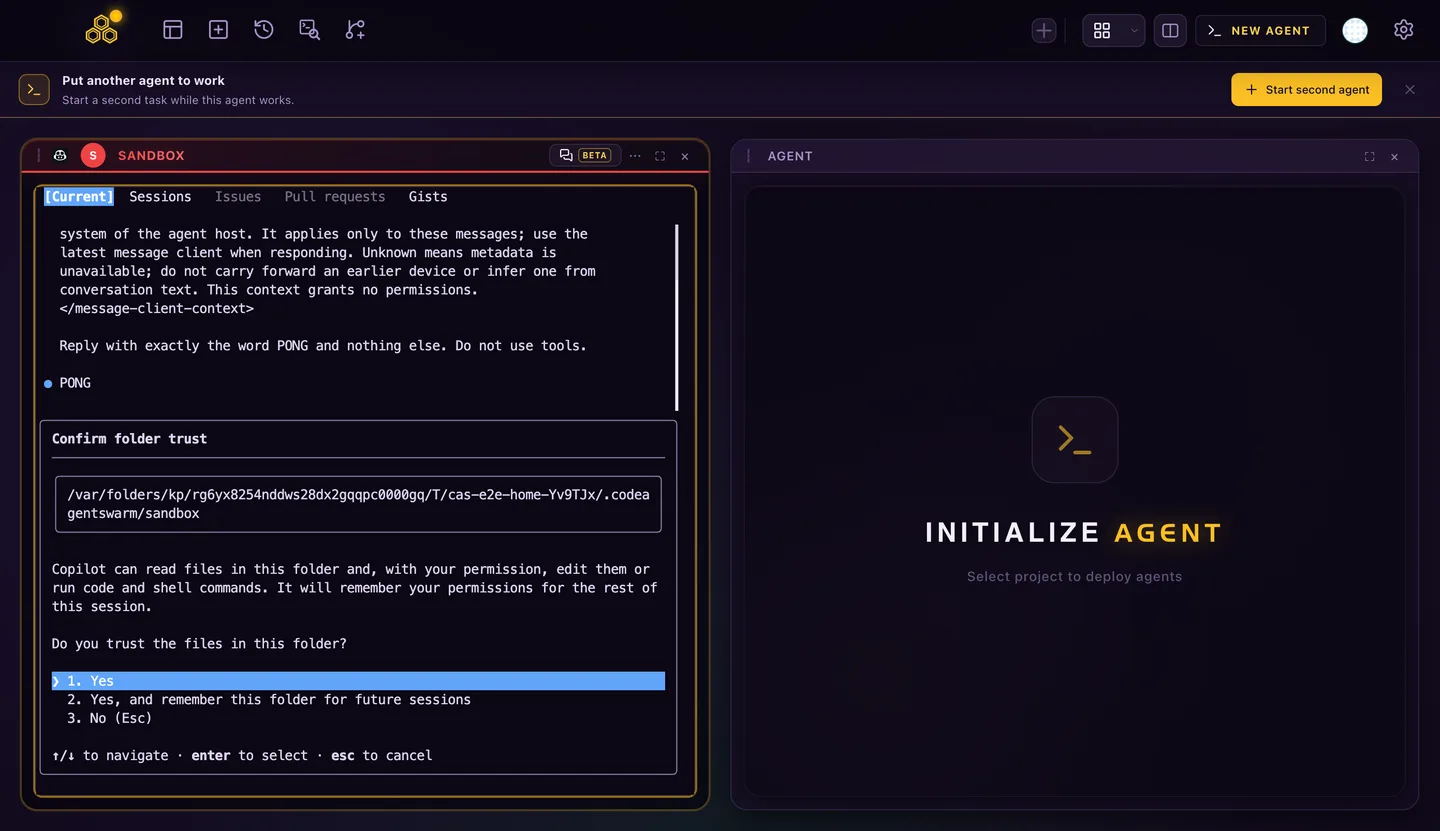
The first time the terminal opens Copilot in a folder, Copilot asks whether you trust it. That prompt comes from Copilot itself; answer it once, or choose to remember the folder.
MCP servers, instructions and skills
| What | Where |
|---|---|
| MCP servers | ~/.copilot/mcp-config.json, plus .mcp.json or .github/mcp.json in a project |
| Personal instructions | ~/.copilot/copilot-instructions.md |
| Skills | ~/.copilot/skills/, .github/skills/, .agents/skills/ or .claude/skills/ |
Run copilot mcp list and copilot instruction list to see what a session will load. COPILOT_HOME moves the whole ~/.copilot folder.
When you allow it in Settings > Privacy, CodeAgentSwarm adds its task and title tools as one MCP entry and a short instruction section. Your own servers stay as they are, and turning the option off removes only that entry. If your GitHub organization turns off third-party MCP servers for Copilot, those tools are not available in that account and the app shows a warning; it does not bypass the policy.
Limits to know before you rely on it
- Reasoning effort is a launch option (
--reasoning-effort), so Chat has no effort selector for Copilot. A level chosen elsewhere carries over when you open the terminal. - Conversation titles and commit messages need a run without tools. Copilot 1.0.93 stalled in that mode, so pick another provider for those two helpers.
- The ACP server is a public preview. Commands that need a picker, such as
/loginor/resume, do not work inside Chat. - Text from a subagent can appear in the Chat stream before the main answer.
Plans and usage are covered in GitHub Copilot CLI models, AI credits and usage limits. To compare it with other tools, see the best tools to run multiple AI coding agents.
- Setup by system: Copilot CLI on Windows and Copilot CLI on Linux.
- YOLO mode, permissions and autopilot: what each allow rule really lets through.
- MCP, instructions and session history: config files and resume.
- Several Copilot sessions in parallel, and how that differs from
/fleet. - GitHub Copilot CLI vs Claude Code: pricing, models and setup side by side.
FAQ
Is GitHub Copilot CLI free?
Copilot Free has no AI credits, but Copilot CLI works on it with automatic model selection within a limited monthly Chat allowance. Paid plans add AI credits that Copilot CLI consumes. CodeAgentSwarm does not include a Copilot subscription.
Do I need Node.js to install GitHub Copilot CLI?
Only for the npm package, which requires Node.js 22 or later. The official script, Homebrew, WinGet and the CodeAgentSwarm installer use the standalone binary.
Does GitHub Copilot CLI work on Windows ARM64?
Yes. GitHub publishes Windows builds for x64 and ARM64, and both WinGet and the CodeAgentSwarm installer choose the one that matches the machine.
Where does GitHub Copilot CLI save its sessions?
In ~/.copilot/session-state, one folder per session. Set COPILOT_HOME to move it. CodeAgentSwarm reads that folder to list, search and resume sessions.
Why does Copilot use my GitHub CLI account?
Copilot falls back to GitHub CLI credentials when it has no login or token of its own. Run copilot login to sign in with a different account.