
GitHub Copilot CLI MCP, instructions and session history
By CodeAgentSwarm · Updated October 31, 2026
Check what a session will load

Three commands answer most questions before you start: which MCP servers are configured, which instruction files apply in this folder, and how to continue your last session. If Copilot is not installed yet, start with how to install and use GitHub Copilot CLI.
copilot mcp list
copilot instruction list
copilot --continue
Everything below lives under ~/.copilot unless you set COPILOT_HOME, which moves the whole folder.
Add an MCP server in mcp-config.json
Your personal MCP servers go in ~/.copilot/mcp-config.json, under the mcpServers key. A local server runs as a process on your machine and talks over stdio, so it needs type: "local", the command to start it and its args. This is the example from the GitHub docs:
{
  "mcpServers": {
    "playwright": {
      "type": "local",
      "command": "npx",
      "args": ["@playwright/mcp@latest"],
      "env": {},
      "tools": ["*"]
    }
  }
}
"tools": ["*"] exposes every tool the server offers. List tool names instead to expose only those. Source: Adding MCP servers for GitHub Copilot CLI, checked October 8, 2026.
How to add an MCP server from the command line
If you prefer not to edit JSON, copilot mcp add writes the same user file for you. Put the command of a local server after --, or pass --transport http and a URL for a remote one.
# Local (stdio) server
copilot mcp add playwright -- npx @playwright/mcp@latest

# Remote (HTTP) server
copilot mcp add --transport http docs https://your-mcp-server.example/mcp

# Check the result
copilot mcp list
copilot mcp get playwright
In 1.0.93, copilot mcp add also accepts --env KEY=VALUE and --header, both repeatable, and --tools with "*" for all tools, a comma separated list, or "" for none. copilot mcp enable, disable and remove manage a server later. Inside a session, /mcp opens a dashboard with each server and its status, and /mcp list prints the same as text.
The HTTP URL above is a placeholder, not a real service. Add only servers you trust, and keep tokens out of files you commit. Adding a server does not approve its actions: Copilot still asks before running its tools unless you allow them, which GitHub Copilot CLI YOLO mode explains.
Where MCP configuration can live
| Source | Where | Good for |
|---|---|---|
| User | ~/.copilot/mcp-config.json | Servers you want in every project |
| Workspace, local | .mcp.json in the project | Setup for one checkout |
| Workspace, shared | .github/mcp.json in the project | Configuration you commit for the team |
| One session | --additional-mcp-config | Trying a server without saving it |
Plugins can bring their own servers too. --additional-mcp-config takes a JSON string or a file path prefixed with @, can be repeated, and adds to your user config for that session only.
copilot --additional-mcp-config @./extra-mcp.json
copilot --disable-mcp-server playwright
copilot --disable-builtin-mcps
The built-in GitHub MCP server
Copilot CLI ships with the GitHub MCP server already connected, so GitHub tools are available without any setup. By default the CLI gets a subset of the GitHub tools; --enable-all-github-mcp-tools turns on the rest (from copilot help in 1.0.93). --disable-builtin-mcps switches off every built-in server, which in 1.0.93 means github-mcp-server and githubiq. To drop a single server, use --disable-mcp-server with its name.
Custom instructions: copilot-instructions.md and AGENTS.md
| File | Applies to |
|---|---|
~/.copilot/copilot-instructions.md | You, in every project |
.github/copilot-instructions.md | Everyone working in the repository |
.github/instructions/**/*.instructions.md | The repository, split into several files |
AGENTS.md, CLAUDE.md, GEMINI.md | The repository, shared with other agents |
Copilot reads repository instructions from the git root and from your current folder. One trap: an AGENTS.md in your home folder is not loaded, so personal rules belong in copilot-instructions.md. COPILOT_CUSTOM_INSTRUCTIONS_DIRS adds more folders, and --no-custom-instructions starts a session without any. Source: Adding custom instructions for GitHub Copilot CLI, checked October 8, 2026.
copilot instruction listSkills folders
- Project skills:
.github/skills/,.agents/skills/or.claude/skills/. - Personal skills:
~/.copilot/skills/or~/.agents/skills/. - Manage them with
copilot skill list,add,remove,enableanddisable.
Because Copilot also reads .claude/skills/ and .agents/skills/, a project can keep one set of skills for several agents. See how to share skills between agents.
Where sessions live and how to resume them
Each session gets its own folder. workspace.yaml holds the ID, working directory, name and timestamps; events.jsonl holds the conversation.
~/.copilot/session-state/<session-id>/
  workspace.yaml
events.jsonl| Command | What it does |
|---|---|
copilot --resume | Opens a picker with your saved sessions |
copilot --resume=<value> | Resumes by session ID, ID prefix of 7 or more hex characters, or exact name (case does not matter) |
copilot --continue | Resumes the most recent session |
copilot --session-id=<uuid> | Resumes that session, or uses the UUID for a new one |
copilot -n "my feature" | Names a new session so you can resume it by name later |
Inside a session, /rename changes its name. copilot sessions import brings in a session saved as JSONL. Add --allow-all-tools to a resume command only if you want that session to run tools without asking.
Find and reopen sessions in CodeAgentSwarm
GitHub Copilot CLI support arrives in CodeAgentSwarm 2.5.0, in beta. With it, Conversation History lists your Copilot sessions next to those of your other agents. You can filter by agent and project, search inside the messages, bookmark a conversation and reopen it in Chat or in the terminal.
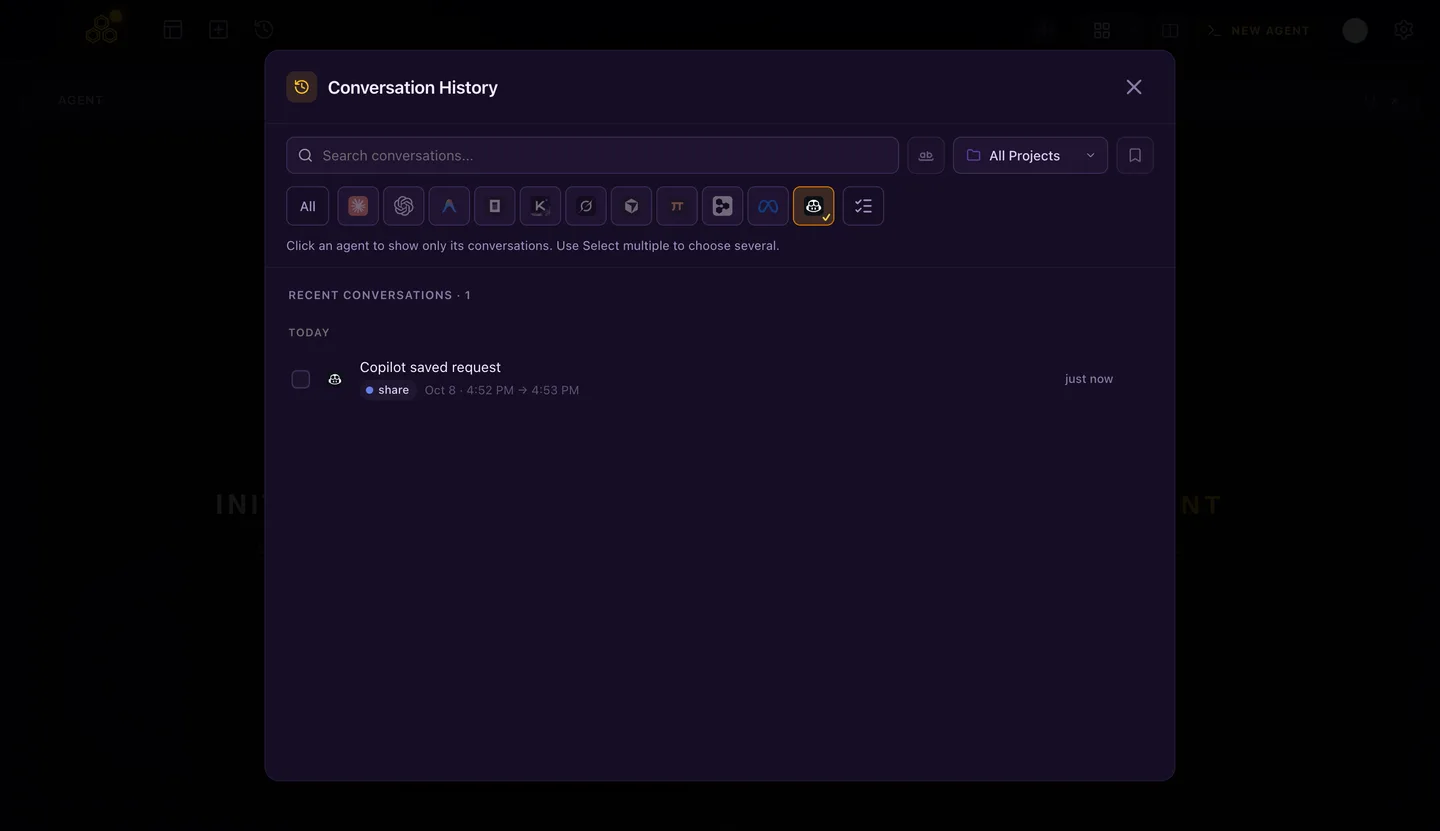
Subagent turns stay inside the session that started them, so each row is one conversation you can resume. A session started in Chat continues in the terminal through copilot --resume. The first time Copilot opens in a folder, it asks whether you trust that folder; answer once, or ask it to remember.
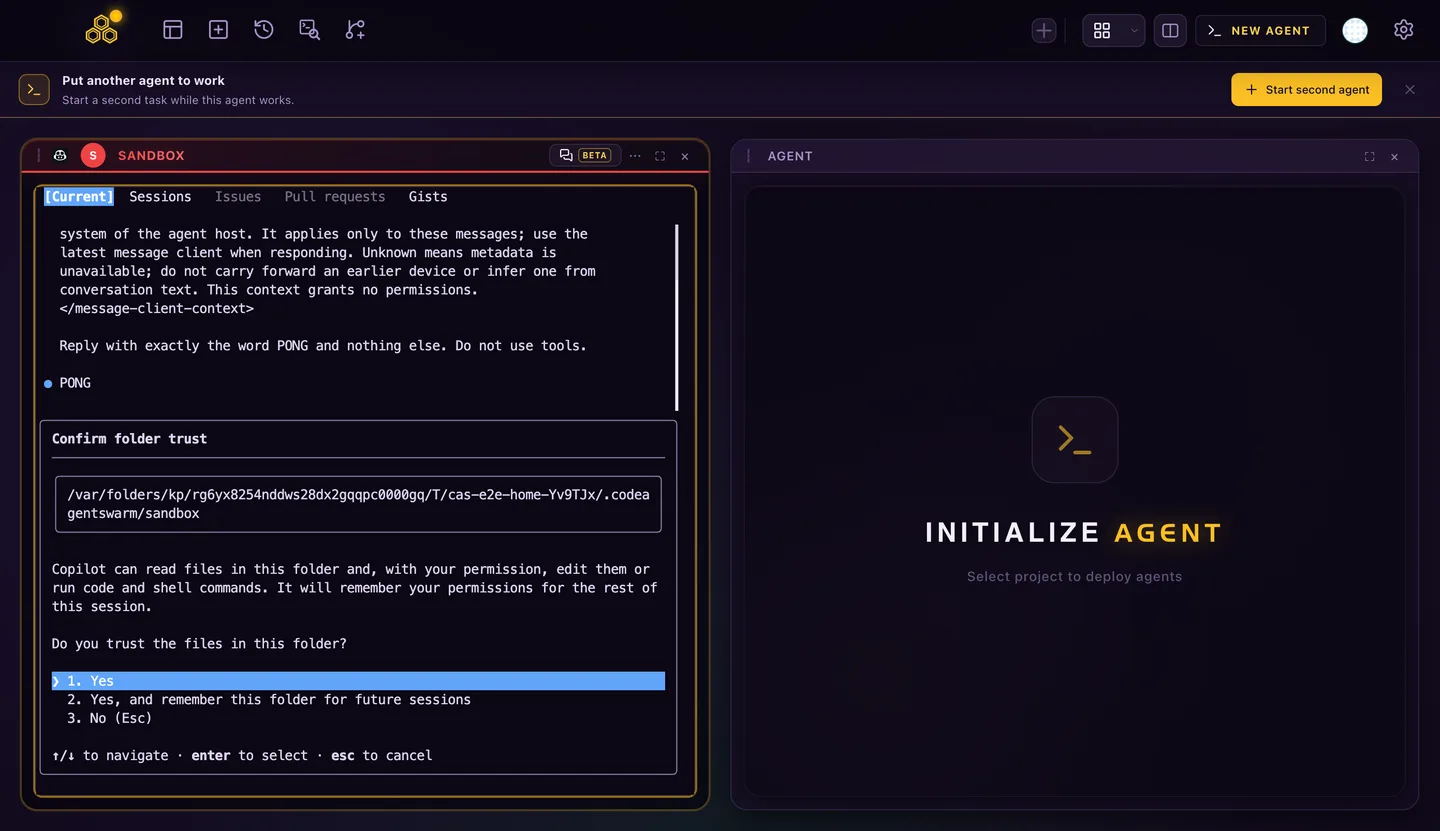
You can also save a session as a shortcut and clean up old sessions one conversation at a time.
The CodeAgentSwarm MCP entry is optional
If you allow it in Settings > Privacy, CodeAgentSwarm adds its task and title tools as one entry in ~/.copilot/mcp-config.json and a short section in copilot-instructions.md. Your own servers stay as they are.
Turning the option off removes only the CodeAgentSwarm entry. Copilot works without it. If your GitHub organization turns off third-party MCP servers for Copilot, Copilot only starts the built-in GitHub server, so the CodeAgentSwarm tools are missing and the app shows a warning in Chat. Sign in with an account that allows MCP servers to use them.
For models and monthly usage, read GitHub Copilot CLI models, AI credits and usage limits. To run several Copilot sessions side by side, see the GitHub Copilot CLI agent swarm guide.
FAQ
Where is the MCP config file for GitHub Copilot CLI?
Your personal servers live in ~/.copilot/mcp-config.json. A project can add .mcp.json or .github/mcp.json. Run copilot mcp list to see every server a session will load.
Do I need to add the GitHub MCP server myself?
No. It is built in and available without setup. Start Copilot with --disable-builtin-mcps if you want a session without it.
Does Copilot CLI read AGENTS.md?
Yes, from the repository: the git root and your current folder. An AGENTS.md in your home folder is not loaded; use ~/.copilot/copilot-instructions.md for personal instructions.
How do I resume a GitHub Copilot CLI session?
Run copilot --continue for the most recent session, copilot --resume to pick one from a list, or copilot --resume with an ID, ID prefix or name for a specific one.
Can CodeAgentSwarm reopen sessions I started in the terminal?
Yes, from CodeAgentSwarm 2.5.0. Conversation History lists Copilot sessions, searches their messages and reopens any of them in Chat or in the terminal.