
GitHub Copilot CLI on Windows: install, PATH, PowerShell and sign-in
By CodeAgentSwarm · Updated October 31, 2026
copilot is not recognized, the PowerShell version Copilot expects, sign-in and updates. The commands were checked against the official docs on October 8, 2026.The short version: WinGet

Open PowerShell and run these two lines. WinGet picks the x64 or ARM64 build for you. Close the terminal and open a new one before you run copilot --version, so it sees the updated PATH.
winget install GitHub.Copilot
copilot --version
GitHub lists two prerequisites for Windows: an active Copilot subscription and PowerShell 6 or later (GitHub installation docs, checked October 8, 2026). The general walkthrough for every platform is in how to install and use GitHub Copilot CLI.
Four ways to install it on Windows
| Method | What you run or download |
|---|---|
| WinGet | winget install GitHub.Copilot |
| MSI installer | copilot-x64.msi or copilot-arm64.msi |
| Zip | copilot-win32-x64.zip or copilot-win32-arm64.zip, each with a single copilot.exe |
| npm (Node.js 22 or later) | npm install -g @github/copilot |
The MSI and zip files are on the copilot-cli releases page, next to SHA256SUMS.txt. Pick the file that matches your processor: Settings > System > About shows it under System type. For prerelease builds, use winget install GitHub.Copilot.Prerelease or npm install -g @github/copilot@prerelease.
Only the npm package needs Node.js. WinGet, the MSI and the zip all give you the standalone binary.
Manual install from the zip
$dir = "$env:LOCALAPPDATA\copilot-cli"
$base = "https://github.com/github/copilot-cli/releases/latest/download"
Invoke-WebRequest "$base/copilot-win32-x64.zip" -OutFile copilot.zip
Invoke-WebRequest "$base/SHA256SUMS.txt" -OutFile SHA256SUMS.txt
(Get-FileHash copilot.zip -Algorithm SHA256).Hash
Select-String -Path SHA256SUMS.txt -Pattern "copilot-win32-x64.zip"
Expand-Archive copilot.zip -DestinationPath $dir
$userPath = [Environment]::GetEnvironmentVariable("Path", "User")
[Environment]::SetEnvironmentVariable("Path", "$userPath;$dir", "User")
On an ARM64 machine, replace x64 with arm64 in both file names. The two hashes must match; PowerShell prints its hash in capitals and the file uses lowercase, which is fine. The last two lines add the folder to your user PATH, so open a new terminal afterwards.
The folder %LOCALAPPDATA%\copilot-cli is only a suggestion. It is the same one the CodeAgentSwarm installer uses, which keeps things tidy if you later switch.
When PowerShell says copilot is not recognized
Get-Command copilot -All
where.exe copilot
npm prefix -g- The terminal was open during the install. A window keeps the PATH it started with. Open a new one, and restart any app that launches Copilot for you.
- You installed with npm. On Windows, npm puts global commands directly in the folder that
npm prefix -gprints, by default%AppData%\npm(npm folders docs, checked October 8, 2026). That folder must be in PATH. - You unpacked the zip. Nothing adds the folder to PATH for you. Use the last two lines of the zip example above.
- Several copies show up. Run
copilot --versionfrom each path thatGet-Commandlists and keep the one you want. Two installs updated by different tools drift apart.
PowerShell is the shell Copilot uses
On Windows, Copilot runs its shell commands through PowerShell. It prefers PowerShell 7 or later (pwsh) and falls back to Windows PowerShell (powershell.exe) when pwsh is missing (GitHub configuration reference, checked October 8, 2026). Windows PowerShell 5.1 is the version that comes with Windows, and it is older than the PowerShell 6 that GitHub lists as a prerequisite. Check which one you have and install PowerShell 7 if needed:
$PSVersionTable.PSVersion
winget install --id Microsoft.PowerShell --source winget
The install command comes from Microsoft's PowerShell install guide, checked October 8, 2026. PowerShell 7 runs side by side with Windows PowerShell 5.1; it does not replace it. The powershellFlags setting in settings.json, inside the .copilot folder of your user profile, decides how Copilot starts PowerShell. The default is:
{
  "powershellFlags": ["-NoProfile", "-NoLogo"]
}
With -NoProfile, your PowerShell profile does not load, so aliases and functions defined there are not available to Copilot. Leave the default unless a command really depends on your profile. The file accepts comments, and COPILOT_HOME moves the whole folder.
Sign in with a device code
copilot login --device-codeOn a normal Windows desktop, copilot login opens the browser. The --device-code flag prints https://github.com/login/device and a one-time code instead, which also works over SSH or in a remote session. Copilot stores the token in the system keychain. Details in the GitHub authentication docs.
- Classic personal access tokens that start with
ghp_are not supported. Use a fine-grained token with the Copilot Requests permission and pass it withcopilot login --with-token. - If
COPILOT_GITHUB_TOKEN,GH_TOKENorGITHUB_TOKENis set, Copilot uses it before the keychain, in that order. Without any of them, it falls back to a signed-in GitHub CLI. /logoutremoves the local token but does not revoke it.
Signed in with one account but Copilot uses another? Look for a GH_TOKEN or GITHUB_TOKEN saved in your Windows user variables. It wins over the account you just signed in with.
Keep it updated
| Installed with | How to update |
|---|---|
| WinGet | winget upgrade GitHub.Copilot |
| Zip | copilot update, or let the automatic update apply on the next launch |
| npm | npm install -g @github/copilot (Copilot only tells you a newer version exists) |
| CodeAgentSwarm installer | The app updates its own copy, and updates WinGet or npm installs through those tools |
Standalone installs download updates by themselves and apply them the next time Copilot starts. To turn that off, start Copilot with --no-auto-update or set COPILOT_AUTO_UPDATE=false. copilot update prerelease switches to prerelease builds. GitHub does not document how MSI installs update, so check copilot --version afterwards.
copilot is not gh copilot
If you used GitHub CLI before, you may still have the old gh copilot extension. It only suggested and explained shell commands. GitHub Copilot CLI is a different program: the command is copilot, and it reads your project, edits files and runs commands after you approve them.
So if gh copilot suggest works but copilot is not recognized, you have the old extension and not the agent. Install Copilot CLI with one of the methods above. The two do share one thing: a signed-in GitHub CLI can provide the account Copilot CLI uses.
GitHub Copilot CLI in CodeAgentSwarm on Windows
Copilot support arrives in CodeAgentSwarm 2.5.0, in beta. The steps below were checked during 2.5.0 development, and the installer was also tested on Windows ARM64.
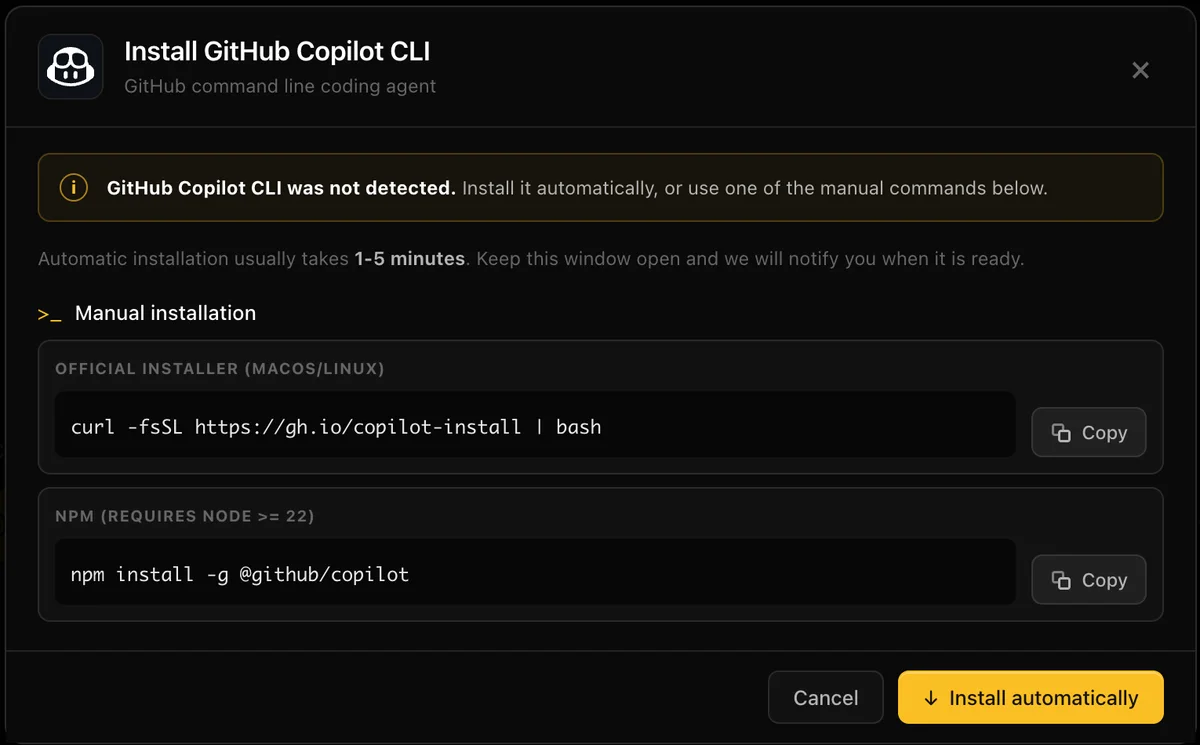
- Install: pick GitHub Copilot CLI in the agent picker or press Install in Settings > Providers. On Windows the app downloads the x64 or ARM64 zip, verifies it against
SHA256SUMSand putscopilot.exein%LOCALAPPDATA%\copilot-cli. If you already installed it with WinGet or npm, the app detects that copy and updates it with the same tool. - Sign in: press Sign in in Chat. It runs the device code flow, so you only open the GitHub page and enter the code.
- Chat or terminal: Chat shows the models your account offers, the Agent, Plan and Autopilot modes and permission requests. The terminal view runs the normal
copilotinterface, and a Chat session continues there with--resume. - History and usage: Conversation History lists your Copilot sessions by project, and the Usage panel shows your monthly allowance and reset date next to your other agents.
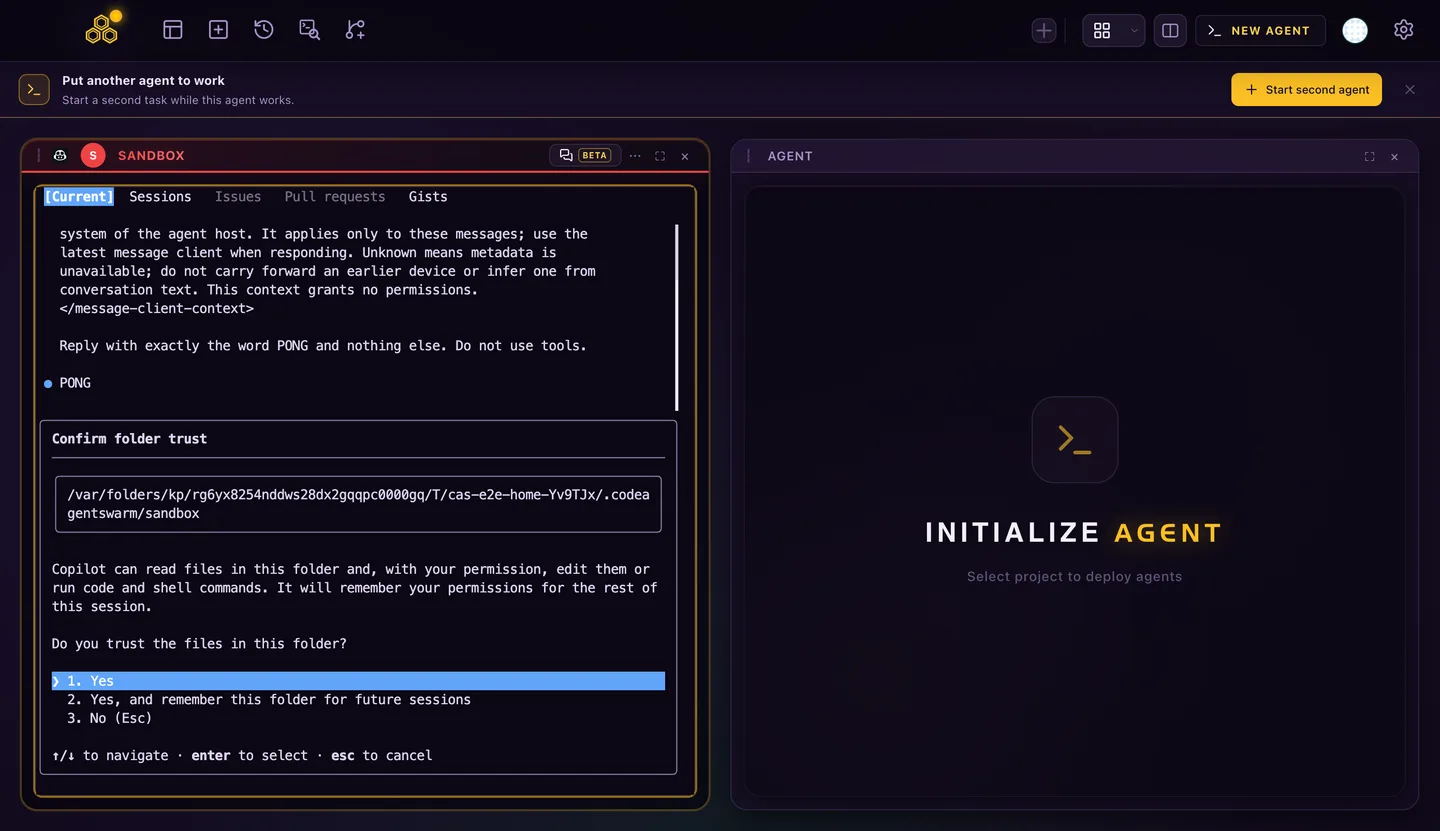
Each session can live in its own project or git worktree, next to Claude Code, Codex and the other agents. Read running a GitHub Copilot CLI agent swarm to set that up, GitHub Copilot CLI YOLO mode before you approve everything, and GitHub Copilot CLI on Linux if you also work in WSL or on a server.
FAQ
Do I need WSL to run GitHub Copilot CLI on Windows?
No. GitHub publishes native Windows builds for x64 and ARM64, plus a WinGet package and an MSI. Inside WSL you would be running the Linux build, which is a separate install.
Does GitHub Copilot CLI work on Windows on ARM?
Yes. There is a native ARM64 zip and an ARM64 MSI. WinGet and the CodeAgentSwarm installer pick the right build for the machine.
Which shell does Copilot use for commands on Windows?
PowerShell. It prefers PowerShell 7 or later (pwsh) and falls back to Windows PowerShell when pwsh is not installed. GitHub lists PowerShell 6 or later as a prerequisite, so install PowerShell 7 if you only have the built-in 5.1.
Why is copilot not recognized right after installing it?
Usually the terminal was opened before the install and still has the old PATH. Open a new terminal. For npm installs, the folder that npm prefix -g prints must be in PATH; for the zip, you add the folder yourself.
Is gh copilot the same as GitHub Copilot CLI?
No. gh copilot is an old GitHub CLI extension that suggested and explained shell commands. GitHub Copilot CLI is the copilot command, an agent that edits files and runs commands after you approve them.