
Claude Code Agent Swarm: Run Multiple Claude Agents in Parallel
By CodeAgentSwarm · Updated October 5, 2026
claude you get a separate process with its own conversation and its own context window, so nothing stops you from having four of them working the same repository at once.
The first thing worth clearing up: this is not the same as Claude Code's built-in subagents. Subagents work within a session, with their own context. Agent Teams is another feature: it coordinates multiple Claude Code sessions through a lead, tasks and messages. The difference decides which one you actually want, so the next section covers it before anything else.
The second thing is that starting the processes is trivial and supervising them is not. Three Claude agents finish at different moments, stop for different permission prompts, and occasionally edit the same file. This guide covers the three practical ways to run a Claude agent swarm, where each one breaks, and how to stop parallel agents from stepping on each other. For the same setup on other CLIs, see the AI CLI agent swarm overview or the Codex agent swarm guide.Swarm vs subagents: the distinction that matters first
Search for a Claude agent swarm and you get two different things mixed together. They are not interchangeable, and picking the wrong one wastes a lot of time.
| Subagents | A Claude swarm | |
|---|---|---|
| What it is | Helpers spawned inside one Claude Code session | Several separate Claude Code sessions |
| Who is in charge | Claude orchestrates them for you | You assign the work |
| Context | Own context; returns results to the caller | Each one has its own, fully isolated |
| Lifetime | Ephemeral, they end with the task | As long as you keep the session open |
| Best for | Splitting one task into parallel steps | Several unrelated tasks at once |
| Can mix vendors | No, all Claude | Yes, Claude plus Codex, opencode, others |
The rule of thumb: if the work is one problem that decomposes, use subagents and let Claude coordinate. If the work is several unrelated problems, run a swarm so each one gets a clean context window and cannot pollute the others.
These stack rather than compete. A single terminal in your swarm can be running a Claude session that spins up its own subagents. The agent teams comparison goes deeper on using both together.
The rest of this guide is about the swarm: several independent Claude Code sessions, and how to run them without losing track.
To keep track of which session is working or needs input, use the Claude Code dashboard.
The short answer: yes, and there is no special mode
A Claude Code session is just a process. You start it with claude, sign in once, and from then on that session has its own conversation, its own context window, and its own working directory. Two sessions know nothing about each other.
So there is nothing to unlock. Open a second terminal, run claude again, and you have two independent agents. One can be migrating a schema while the other writes tests. Add a third and a fourth and you have a swarm.
You are not limited to Claude either. Because each agent is its own process, you can put Claude Code in some terminals and Codex CLI or opencode in others, all on the same repository, and pick whichever agent suits each task.
Each agent uses your existing Anthropic subscription independently. There is no separate swarm plan and no premium for parallelism. Running four agents for one hour costs roughly what running one agent for four hours costs, it just finishes sooner. What it does consume faster is your rate limit, which is the real ceiling on how wide a swarm you can run.
Method 1: Multiple terminal tabs (free, basic)
The obvious approach. Open several terminal tabs, move into your project in each, and start Claude Code. Nothing to install.
# Terminal tab 1
cd ~/my-project
claude

# Terminal tab 2
cd ~/my-project
claude

# Terminal tab 3
cd ~/my-project
claude
Each tab is an independent Claude agent. Hand each one a different task and switch between them as they work.
Pros
- Free, nothing to set up beyond Claude Code itself
- Works instantly with the terminal you already have
- Easy to reason about, one tab is one agent
Cons
- Every tab is labelled the same, so you lose track of which is which almost immediately
- No notification when an agent finishes or stops for a permission prompt
- Agents sit idle waiting for a yes you never saw
- No shared view, you click into each tab to check progress
- No way to search across the history of different agents
- If two agents edit the same file, untangling it is on you
For two agents this is fine. Past that, the time spent hunting for the tab that is blocked cancels out the speed you gained by going parallel. The multiple sessions guide covers the mechanics in more detail.
Method 2: tmux or screen (free, advanced)
If you live in the terminal, tmux splits one window into panes and keeps sessions alive in the background, so you can watch several Claude agents at once without flipping tabs.
# Start a new tmux session
tmux new-session -s claude-swarm

# Split horizontally
tmux split-window -h

# Split the right pane vertically
tmux split-window -v

# Now you have 3 panes - run claude in each one
tmux also lets you detach and reattach, so agents keep running after you close the window. Genuinely useful for long refactors.
Pros
- Free and available on almost any Unix machine
- Several panes visible at once, no tab switching
- Sessions survive disconnects, good for long runs
- Scriptable, you can define a reusable swarm layout
Cons
- Real learning curve if you have never used tmux
- Still no desktop notification when an agent finishes or asks permission
- No searchable history across agents
- Text panes get cramped past three or four agents
- No task board or organization layer
- File conflicts between agents are still your problem
tmux is an excellent multiplexer that was never built for supervising AI agents. The moment an agent in pane 3 quietly stops for a permission prompt while you are reading pane 1, you feel the gap.
Method 3: CodeAgentSwarm (visual, full-featured)
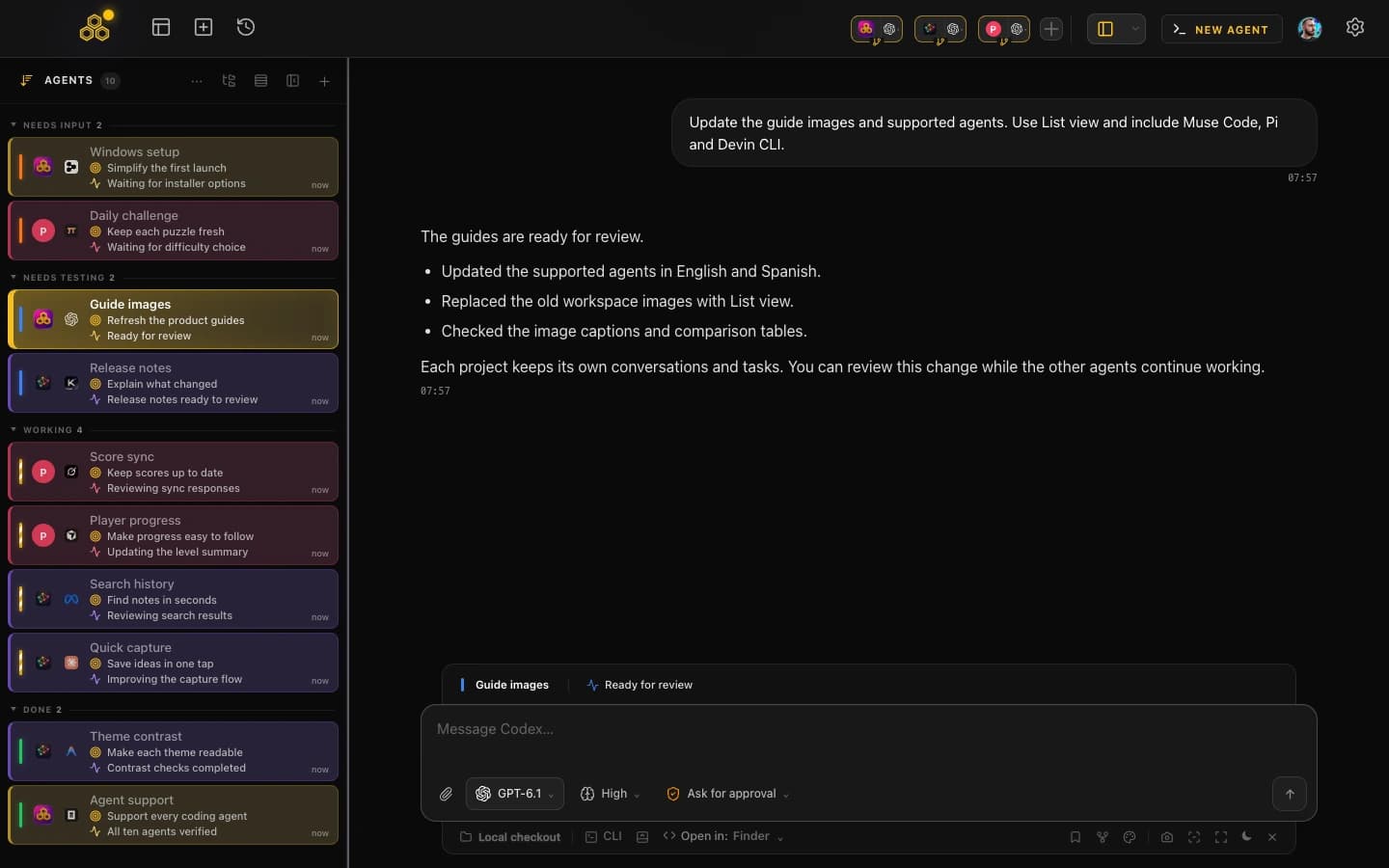
CodeAgentSwarm is a desktop app built for exactly this: running and supervising a swarm of AI CLI agents in one place. It runs on macOS, Windows and Linux, gives you multiple terminals in one workspace, and lets you pick the agent per terminal. For a Claude swarm you select "claude code" in the SELECT AI AGENT picker in each terminal.
Desktop notifications when an agent needs you
This is the single biggest fix for a swarm. When a Claude agent finishes or stops to ask permission, you get a native desktop notification. You stop babysitting panes and let the agents call you, which is the entire point of running them in parallel.
Dynamic titles instead of six identical tabs
Every terminal updates its own title to reflect what its agent is doing right now. Instead of tabs all labelled "claude", you read "Migrating User Schema", "Writing API Tests", "Refactoring Auth", and you know the state of the swarm at a glance.
Live file diffs per terminal
You watch the changes each agent makes in real time, per terminal and across the project. When two agents touch the same file you see it as it happens rather than discovering it in a painful diff later. This is the feature that matters most as the swarm grows.
Searchable history across every agent
Every conversation in every terminal is saved and searchable, including across agents from different vendors. You can find what an agent decided yesterday, resume it, or trace which agent made a given change. See the Claude Code history guide for how the underlying sessions are stored.
Turbo Mode with per-terminal permissions
Claude Code can skip permission prompts with --dangerously-skip-permissions, which is what makes a swarm flow without constant interruptions and also what makes it risky. CodeAgentSwarm wraps that in Turbo Mode with per-terminal permissions, so you can let the safe agents run unattended while still gating the ones touching production code. The Turbo Mode guide covers the tradeoffs honestly.
A task board the agents update themselves
A kanban board sits next to the terminals and the agents move their own cards over MCP. You create tasks, hand them to terminals, and watch the board instead of holding the plan in your head.
Keeping a swarm from turning into merge chaos
The failure mode nobody warns you about is not a crashed agent. It is three agents editing the same file and each overwriting the others, so you only notice when the tests break. Two practical defences:
Give each agent its own git worktree
A git worktree is a second checkout of the same repository on its own branch, in its own directory. Give each agent one and they physically cannot touch each other's files. You merge at the end like any normal branch.
# One worktree per agent, each on its own branch
git worktree add ../proj-auth   -b feature/auth
git worktree add ../proj-tests  -b feature/tests

# Then start an agent in each directory
cd ../proj-auth && claude
This is the single most effective thing you can do for a swarm past two agents. The worktrees guide covers the workflow, and worktree vs branch explains when a plain branch is enough.
Split by module, not by layer
If you must share one checkout, assign each agent a directory rather than a role. "Agent 1 owns /auth, agent 2 owns /billing" produces almost no collisions. "Agent 1 writes the code, agent 2 writes the tests" produces constant ones, because both need the same files.
Do not run several agents in full-auto on one shared checkout without worktrees. It works right up until two of them refactor the same module, and then you spend longer reconciling the mess than you saved by going parallel.
Quick comparison
| Terminal tabs | tmux |  CodeAgentSwarm CodeAgentSwarm | |
|---|---|---|---|
| Cost | Free | Free | Free tier, Pro for advanced |
| Setup | None | 10-30 min to learn | A couple of minutes |
| Notifications | None | None | Native desktop |
| History | Gone with the tab | No search | Saved and searchable |
| Live diffs | No | No | Per terminal, real time |
| Permission control | All or nothing | All or nothing | Per terminal |
| Learning curve | None | Moderate to steep | Low |
If you only ever need two Claude agents, terminal tabs are perfectly fine and you should not install anything. If you already run your day in tmux, dropping Claude sessions into your existing panes is the natural move. Once you regularly run three or more agents and want to see what each is doing without clicking around, CodeAgentSwarm removes the coordination overhead the other two leave with you.
FAQ
What is a Claude code swarm?
A Claude code swarm is several independent Claude Code sessions running in parallel instead of one at a time. Each session is its own process with its own conversation and context window, so they can work different tasks in the same repository simultaneously. It is not a Claude feature you enable, just a way of working you can set up with terminal tabs, tmux, or a tool like CodeAgentSwarm.
Is a Claude agent swarm the same as subagents or agent teams?
These terms are not interchangeable. Subagents work within a session with their own context. Agent Teams coordinates Claude Code sessions through a lead, tasks and messages. A swarm describes the use of several sessions, which you can supervise yourself or coordinate with tools such as CodeAgentSwarm.
How many Claude Code agents can I run at once?
There is no hard limit in Claude Code itself, so the technical ceilings are your machine's memory and your Anthropic rate limit, which several parallel agents consume noticeably faster than one. In practice you hit a different ceiling first: past three or four agents the bottleneck tends to be your own attention, because every agent that stops for a permission prompt is waiting on you. That is exactly the limit that notifications and per-terminal permissions push back.
Does running a Claude swarm cost more?
There is no surcharge for parallelism. Each agent uses your existing Anthropic subscription and you pay for the work each one actually does, the same as running them sequentially. Running them at once finishes sooner, it does not change the per-agent cost. It does burn through rate limits faster, which is the real constraint.
How do I stop parallel Claude agents from overwriting each other?
Give each agent its own git worktree, which is a separate checkout on its own branch, so they physically cannot touch the same files and you merge at the end like normal branches. If you share one checkout, assign each agent a directory rather than a role, since splitting by module produces far fewer collisions than splitting code from tests. Live per-terminal diffs also let you catch an overlap while it is happening instead of after.
Can I mix Claude Code with Codex or opencode in one swarm?
Yes. Every agent is a separate process, so you can run Claude Code in some terminals and Codex CLI, opencode or Kimi Code in others, all on the same project. In CodeAgentSwarm you pick the agent per terminal, so a mixed swarm is the default rather than a workaround.