
Git Worktree vs Branch for Parallel AI Agents: Which to Use
By CodeAgentSwarm · Updated July 5, 2026
The real question with parallel agents
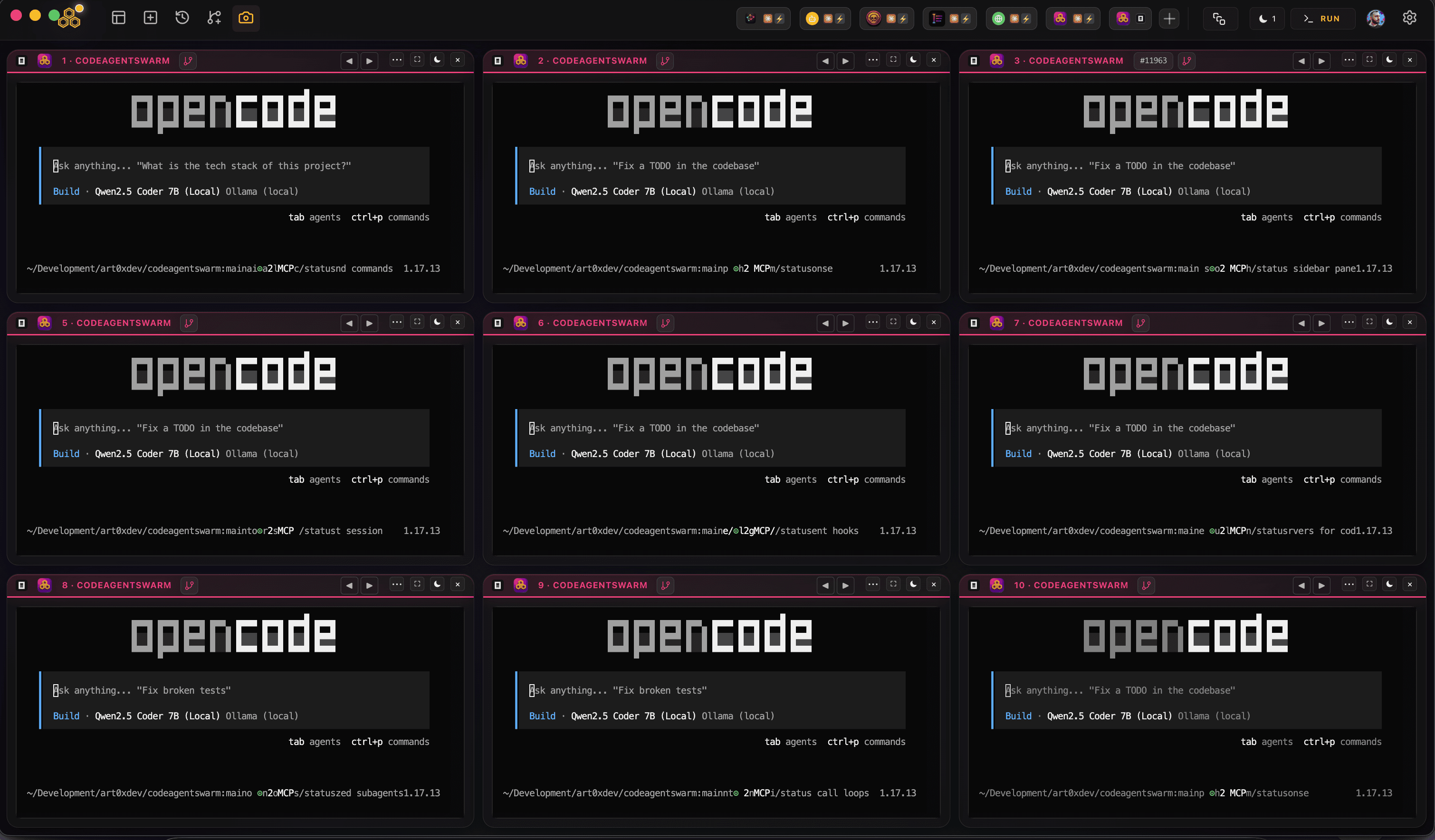
A single AI agent in a single folder never has this problem. It edits files, commits, moves on. The problem is entirely about running more than one at the same time on the same repository. Each agent needs somewhere to make changes that the others are not also changing.
There are three ways to give them that space, and they are not equal for parallel work. Switching branches shares one working tree. Multiple clones give each agent a full copy of the repo. Git worktrees give each agent its own working tree on top of one shared repository. Let us take them in that order.
Option A: one working tree, switch branches
The instinct many developers have is branches. Make a branch per task, and let each agent work on its own branch. It is the right idea for keeping work separate in history, but it breaks the moment you want the agents to run at the same time.
The reason is that a branch is not a place to work, it is a label on a commit. You still have only one working tree, one set of files on disk. git checkout other-branch swaps the files in that single folder to match the other branch. Two agents in that folder still share the exact same files, no matter how many branches exist.
# One working tree. checkout swaps its files in place.
git checkout -b agent-auth   # folder now on agent-auth
# ...another agent...
git checkout -b agent-tests  # SAME folder, now on agent-tests
So if two agents try to work at once, one of two things happens. Either they take turns, checking out, doing a bit, committing or stashing, and checking out again, which is not parallel at all, it is one working copy shared in shifts. Or they both edit the folder while it is on one branch and you are back to the original collision, with the added confusion of branches that no longer match what is on disk.
Branches organize history, they do not give you parallel workspaces. You cannot have the same folder checked out on two branches at once. This is the exact gap worktrees exist to fill.
Option B: a full clone per agent
The next idea is to give each agent a genuinely separate copy: run git clone a few times and point one agent at each folder. This does give real isolation. Each folder has its own files, its own branch, its own everything, so the agents cannot collide.
# A full, independent copy per agent
git clone git@github.com:me/app.git app-auth
git clone git@github.com:me/app.git app-tests
git clone git@github.com:me/app.git app-docs
It works, but it is heavy. Every clone carries a full copy of the history and the object store, a separate remote to fetch and push, and its own disk footprint. On a large repo that is a lot of duplication for what you are trying to do. You also now maintain several independent copies: fetching updates, keeping remotes in sync, and cleaning them up are all multiplied by the number of agents.
For a couple of long-lived copies that is fine. For spinning up three or four short-lived agent workspaces several times a day, cloning the whole repo each time is more machinery than the job needs.
Option C: git worktrees, one shared repo
Git worktrees are the middle path that fits parallel agents exactly. A worktree is an extra working tree of one repository. There is still a single .git shared by all of them, but each worktree is a separate folder checked out on its own branch. You get the real folder isolation of clones without duplicating the history.
# One repo, several lightweight working trees
git worktree add ../agent-auth -b agent-auth
git worktree add ../agent-tests -b agent-tests
git worktree add ../agent-docs -b agent-docs

# Clean one up when its work is merged
git worktree remove ../agent-auth
Now N agents can genuinely run at once. Each edits its own checkout, on its own branch, so overlapping edits are impossible. Because they share one object store, a new worktree only costs the checked-out files, not another copy of the repo, so adding an agent is cheap. And they share one remote and one history, so fetching and pushing stays simple.
That is the whole reason worktrees exist: multiple working trees backed by one repository. It is the setup that maps directly onto "several agents, one repo, all at once".
The one constraint: two worktrees cannot check out the same branch at the same time, so each agent needs its own branch. For parallel agents that is not a limitation, it is exactly how you want them organized.
Quick comparison
The three options across what matters when you want agents running at the same time:
True parallelism
- Switch branches: No, one working tree means agents take turns or collide
- Multiple clones: Yes, each folder is fully independent
- Worktrees: Yes, each agent has its own checkout on its own branch
Weight and disk
- Switch branches: Lightest, but it does not solve the problem
- Multiple clones: Heavy, a full history and remote copied per agent
- Worktrees: Light, one shared object store, only checked-out files per agent
Remotes and history
- Switch branches: One, but shared unsafely between agents
- Multiple clones: One per clone, each fetched and kept in sync separately
- Worktrees: One shared remote and history for all worktrees
Cleanup
- Switch branches: Nothing to remove, but nothing was isolated
- Multiple clones: Delete whole folders, and untangle any local-only state first
- Worktrees: git worktree remove, one command per agent workspace
Switching branches is the wrong tool for running agents at once. Multiple clones work but are heavier than the job needs. Worktrees are the fit: real isolation, cheap to add, one repo to maintain.
When a plain branch is fine
None of this means worktrees are always the answer. If you are running one agent at a time, a branch per task is not just fine, it is the right call. Make a branch, let the agent work, commit, switch to the next task. There is no collision because nothing else is touching the folder, and you get all the usual benefits of branches for organizing and reviewing history.
Even with several agents, if they only ever edit clearly different files, one shared checkout can hold up: the edits do not overlap, so nothing overwrites anything, and Git merges cleanly. Worktrees start to matter specifically when agents run at the same time and can touch the same files, or when you want two of them working the same area on separate branches. Reach for the isolation when the collisions are real, not by default.
Rule of thumb: one agent at a time, use branches. Several agents that might overlap, use a worktree each. The AI CLI agent swarm guide covers the wider workflow of running several agents together.
How CodeAgentSwarm uses worktrees
CodeAgentSwarm is a desktop app for running a swarm of AI CLI agents (Claude Code, Codex CLI, opencode, Antigravity CLI) in one place, and it builds the worktree option straight into each terminal so you never run the commands yourself.
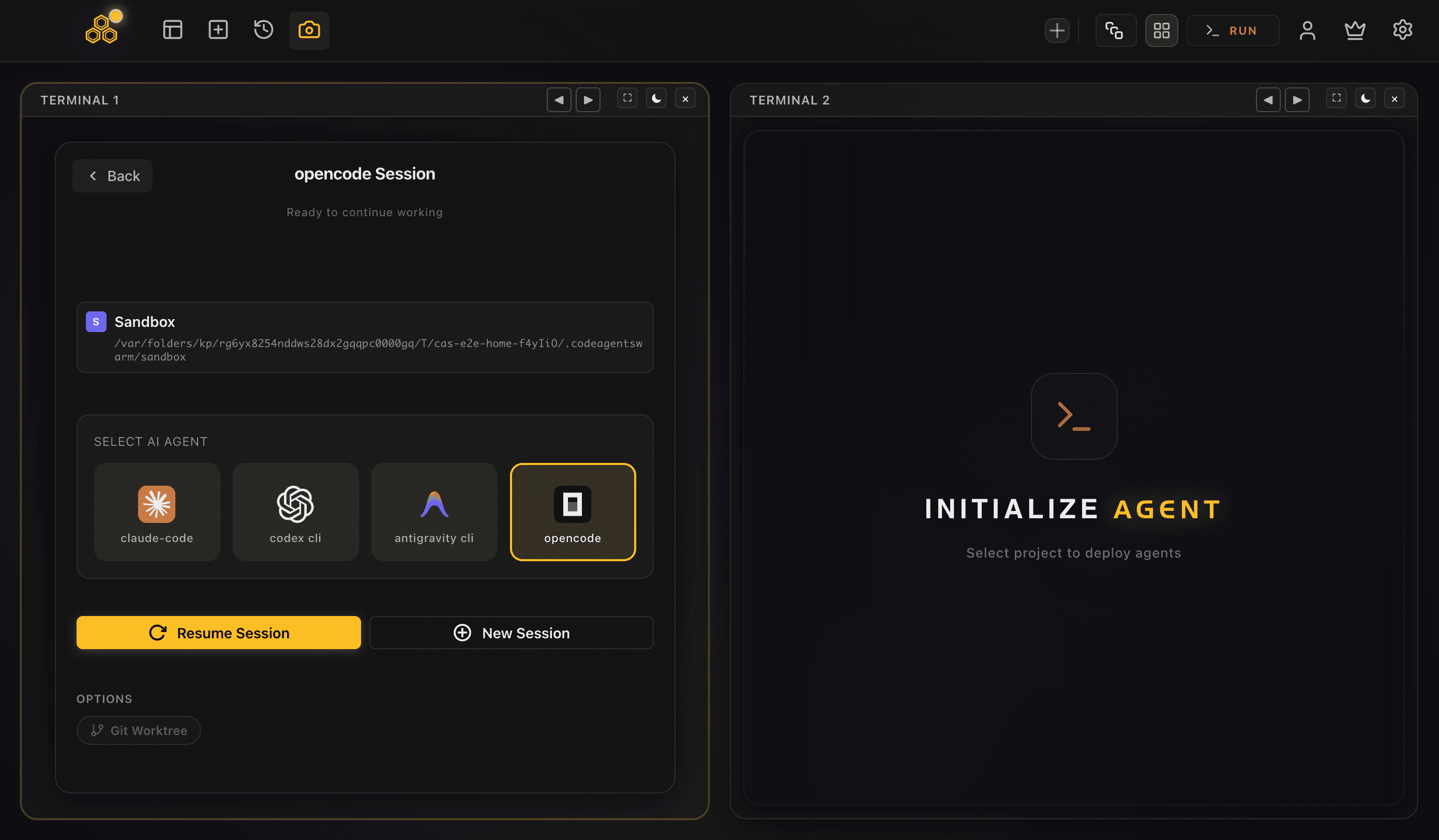
In the per-terminal session config, the OPTIONS row has a Git Worktree toggle (next to Turbo for agents that support it; for opencode only Git Worktree shows). Turn it on and that conversation gets a worktree at <repoRoot>/.codeagentswarm/worktrees/<slug>/ on a new branch cas/<slug>, branched from your local HEAD. That is Option C above, one command per agent, done for you and named consistently.
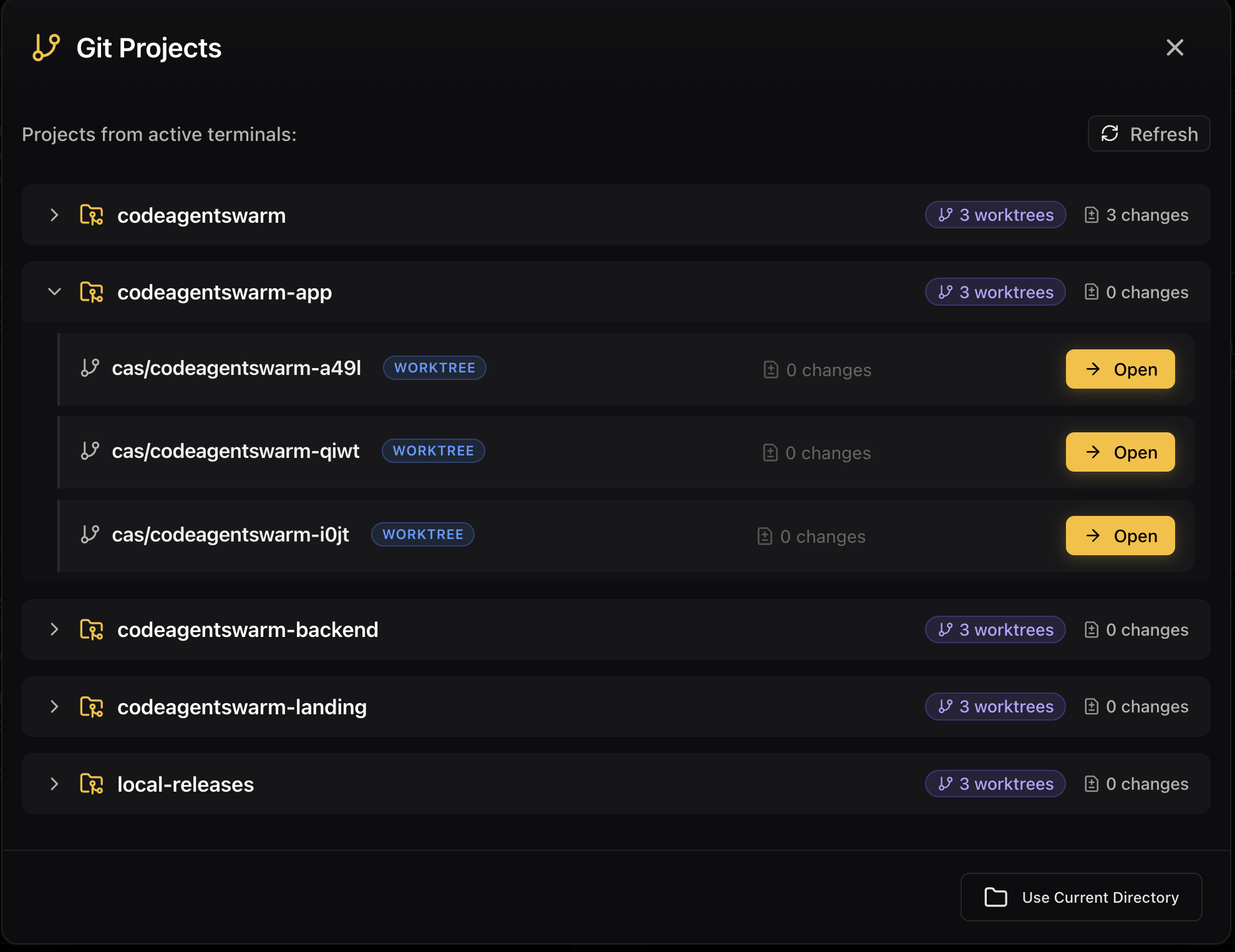
It keeps the mess out of your way too. CodeAgentSwarm adds .codeagentswarm/ to your .gitignore so the worktrees never show up in git status, and it is fail-safe: if the folder is not a git repo, the terminal just opens normally. A global setting can turn worktrees on for every terminal, and you can merge or remove a worktree from Settings when the work is done. You get the parallelism of worktrees without the branch juggling or the cleanup.
FAQ
Git worktree vs branch: what is the difference for parallel agents?
A branch is a label on a commit; it does not give you a separate place to work. With one working tree, switching branches swaps the files in that single folder, so two agents cannot both use it at once without colliding or taking turns. A worktree is an actual separate folder checked out on its own branch. For running agents at the same time you need worktrees (separate working trees), not just separate branches.
Can I just switch branches to run multiple AI agents?
Not for real parallelism. Switching branches works on a single working tree, so the agents share one set of files. They either take turns checking out and stashing, which is not parallel, or they edit the same folder and overwrite each other. To run several agents truly at once you give each its own working tree, which is what worktrees provide.
Are git worktrees better than cloning the repo for each agent?
For parallel agents, usually yes. Multiple clones give real isolation but each carries a full copy of the history, its own remote to sync, and its own disk usage. Worktrees give the same folder isolation while sharing one repository, so a new worktree only costs the checked-out files and you maintain a single remote and history. Clones make sense for long-lived independent copies; worktrees fit short-lived agent workspaces.
When is a plain branch enough?
When you run one agent at a time, or when several agents only ever edit clearly different files. In those cases a branch per task keeps history organized and nothing collides in the shared checkout. Worktrees earn their place specifically when agents run at the same time and might touch the same files.
How does CodeAgentSwarm handle worktrees?
Each terminal has a Git Worktree toggle in its OPTIONS row. Turn it on and that agent runs in a worktree at <repoRoot>/.codeagentswarm/worktrees/<slug>/ on a new branch cas/<slug> from your local HEAD. It adds .codeagentswarm/ to your .gitignore so it stays out of git status, falls back to the normal directory if the folder is not a git repo, and lets you merge or remove worktrees from Settings. A global setting can enable it for every terminal.