
Git Worktrees for AI Coding Agents: Give Each Agent Its Own Checkout
By CodeAgentSwarm · Updated September 27, 2026
.git. Give each agent its own worktree and they stop stepping on each other, without you cloning the repo five times.
In this guide I explain the problem in concrete terms, what a git worktree actually is, how to create one by hand, and how CodeAgentSwarm sets one up per terminal automatically so a parallel agent swarm just works. If you want the broader picture of running several agents at once, start with the AI CLI agent swarm overview.The problem: several agents, one working copy
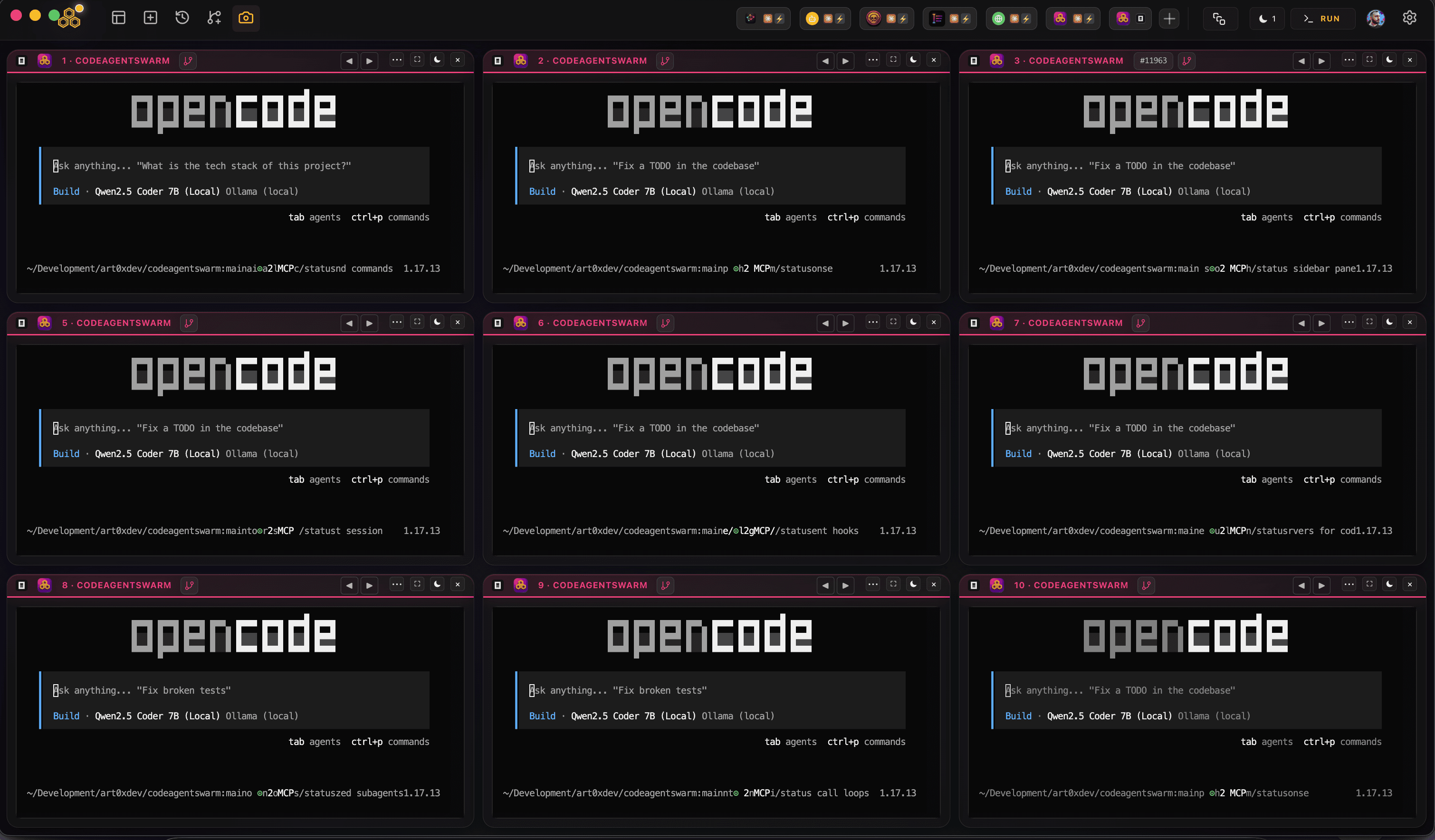
A checkout is the set of files sitting in your project folder right now. When one agent runs in that folder, everything is fine. The trouble starts the moment a second agent runs in the same folder at the same time. Both of them read and write the exact same files.
Say Claude Code is rewriting auth.ts and has not committed yet. In another terminal, Codex CLI opens the same file, makes its own edit, and saves. Claude Code's in-progress work is now partly gone, and Codex is building on top of a file that is about to change under it. Neither agent did anything wrong. They just cannot both own one working copy.
This is not specific to one tool. Whether you run Claude Code, Codex CLI, opencode, or Antigravity CLI, the second any two of them share one checkout and touch overlapping files, their uncommitted changes collide.
If your agents only ever edit different files, one checkout is fine and you do not need worktrees. The problem is real when agents overlap, or when you want two of them working the same area on separate branches at once.
The obvious workaround is to give each agent its own folder. You could clone the repo several times, but that is heavy and wasteful. Git already has a lighter answer built in: worktrees.
Once you have planned file ownership and isolation, you can queue the work with Auto Kanban.
What is a git worktree?
A git repository has exactly one .git directory. That is where the whole history lives: every commit, every branch, the full object store. A worktree is a working tree of that repository, a folder of checked-out files, and a repo can have more than one of them at the same time.
The important part is that all the worktrees share that single .git. There is one history, one set of objects, one remote. What differs is the working copy: each worktree is checked out on its own branch, in its own folder. So you can have main checked out in one folder and feature-login checked out in another, side by side, backed by the same repository.
The command to add one is git worktree:
# From inside your repo, create a new working tree
# at ../feature-x, checked out on a new branch feature-x
git worktree add ../feature-x -b feature-x
That gives you a second folder, ../feature-x, with the project files checked out on a fresh feature-x branch. Edit there and it does not touch your original folder at all. When you are done, you remove it:
# List the worktrees this repo has
git worktree list

# Remove one when you are finished with it
git worktree remove ../feature-x
Why worktrees, not clones
You could get isolated folders by running git clone several times, but each clone is a full copy: its own .git, its own duplicated history, its own remote to keep in sync, and its own disk footprint. Worktrees skip all of that. They share the object store of the one repository, so a new worktree only costs the checked-out files, not another copy of the history. For giving five agents five folders, that difference adds up fast.
One rule to know: two worktrees cannot check out the same branch at the same time. Each worktree needs its own branch. That is exactly what you want for parallel agents anyway, one branch per agent, but it is worth knowing before you try to add a worktree on a branch that is already checked out elsewhere.
The manual way: one worktree per agent
Knowing the command, you can build an isolated swarm by hand. Give each agent its own worktree on its own branch, then start the agent inside that folder.
# From your repo, one worktree per agent
git worktree add ../agent-auth -b agent-auth
git worktree add ../agent-tests -b agent-tests
git worktree add ../agent-docs -b agent-docs

# Then start an agent in each folder
cd ../agent-auth && claude
# (new terminal)
cd ../agent-tests && codex
# (new terminal)
cd ../agent-docs && opencode
Now each agent has its own checkout on its own branch. They can all edit auth.ts if they want, because each one is editing a different copy of it. Nothing collides, and you merge the branches back when the work is good.
This works, and if you only spin up a swarm occasionally it is perfectly reasonable. The friction is in the bookkeeping. You create a folder and a branch per agent, remember which agent is in which folder, clean up the worktrees when you are done, and keep those extra folders out of your editor and your git status. Do it a few times a day across projects and the setup starts to cost more than it saves.
Reproducible check: two sessions edit the same filename
On September 5, 2026, we checked the CodeAgentSwarm worktree service against a temporary Git repository on macOS. It created two branches; we wrote a different value to example.txt in each checkout and verified that the original file stayed unchanged. These were deterministic file edits, not AI-generated tasks or a speed benchmark.
| Checkout | Value after both edits |
|---|---|
| main | baseline |
| A | change A |
| B | change B |
Download the worktree-isolation.mjs example and run it with Node.js and Git installed. It independently reproduces the same file-isolation check using Git, without the app or paid model calls, and removes its temporary repository afterward.
node worktree-isolation.mjsThis checks file isolation only. Worktrees still share Git history, and applications can share ports, databases or external services. Edits to the same lines can still conflict when you merge. Review each diff and run your tests before merging.
To try the workflow in the app, download CodeAgentSwarm, enable Git Worktree for two new terminals and inspect each terminal folder before starting work.
How CodeAgentSwarm does it automatically
CodeAgentSwarm is a desktop app for running a swarm of AI CLI agents in one place. It runs on top of the official CLIs (Claude Code, Codex CLI, opencode, Antigravity CLI), so it is not a model provider, it orchestrates the agents you already use. And it can create a worktree per terminal for you, so you get the isolation above without touching a single git command.
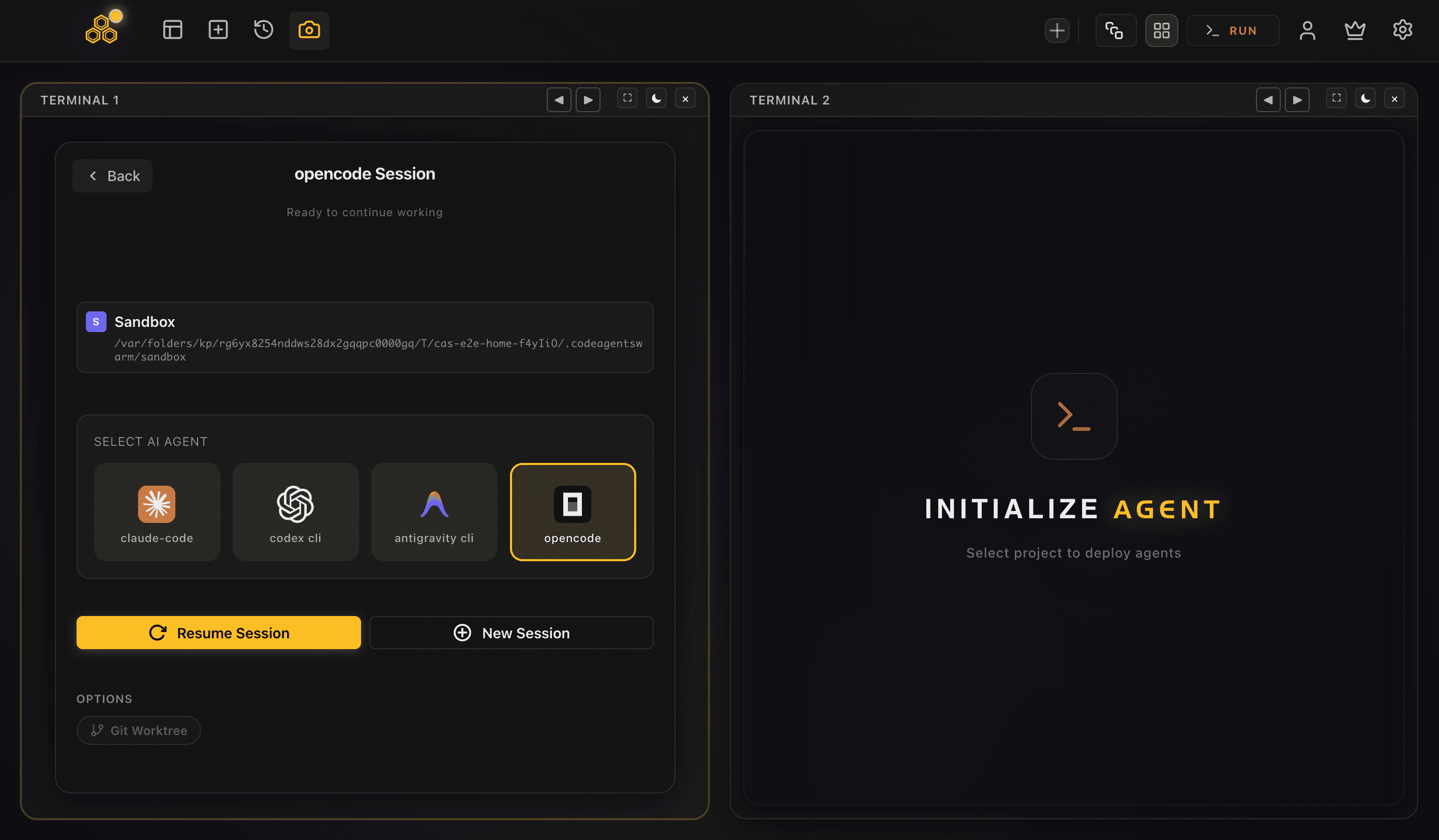
The Git Worktree toggle
In the per-terminal session config there is an OPTIONS row with a Git Worktree toggle. For agents that support Turbo Mode it sits right next to Turbo; for opencode only the Git Worktree option shows. Flip it on for a terminal and, when you launch it, that agent starts inside its own worktree instead of the shared checkout.
What it creates
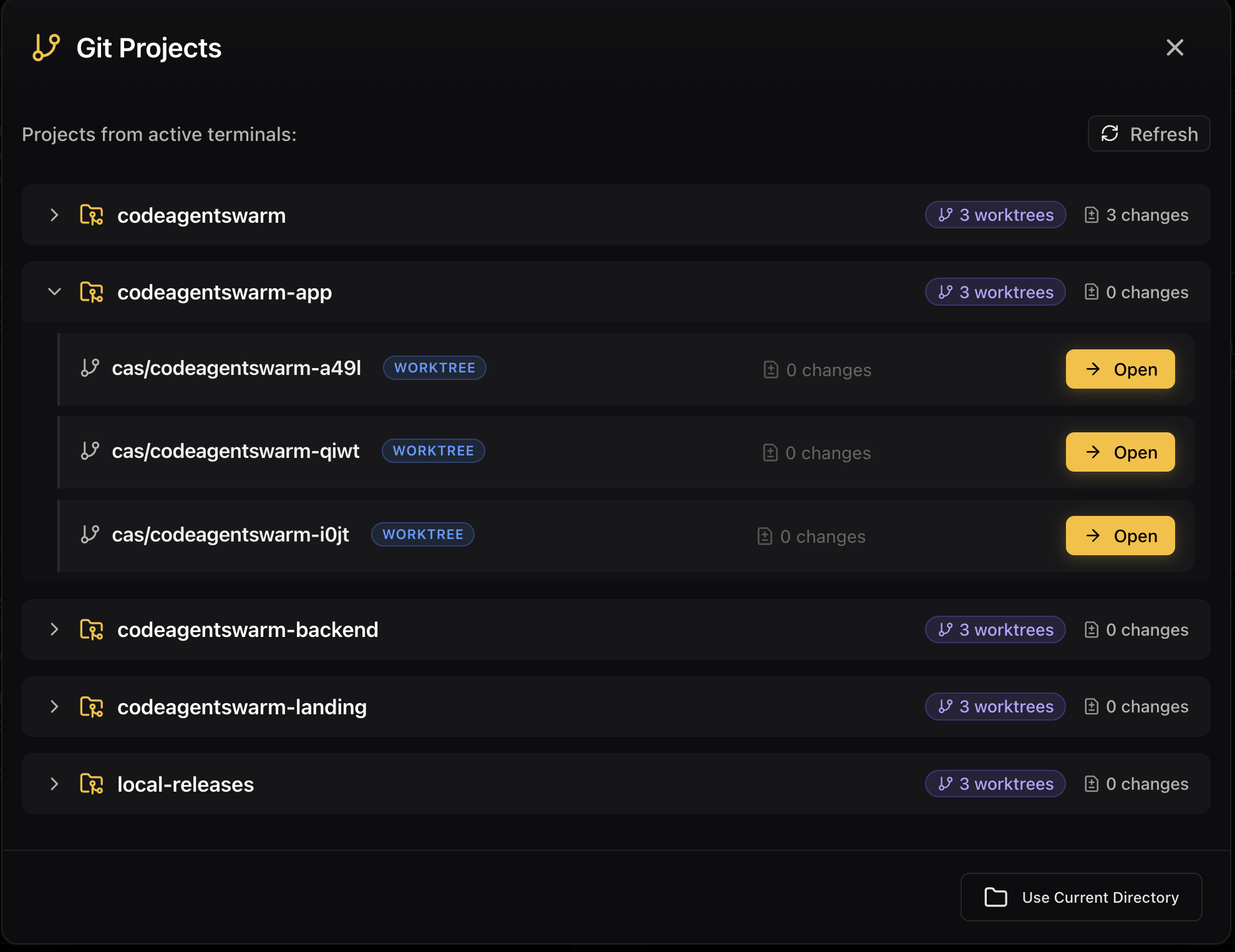
Each conversation gets a worktree at <repoRoot>/.codeagentswarm/worktrees/<slug>/, checked out on a new branch named cas/<slug> branched from your repo's local HEAD. So the agent starts from exactly where you are now, on a fresh branch, in a folder of its own. That is the same git worktree add ... -b ... setup from above, done for you and named consistently.
To keep those worktrees from cluttering your repository, CodeAgentSwarm adds .codeagentswarm/ to the repo's .gitignore automatically. The worktree folders live under there, so they never show up in your git status and never end up in a commit by accident.
It is fail-safe. If the directory is not a git repository, or worktree creation fails for any reason, the terminal just opens in the normal directory instead. You never end up with a terminal that refuses to start because of a git problem.
Always-on and cleanup
If you want every terminal to use a worktree without ticking the box each time, there is a global setting in Settings (alwaysUseWorktree, off by default) that turns it on everywhere. And when a piece of work is done, you do not have to drop back to the command line: from Settings you can merge a worktree back or remove it.
So the whole lifecycle, create a branch, check out an isolated folder, keep it out of git status, merge or remove at the end, is handled in the app. The manual approach is still there under the hood; CodeAgentSwarm just runs it for you per terminal.
Why this unlocks a real parallel agent swarm
Isolation is what turns "several terminals open" into a swarm you can actually trust. Once each agent has its own worktree on its own branch, they can all run at full speed, on overlapping parts of the codebase, without a single collision on uncommitted work. You stop rationing which agent is allowed to touch which file.
It also fits how you review work. Each agent lands its changes on its own cas/<slug> branch, so you look at each one as a self-contained diff and merge the good ones. Nothing is entangled in a shared working copy, so a bad run on one branch never poisons the others.
Worktrees are the isolation layer; the rest of CodeAgentSwarm is the visibility layer on top. You still get desktop notifications when an agent finishes, searchable history across all of them, and per-terminal live diffs, now with the guarantee that the agents are not overwriting each other underneath. If you want to weigh worktrees against just switching branches or cloning the repo, the git worktree vs branch comparison lays out when each one makes sense.
New to running several agents at once? See running multiple Claude Code sessions for Claude specifically, or the opencode agent swarm guide if opencode is your main agent. Worktrees apply the same way to all of them.
FAQ
What is a git worktree?
A git worktree is an additional working tree of a single repository: a folder of checked-out files on its own branch, backed by the same .git as the original. A repo can have several worktrees at once, each on a different branch, all sharing one history and object store. You create one with git worktree add <path> -b <branch> and remove it with git worktree remove <path>.
How do git worktrees help run multiple AI agents on one repo?
Running several agents in one checkout means they read and write the same files, so their uncommitted changes overwrite each other. Give each agent its own worktree on its own branch and they each edit an isolated copy. They can work on the same area of the codebase in parallel with no collisions, and you merge each branch back when it is ready.
Are git worktrees better than cloning the repo for each agent?
For this purpose, yes, usually. Multiple clones each carry a full copy of the history, their own remote to keep in sync, and their own disk usage. Worktrees share the single object store of one repository, so a new worktree only costs the checked-out files. You get the same folder isolation for a fraction of the weight.
How does CodeAgentSwarm use git worktrees?
Each terminal has a Git Worktree toggle in its OPTIONS row. Turn it on and that agent runs in a worktree at <repoRoot>/.codeagentswarm/worktrees/<slug>/, on a new branch cas/<slug> branched from your local HEAD. CodeAgentSwarm adds .codeagentswarm/ to your .gitignore so it stays out of git status, and it is fail-safe: if the folder is not a git repo, the terminal just opens normally. A global setting can turn worktrees on for every terminal, and you can merge or remove a worktree from Settings.
Do I always need worktrees to run agents in parallel?
No. If your agents only edit different files, one shared checkout works fine and Git handles the merges. Worktrees earn their place when agents overlap on the same files, or when you want two of them working the same area on separate branches at the same time. That is when hard isolation stops collisions before they happen.