
Can You Run Multiple Claude Chats at Once?
By CodeAgentSwarm · Updated October 5, 2026
Short answer: yes, both ways
There are two things people mean by "running multiple Claude chats at once", and both are possible.
- The claude.ai web app: open multiple conversations in separate browser tabs, or use Projects to keep each chat tied to its own files and instructions. Each conversation is independent.
- Claude Code in the terminal: each session is its own process with its own conversation and context, so you can run several side by side on one machine and have them work in parallel.
There is no special "multi-chat" plan and no extra cost for running conversations in parallel. Whether in the browser or the terminal, you are using the same Claude subscription from more than one place.
The rest of this page splits by audience. If you are working in the browser, the next section is for you. If you are coding in the terminal, skip ahead to the developer section, where parallel sessions actually start to pay off.
If you mean the claude.ai web app
On claude.ai, every conversation is independent, so running several at once is just a matter of opening more of them.
Use separate browser tabs
The simplest way is to open claude.ai in a second tab and start a new chat there. Each tab holds its own conversation with its own context, and they do not share memory. You can have one tab drafting an email while another helps you plan a trip, switching between them like any other browser tabs.
Use Projects to keep chats organized
If you keep coming back to the same topic, Projects are a better fit than loose tabs. A Project groups related conversations and lets you attach files and custom instructions that every chat in that Project can see. You can run several Projects at once, each its own workspace, so a chat about your finances does not bleed into a chat about your novel.
One thing to know: separate conversations do not share context. If you want two chats to know the same background, you either repeat the context in each one or put the shared material in a Project so every chat inside it can see it.
That is really all there is to the web app. Multiple chats at once means multiple tabs or multiple Projects. If that answers your question, you are done. If you are actually here about coding in the terminal, keep reading.
If you mean Claude Code in the terminal
This is where parallel sessions get genuinely powerful. Claude Code is the command-line coding agent, and each session you start with claude is its own independent process. It has its own conversation thread, its own context window, and its own working state. Nothing is shared between sessions.
That means you can open a second terminal, run claude again, and now have two completely separate Claude Code sessions running at the same time. One can refactor your auth module while the other writes tests for your API layer. They do not know about each other, and that is exactly what makes parallel work possible.
# Terminal tab 1
cd ~/my-project
claude

# Terminal tab 2 (a second, independent session)
cd ~/my-project
claude
For just two sessions, plain terminal tabs work fine. The friction shows up once you run three or more: you lose track of which tab is doing what, you have to click into each one to check progress, there are no notifications when a session finishes or needs input, and overlapping edits to the same file can catch you off guard. The full breakdown of the free options versus a dedicated tool is in the multiple Claude Code sessions guide.
Where CodeAgentSwarm fits
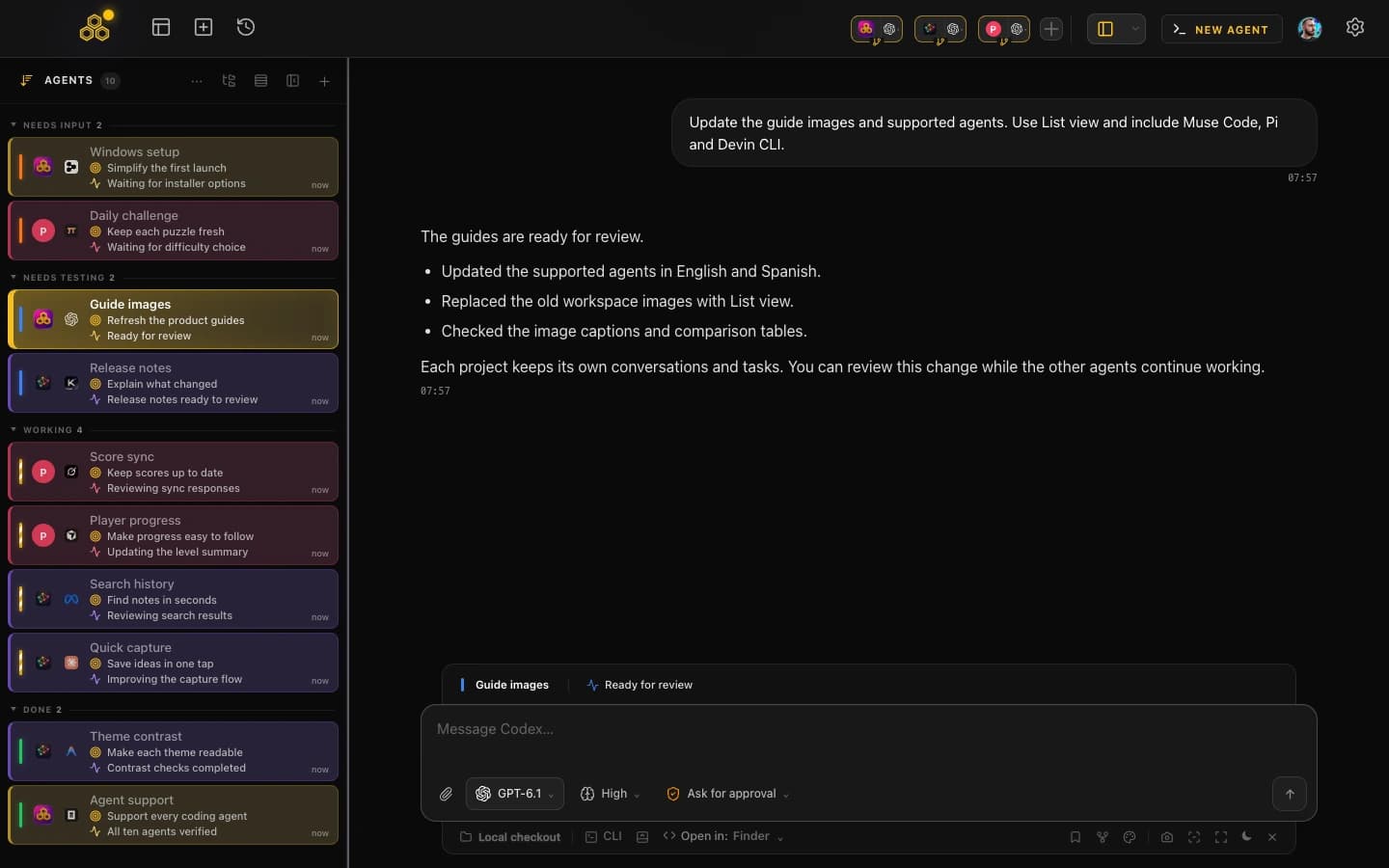
CodeAgentSwarm is a desktop app built specifically for running parallel AI coding sessions with real visibility. It gives you multiple terminals in one workspace, and it runs on top of your existing subscription, so it is not a model provider. Here is what it adds over a pile of terminal tabs.
- Multiple terminals in parallel: run several Claude Code sessions at once, and pick a different agent per terminal if you want to mix in Codex CLI or Antigravity CLI.
- Dynamic titles: each terminal shows what its session is doing right now, like "Refactoring Auth" or "Writing API Tests", instead of several identical tabs.
- Desktop notifications: when a session finishes or stops to ask you something, you get a native notification, so you can focus on one terminal and let the rest call you.
- Searchable history: every conversation across all terminals is saved and searchable, so you can trace what a session did yesterday or resume it later.
- Live file diffs: watch the changes each session is making in real time, per terminal and at project level, so overlapping edits are visible before they become a merge problem.
Because every conversation is saved, you can step away from a session and pick it back up later, or go digging through what an earlier chat actually did. The conversation history guide goes deeper on how that history works across parallel sessions. For the same workflow with another CLI, see multiple Codex sessions or multiple OpenCode sessions. To mix Claude Code, Codex and other agents in one setup, see the AI CLI agent swarm guide.
When two sessions touch the same file, the second save hits a Git conflict and Claude Code usually resolves it on its own. The live diffs in CodeAgentSwarm let you see overlapping edits early, before they turn into manual cleanup.
FAQ
Can you run multiple Claude chats at once?
Yes. In the claude.ai web app you can open multiple conversations in separate browser tabs, or use Projects to keep each chat organized around its own files. With Claude Code in the terminal, each session is an independent process, so you can run several in parallel on the same machine.
Can I run two Claude chats at once?
Yes. In the browser, open claude.ai in a second tab and start a new conversation, and you have two independent chats. In the terminal, open a second terminal and run claude again to get a second independent Claude Code session.
Can I have multiple Claude conversations at once?
Yes. On claude.ai every conversation is independent, so multiple tabs or multiple Projects give you as many parallel conversations as you want. Note that separate conversations do not share context unless you put shared material in a Project.
How do I run Claude in parallel for coding?
Open more than one terminal and run claude in each. Each Claude Code session is its own process with its own context, so they run in parallel without interfering. CodeAgentSwarm makes this easier by giving you multiple terminals in one workspace, with notifications, searchable history and live file diffs.
Can Claude run multiple chats at the same time?
Yes. Whether you mean browser conversations or terminal sessions, Claude handles each one independently. There is no special multi-chat plan and no extra cost for running them in parallel, you are just using the same subscription from more than one place.
Do separate Claude chats share memory or context?
No. Each conversation on claude.ai is independent and does not see what other chats discussed, and each Claude Code session in the terminal has its own context window. If you need shared context in the web app, use a Project so every chat inside it can see the same files and instructions.