
Superset vs CodeAgentSwarm: An Honest Comparison (2026)
By CodeAgentSwarm · Updated October 5, 2026
The one-sentence difference
Superset is an editor-shaped environment for running a large number of parallel agents in isolated git worktrees, while CodeAgentSwarm is a supervision workspace for a curated set of ten agent CLIs, built around noticing when one of them needs you.
The two products agree on the premise: one agent at a time wastes your time, and parallel agents need isolation. They disagree on what to build around it. Superset builds an editor with review, automation and an MCP server for programmatic control. CodeAgentSwarm builds an attention layer with notifications, history and a shared board. For the wider field, see the best tools to run multiple AI coding agents roundup, and there is a sibling page for T3 Code vs CodeAgentSwarm.
Disclosure: CodeAgentSwarm is our product. Everything stated here about Superset was verified on August 25, 2026 against their own site (superset.sh) and public GitHub data for superset-sh/superset. Where something is not documented publicly, this page says so rather than claiming Superset lacks it.
What Superset is
Superset leads with a very concrete promise: run 10+ parallel coding agents on your machine, spin up new coding tasks while waiting for your current agent to finish, and quickly switch between tasks as they need your attention. Their repository, superset-sh/superset, describes the product as a "Code Editor for the AI Agents Era".
The licensing deserves precision, because it is easy to get wrong. Superset is source available under the Elastic License 2.0. That is not an OSI approved open source license: you can read the code and self-host it subject to the license terms, but the usual open source freedoms do not all apply. Their own FAQ puts it the same way. The repository had 13,538 stars when its public GitHub data was refreshed on August 31, 2026, with its last public commit that day, and it has been public since October 21, 2025.
- Every agent runs in its own isolated git worktree, so parallel work does not collide
- Diff review and a pull request view, so you approve changes rather than discover them
- Persistent terminals that survive while you move between tasks
- Scheduled automations and an MCP server for programmatic control, per their own service description
- Open in any IDE with one click: VS Code, Cursor, Xcode, JetBrains, Finder or a plain terminal
- A free tier, with paid and enterprise plans listed on their site
Their README now documents first-class support for Amp, Antigravity CLI, Claude Code, Codex CLI, Cursor Agent, Gemini CLI, Grok, Kimi Code and OpenCode, while also accepting custom terminal agents. Releases are available for macOS; Linux has an experimental AppImage; Windows is not yet available. An iOS app is listed as coming soon.
What CodeAgentSwarm is
CodeAgentSwarm is a desktop workspace to run and supervise multiple AI coding agents in parallel. It runs on macOS, Windows and Linux, it is closed source, and it is free during the beta with Pro included. It never sells you model access: each terminal runs on a CLI subscription you already hold.
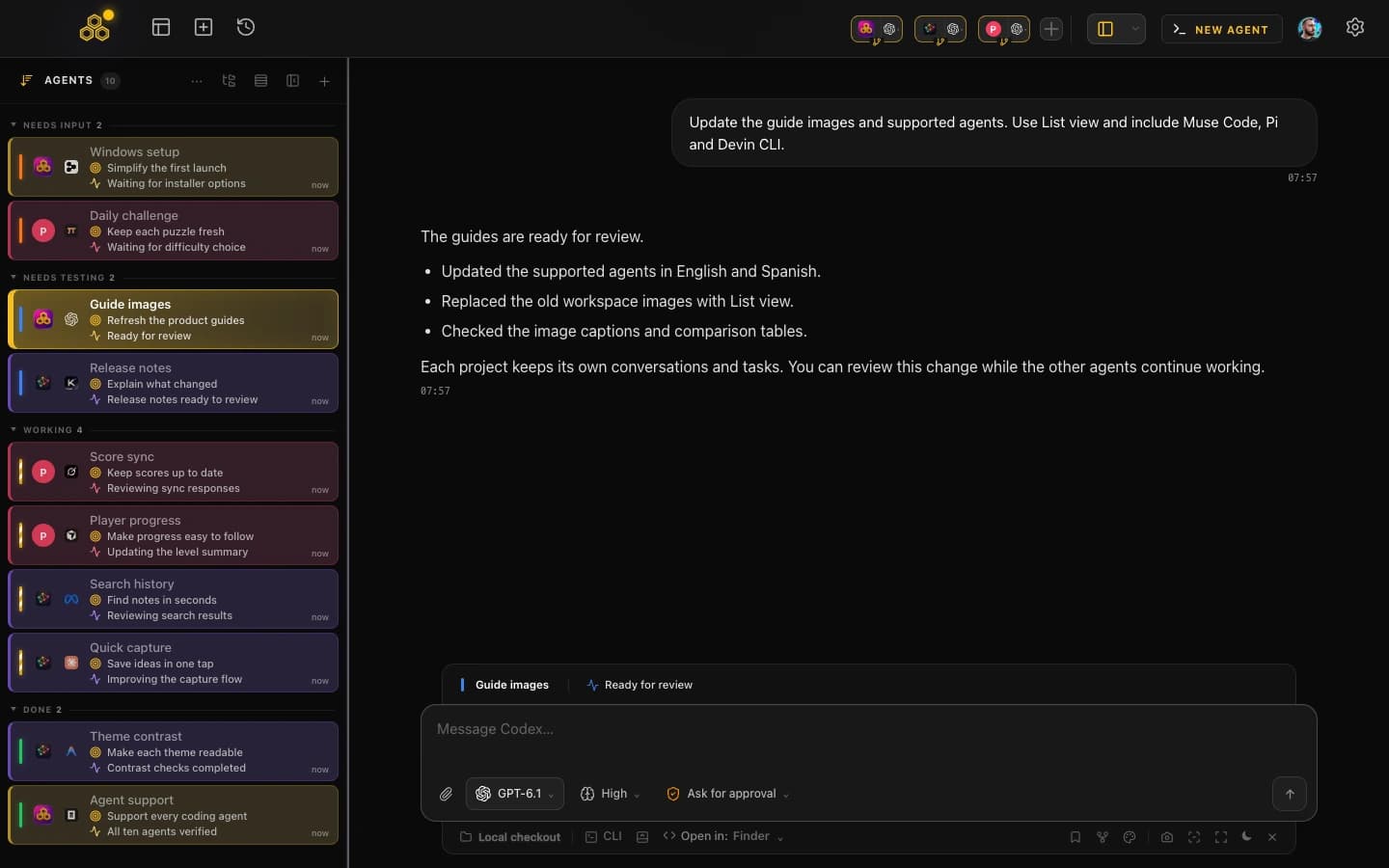
Instead of accepting any terminal command, CodeAgentSwarm integrates ten agents deliberately: Claude Code, Codex CLI, Antigravity CLI, OpenCode, Kimi Code, Grok Build, Cursor Agent, Muse Code, Pi and Devin CLI. That narrower scope pays for the rest of the feature set: desktop notifications when an agent finishes or needs input, searchable history across all ten and capability-aware resume when the provider supports it, per-terminal live diffs, permissions with Turbo and YOLO modes, git worktrees per session, skills and MCP marketplaces, a quota indicator, AI commit messages, multi-project switching, and a kanban board the agents update over MCP. If you run one vendor for now, the guide to running multiple Claude Code sessions is the smaller version of the same idea.
The limitations, stated plainly: closed source with no public repository, Mobile Connect still in alpha (web beta for every account, native iOS and Android access by request, desktop must stay open), beta software, it requires your own CLI subscriptions, and there is no one-click PR button. If you want to read the source of the tool that drives your agents, Superset lets you do that and we do not.
Side by side
One rule filled this table: state only what the vendor documents. A cell marked "not documented" says nothing about whether the capability exists.
| Superset |  CodeAgentSwarm CodeAgentSwarm | |
|---|---|---|
| Platforms | macOS; experimental Linux AppImage; Windows not yet available; iOS coming soon | macOS, Windows and Linux |
| Install and distribution | Desktop download from superset.sh. Self-hosting from source is allowed subject to the Elastic License 2.0 terms | Desktop installer for macOS and Windows; .deb and AppImage for Linux |
| Interface | Editor-shaped app ("Code Editor for the AI Agents Era") with diff and PR review, plus open-in-any-IDE (VS Code, Cursor, Xcode, JetBrains) | Multi-terminal workspace with a kanban board, history browser and per-terminal diffs |
| Supported agents | Amp, Antigravity CLI, Claude Code, Codex CLI, Cursor Agent, Gemini CLI, Grok, Kimi Code and OpenCode, plus custom terminal agents | Claude Code, Codex CLI, Antigravity CLI, OpenCode, Kimi Code, Grok Build, Cursor Agent, Muse Code, Pi and Devin CLI, integrated individually |
| Isolation model | One isolated git worktree per agent, one branch per task | Git worktrees per session, one process per terminal |
| Notifications | Completion chimes and dock badges when an agent needs attention | Desktop notifications when an agent finishes or needs input |
| Conversation history | Not documented on their site as of August 25, 2026 | Searchable history across all ten agents and capability-aware resume |
| Task management | Parallel task switching, scheduled automations and an MCP server for programmatic control | Kanban board the agents update themselves over MCP. No one-click PR button |
| Open source | No. Source available (Elastic License 2.0), which is not an OSI approved open source license | No. Closed source, no public app repository |
| Price | Free tier, with paid and enterprise plans listed on their site | Free during beta with Pro included. You bring your own CLI subscriptions |
| Last public commit (verified Aug 31, 2026) | August 31, 2026. 13,538 stars, public since October 21, 2025 | Closed source, no public repo |
When Superset is the better pick
Several of these are cases where we would point you at Superset without hesitating.
- You want an editor, not a terminal grid. Superset is shaped like a code editor, with file navigation, diff review and a PR view in one window. If you want to read and edit the code your agents touch without leaving the app, that shape fits better than ours.
- You want to run any CLI agent, not a curated list. Their position is that if it runs in a terminal, it runs in Superset. We integrate ten agent CLIs: better for those ten, worse for everything else.
- You want to read the source. Elastic License 2.0 is not open source, but source available still beats a closed binary if you need to audit behaviour or self-host under their terms.
- You want scheduled automations and programmatic control. Their MCP server and scheduled automations point at unattended workflows that CodeAgentSwarm does not document.
- You want ten or more agents at once. That is their explicit design target, and they have been shipping against it publicly since October 2025.
When CodeAgentSwarm is the better pick
Our advantages come from the narrower scope: ten agents we integrate individually, and a workspace designed around the moment an agent stops and waits for you.
- You need Windows today. Superset says Windows is not yet available. CodeAgentSwarm ships a Windows desktop build.
- You want to be interrupted, not to poll. Desktop notifications fire when any agent finishes or needs input, which matters more the more parallel tasks you are supposed to watch.
- You want one searchable history across vendors. Conversations from all ten agents are stored and searchable in one place instead of ten CLI formats on disk, with resume when the agent supports it.
- You want the board updated by the agents. The kanban is exposed over MCP, so agents move their own tasks while they work.
- You watch your quota. The provider quota indicator tells you how much room each subscription has left before a long parallel run.
- You want graded permissions with live diffs. Per-terminal diffs show what each agent touches in real time, and Turbo mode auto-approves the safe operations while the risky ones still stop and ask.
Can you use both?
They are separate desktop applications with no integration and no shared state, so "using both" means running both, not combining them. That is entirely reasonable: Superset has a free tier and CodeAgentSwarm is free during beta, so trying each costs you time rather than money.
Test them on the same repository, in the same week. Both isolate agents in git worktrees, so neither has to touch your main checkout. After a few real tasks you will know which friction bothered you more: reviewing and shipping the code, or keeping track of which agent needs you next.
FAQ
Is Superset free and open source?
Superset has a free tier, with paid and enterprise plans listed on their site. On licensing the precise answer is that Superset is source available under the Elastic License 2.0, which is not an OSI approved open source license: you can inspect the code and self-host it subject to the license terms, but it is not open source in the strict sense. CodeAgentSwarm is free during beta with Pro included, and closed source with no public repository.
Does Superset support Antigravity CLI, Kimi Code or Grok?
Yes. Its README lists Antigravity CLI, Kimi Code and Grok as fully supported, alongside Claude Code, Codex CLI, Cursor Agent, OpenCode and others. CodeAgentSwarm also integrates all three.
Which one is more actively maintained?
Both are actively developed, and neither side wins this row. The public superset-sh/superset repository had its last commit on August 31, 2026, with 13,538 stars when its GitHub data was refreshed that day and a public history going back to October 21, 2025. CodeAgentSwarm is closed source, so there is no public commit history to check: our cadence has to be taken on trust, which is a fair point against us.
Can I try both for free?
Yes. Superset offers a free tier and a desktop download from superset.sh, and CodeAgentSwarm is free during the beta with Pro included on macOS, Windows and Linux. Neither resells model access, so you keep using the CLI subscriptions you already pay for, and comparing them costs you only time.