
How to Share Your Skills Between Claude Code, Codex and Antigravity
By CodeAgentSwarm · Updated September 29, 2026
Why your skills get stuck in one agent
A skill is just a folder with a SKILL.md file inside. The nice part is that Claude Code, Codex, Antigravity and OpenCode all read the exact same format. The annoying part is that each one reads it from its own folder.
- Claude Code reads skills from ~/.claude/skills
- Codex reads them from ~/.codex/skills
- Antigravity reads them from ~/.gemini/antigravity-cli/skills
- OpenCode reads them from ~/.config/opencode/skills
So a skill you installed for Claude is simply invisible to Codex and Antigravity. Nothing is broken. It just lives in a folder the other agents never look at.
If you only use one agent, this never comes up. But the moment you jump between Claude Code, Codex and Antigravity in the same project, you notice that half your toolkit is missing depending on which one you opened.
The manual way (and why it gets old)
Because the format is identical, you can move a skill by hand. Copy the folder from one agent to the other:
cp -r ~/.claude/skills/my-skill ~/.codex/skills/
cp -r ~/.claude/skills/my-skill ~/.gemini/antigravity-cli/skills/
That works for one skill. It gets old fast when you have twenty, when you want them in two agents at once, and when you have to remember which ones you already copied and which ones you edited later.
Copying folders blindly also overwrites a skill you may have tweaked for a specific agent. Doing this by hand, it is easy to clobber your own changes without noticing.
Export your skills in one click with CodeAgentSwarm
CodeAgentSwarm does the same copy, but it shows you exactly what will happen and lets you pick. Here is the whole flow.
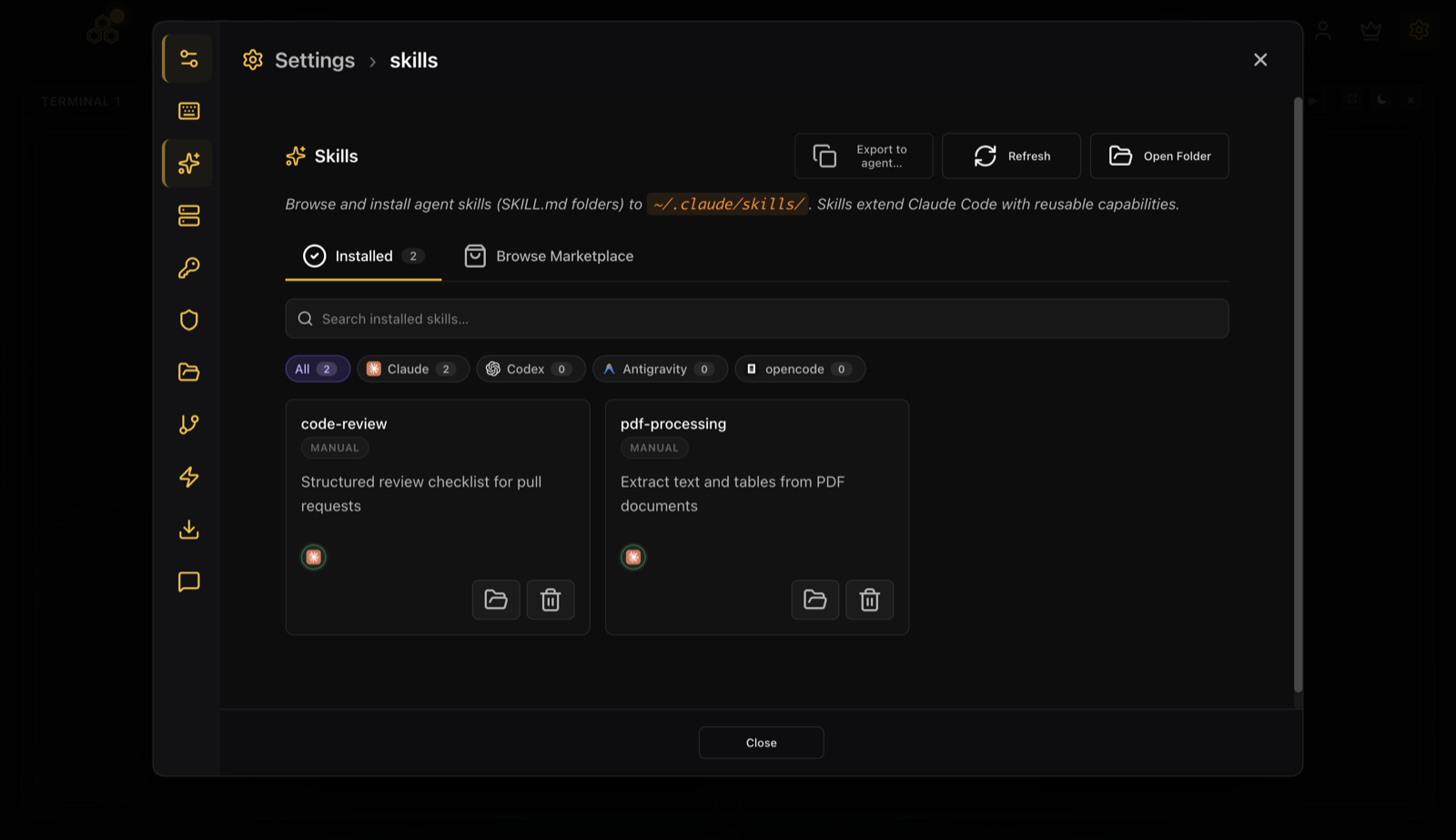
1. Open the Skills tab and click Export to agent
Go to Settings, open the Skills tab, and stay on Installed. Next to Refresh and Open Folder you will find the Export to agent button.
2. Pick the source, pick the targets, pick the skills
The modal asks three things. Where the skills come from (the source agent), where they should go (one or more target agents), and which skills you actually want. Every skill starts selected, so you deselect the ones you do not need.
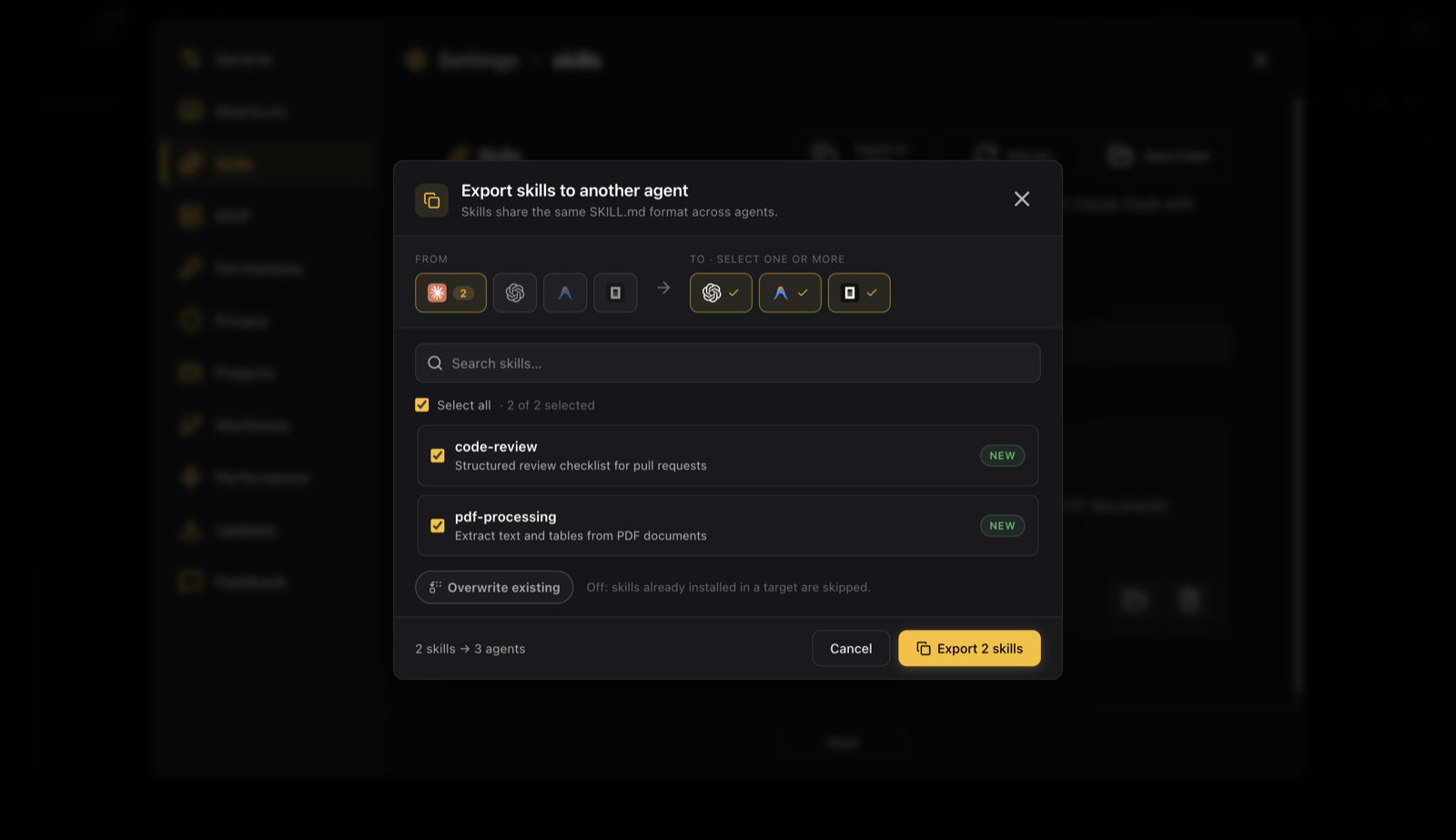
Each skill tells you whether it is New in the target or Already in it, so you are never guessing what you are about to overwrite.
3. Choose overwrite or skip, then export
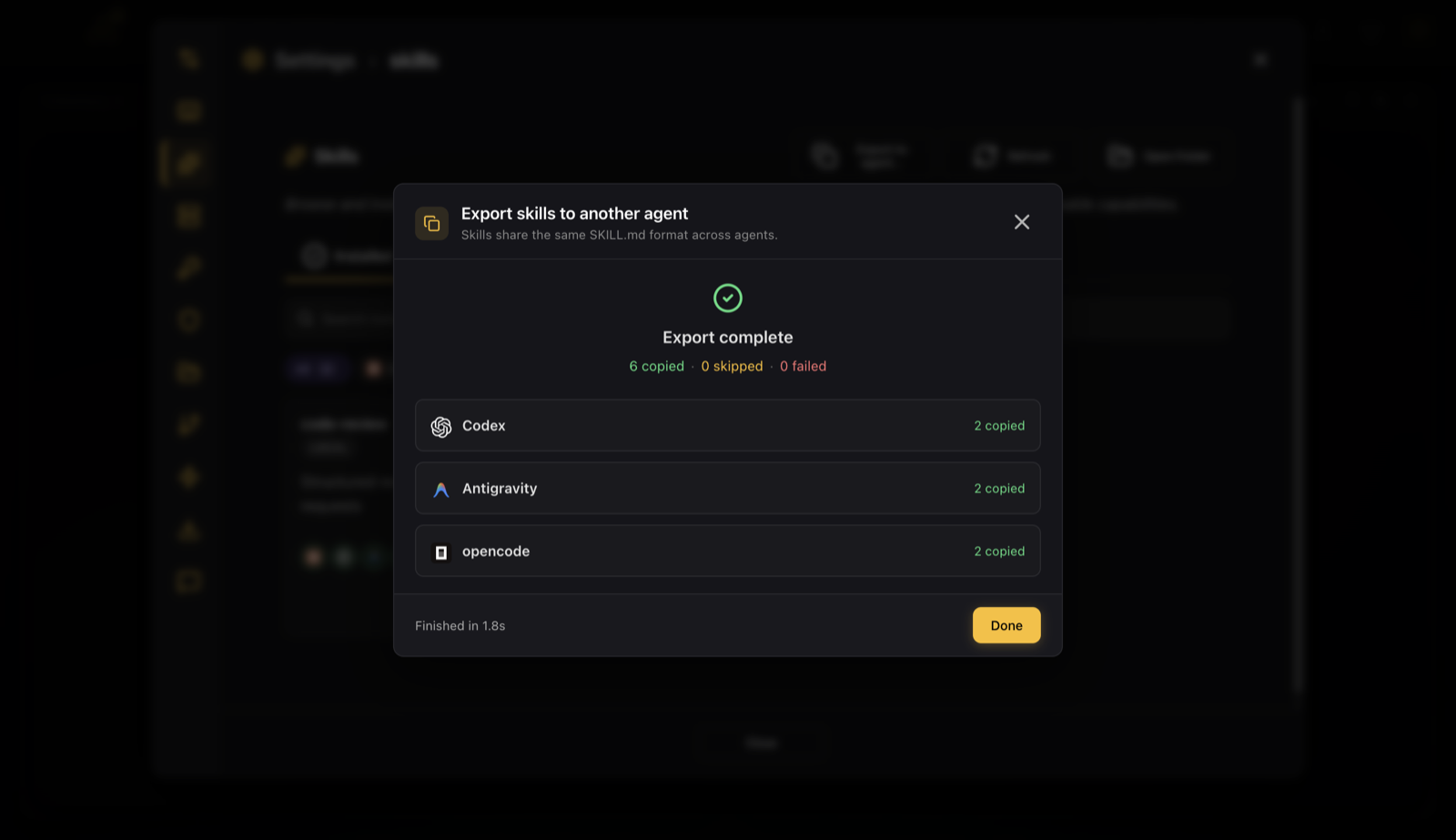
The Overwrite existing toggle controls what happens with skills that are already in a target. Off (the default) skips them and keeps whatever is there. On replaces them with the source version. When you are ready, click Export and watch it run, agent by agent.
Overwrite or skip: which one to pick
A simple rule that keeps you out of trouble:
- Leave Overwrite off when you just want the target to have your skills and you do not want to touch anything already there. Anything that exists is skipped.
- Turn Overwrite on when you edited a skill in the source and want the target to match it exactly. It replaces the target copy.
Off is the safe default on purpose. It will never quietly replace a skill you tuned for a specific agent.
One toolkit across every agent
The point of this is simple. You set up your skills once, in whichever agent you like, and then every agent you use has the same toolkit. No reinstalling the same skill three times, no folder juggling.
If you are still building your skill collection, the built in marketplace is the fastest way to fill it: How to browse and install skills from the CodeAgentSwarm marketplace. Install them once, then export them everywhere.
And if you are running several agents side by side, this pairs well with the multi agent workflow: How to run Claude Code, Codex and Gemini agents in parallel.
FAQ
Do Claude Code, Codex and Antigravity use the same skill format?
Yes. All three read a folder with a SKILL.md file in the same format. The only difference is the folder each one looks in, which is why a skill installed for one is not seen by the others until you copy it over.
Can I copy my Claude Code skills to Codex or Antigravity?
Yes. In CodeAgentSwarm open the Skills tab, click Export to agent, choose Claude as the source, pick Codex, Antigravity and/or OpenCode as the target, and export. It copies the real SKILL.md folders into the target agent, no format conversion needed.
Where does each agent store its skills?
Claude Code uses ~/.claude/skills, Codex uses ~/.codex/skills, Antigravity uses ~/.gemini/antigravity-cli/skills, and OpenCode uses ~/.config/opencode/skills. Each folder holds one subfolder per skill with its SKILL.md inside.
Will exporting overwrite skills I already edited in the target?
No, not by default. Skills that already exist in the target are skipped, so your edits are safe. If you actually want the target to match the source, turn on the Overwrite existing toggle before you export.
Do I have to reinstall each skill from the marketplace for every agent?
No. Install a skill once, then export it to the other agents. You do not need to go through the marketplace again for each agent.
Does this work on Windows and macOS?
Yes. CodeAgentSwarm runs on macOS, Windows and Linux, and the export works the same way on each. Only the skill folder paths differ per operating system, and the app handles that for you.