
Conductor vs CodeAgentSwarm: An Honest Comparison (2026)
By CodeAgentSwarm · Updated October 5, 2026
The one-sentence difference
Conductor runs Claude Code, Codex, Cursor and OpenCode in local Mac workspaces or managed cloud sandboxes, while CodeAgentSwarm runs multiple CLIs locally on macOS, Windows and Linux with notifications, live diffs and a shared task board.
Both isolate agent work and make it reviewable. Conductor extends that model into managed cloud sandboxes, multiplayer collaboration and an HTTP API. CodeAgentSwarm keeps work local and spreads across three operating systems and multiple agent providers. For the wider field, start with the best tools to run multiple AI coding agents.
Disclosure: CodeAgentSwarm is our product. All Conductor facts were verified on August 25, 2026 against conductor.build, its pricing page and its documentation. Conductor has no public repository, so there is no public source history to compare.
What Conductor is
Conductor now leads with cloud agent teams. Local workspaces still run on a Mac, while Pro and higher plans can create isolated managed sandboxes that keep working after the app closes. The product also supports multiplayer workspace sharing, a beta HTTP API and an MCP server.
Local workspaces use git worktrees on your Mac. Cloud workspaces run in isolated Vercel sandboxes in us-east-1 with 8 vCPUs, 16 GB of RAM and ephemeral storage. Conductor stores cloud session inputs and outputs on its servers, while local session data stays on your device.
- Local and cloud: Mac worktrees for local work, managed sandboxes for agents that must continue after the app closes
- Isolated workspaces: a git worktree, a branch, a run environment and a shared context folder per agent
- Review and merge in the app: the product is organized around landing agent output, not just launching agents
- Four first-party harnesses: Claude Code, Codex, Cursor and OpenCode
- Uses your existing login: their FAQ says Conductor uses Claude Code however you are already logged in, whether that is an API key or a Claude Pro or Max plan
Pricing is now public: Free at $0 for local Mac workspaces, Pro at $50/month with cloud, multiplayer for up to five Pro users and the API, Teams at $60/user/month, and Enterprise at a custom price. Cloud compute has no additional usage fee yet, but Conductor says usage-based cloud pricing is planned.
What CodeAgentSwarm is
CodeAgentSwarm is a desktop workspace to run and supervise multiple AI coding agents in parallel. It runs on macOS, Windows and Linux, it is not a model provider, and it drives agent CLIs you install yourself, including: Claude Code, Codex CLI, Antigravity CLI, OpenCode, Kimi Code, Grok Build, Cursor Agent, Muse Code, Pi and Devin CLI.
- Parallel terminals, each with its own agent, project and conversation
- Desktop notifications when an agent finishes or stops to ask you something
- Searchable conversation history across supported agents and capability-aware resume back into a terminal
- Per-terminal live file diffs while the agent is still working
- Permission control, including a Turbo mode when you want to stop approving every step
- A kanban task board the agents update themselves over MCP
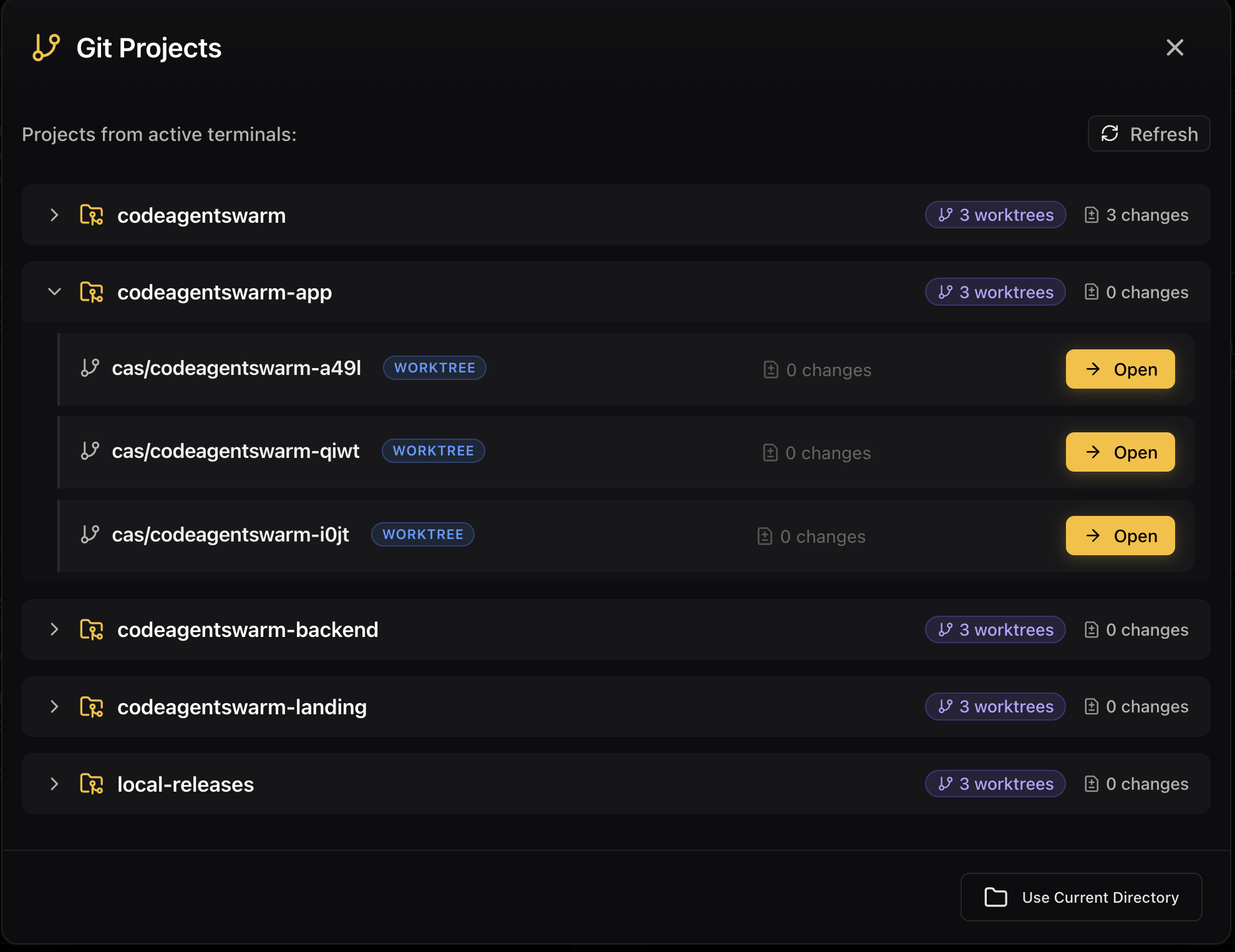
- Git worktrees per session, plus skills and MCP marketplaces
- Provider quota indicator, AI commit messages and multi-project switching
And the limitations, up front: closed source with no public app repository, Mobile Connect still in alpha (web beta for every account, native iOS and Android access by request, desktop must stay open), still beta software, and you need your own subscriptions for the CLIs you run. Conductor is closed source too, but it is a Mac-native app from a funded company, and if you are a Mac-only shop that focus is worth something.
Side by side
| Conductor |  CodeAgentSwarm CodeAgentSwarm | |
|---|---|---|
| Platforms | macOS app for local work; cloud workspaces; iOS app listed as coming soon | macOS, Windows and Linux |
| Interface | Mac app plus cloud workspaces, multiplayer collaboration and code review | Desktop workspace with parallel terminals, live diffs and a task board |
| Supported agents | Claude Code, Codex, Cursor and OpenCode | Claude Code, Codex CLI, Antigravity CLI, OpenCode, Kimi Code, Grok Build, Cursor Agent, Muse Code, Pi and Devin CLI |
| Isolation model | Local git worktrees or isolated managed cloud sandboxes | Git worktree per session plus a separate process per terminal |
| Notifications | Workspace attention states; mobile access is listed as coming soon | Desktop notifications when an agent finishes or needs input |
| Conversation history | Cloud session transcripts are stored by Conductor and accessible through the API | Searchable across supported agents and capability-aware resume |
| Task management | Beta HTTP API and MCP server; no public kanban feature documented | Kanban board the agents update over MCP |
| Open source | No public repository as of August 25, 2026. Built by Melty Labs | No. Closed source, no public app repository |
| Price | Free $0; Pro $50/month; Teams $60/user/month; Enterprise custom. Cloud usage pricing is planned | Free during beta with Pro included, and you bring your own CLI subscriptions |
| Last public commit | No public repo | Closed source, no public repo |
When Conductor is the better choice
Focus is a feature, and Conductor picked its lane on purpose. There are cases where that lane is the one you are in.
- You are Mac-only and want a Mac-native app. Conductor targets one platform and nothing else, which usually shows in how an app feels day to day.
- Your bottleneck is review, not launching. Their product is organized around seeing what each agent did and merging it, the part most people underestimate.
- You want managed cloud agents. Pro and higher plans can keep agents running in isolated cloud sandboxes after the Mac app closes.
- You like the isolated workspace as a first-class concept. A branch, a worktree, a run environment and a shared context folder per agent is a clean mental model.
- You want cloud collaboration. Multiplayer workspace sharing and the beta API give teams remote coordination that CodeAgentSwarm does not currently offer.
On maturity: Conductor is built by a Y Combinator company and they say they built Conductor using Conductor. CodeAgentSwarm is beta software from a much smaller operation. That is fair to weigh, and we would rather you weigh it with real information.
When CodeAgentSwarm is the better choice
The comparison turns at the edges of that focus: the operating system, the number of agent vendors, and what happens after the agent stops typing.
- You or your team use Windows or Linux. Conductor is macOS only per their site. CodeAgentSwarm runs on macOS, Windows and Linux, which matters the moment one person is not on a Mac.
- You want multiple agent CLIs. Claude Code, Codex CLI, Antigravity CLI, OpenCode, Kimi Code, Grok Build, Cursor Agent, Muse Code, Pi and Devin CLI, mixed freely across terminals. Antigravity, Kimi and Grok are not among the agents Conductor documents.
- You want one searchable history across vendors, with any conversation resumable back into a live terminal.
- You want the agents to maintain the task board. The kanban is updated by the agents over MCP while they work, not by you afterwards.
- You want to be told, not to check. Desktop notifications fire when an agent finishes or needs input.
- You are managing provider limits. The quota indicator shows where you stand before an agent stalls mid-task.
Conductor alternatives on Windows
If you found Conductor, liked the idea and then discovered its local app is macOS only, this is the section you came for. As of August 25, 2026 there is no Windows desktop build. That leaves a few honest options.
- CodeAgentSwarm runs on macOS, Windows and Linux, with parallel terminals, worktrees per session, live diffs, desktop notifications and a shared task board. It is ours, it is closed source and it is beta, so weigh that.
- Paseo ships desktop builds for Windows and Linux as well as macOS, is open source under AGPLv3, and adds mobile and web clients. Detail in Paseo vs CodeAgentSwarm.
- T3 Code also runs beyond macOS. We compare it in T3 Code vs CodeAgentSwarm.
Whichever you pick, the isolation primitive is the one Conductor uses, and it is worth understanding on its own before you trust several agents with one repository. The git worktrees for AI coding agents guide covers it without reference to any product.
Can you use both?
On a Mac, yes. Neither tool is a model provider and both drive CLIs installed on your machine with your own credentials, so running Conductor for the repositories where you want its review and merge flow and CodeAgentSwarm for the ones where you want multiple agents and a shared board is workable.
The rule is the same as with any pair of orchestrators: never point both at the same branch of the same repository at once. Separate worktrees or separate projects, and they stay out of each other’s way. On Windows or Linux the question does not arise, because only one of the two runs there.
FAQ
Does Conductor run on Windows?
No. Conductor offers a macOS app and cloud workspaces, but no Windows desktop build as of August 25, 2026. CodeAgentSwarm runs locally on macOS, Windows and Linux.
Is Conductor open source?
There is no public repository for Conductor as of August 25, 2026. It is proprietary software built by Melty Labs, so there is no commit history you can inspect. CodeAgentSwarm is also closed source with no public application repository. If source access is required, look at Paseo, which publishes its code under AGPLv3.
What agents does each one support?
Conductor supports Claude Code, Codex, Cursor and OpenCode. CodeAgentSwarm supports CLIs including: Claude Code, Codex CLI, Antigravity CLI, OpenCode, Kimi Code, Grok Build, Cursor Agent, Muse Code, Pi and Devin CLI. Both run Cursor and OpenCode; CodeAgentSwarm also runs Antigravity CLI, Kimi Code and Grok Build.
Is there a free way to try both?
Yes. CodeAgentSwarm is free during its beta with Pro included. Conductor has a $0 Free plan for local Mac workspaces; Pro costs $50/month, Teams costs $60/user/month and Enterprise is custom. Conductor says cloud compute has no additional usage fee yet, but usage pricing is planned. Both products use the agent subscriptions you bring.