
Pi coding agent: installation, login and your first task
By CodeAgentSwarm · Updated September 24, 2026
Quick answer

Install Pi, open it in your project, use /login to connect a provider and /model to choose a model. Then give it a small, verifiable task. In CodeAgentSwarm, you can use the same agent through Chat and CLI views.
Install Pi on macOS or Linux
Use Node.js 22.19.0 or newer for the Pi version verified by CodeAgentSwarm, 0.85.1. Check your Node and npm versions before installing the current package. Older tutorials may use the former @mariozechner package name.
node --version
npm --version
npm install -g --ignore-scripts @earendil-works/pi-coding-agent
pi --version
Run the commands in a system shell, then open Pi from a project directory. For PowerShell and shell-tool configuration, use the Windows setup guide.
Connect a provider and try a small task
cd /path/to/your/project
pi- Inside Pi, enter
/loginand complete the chosen provider's sign-in flow. - Enter
/modeland choose a model that your account can access. - Start with a bounded request: "Read this project and tell me which command runs its tests. Do not change files."
- For the next task, request one specific change, inspect the diff and run the relevant check.
A subscription login and an API key can have different billing. Read the models and subscriptions guide before choosing your provider.
Pi in CodeAgentSwarm, in pictures
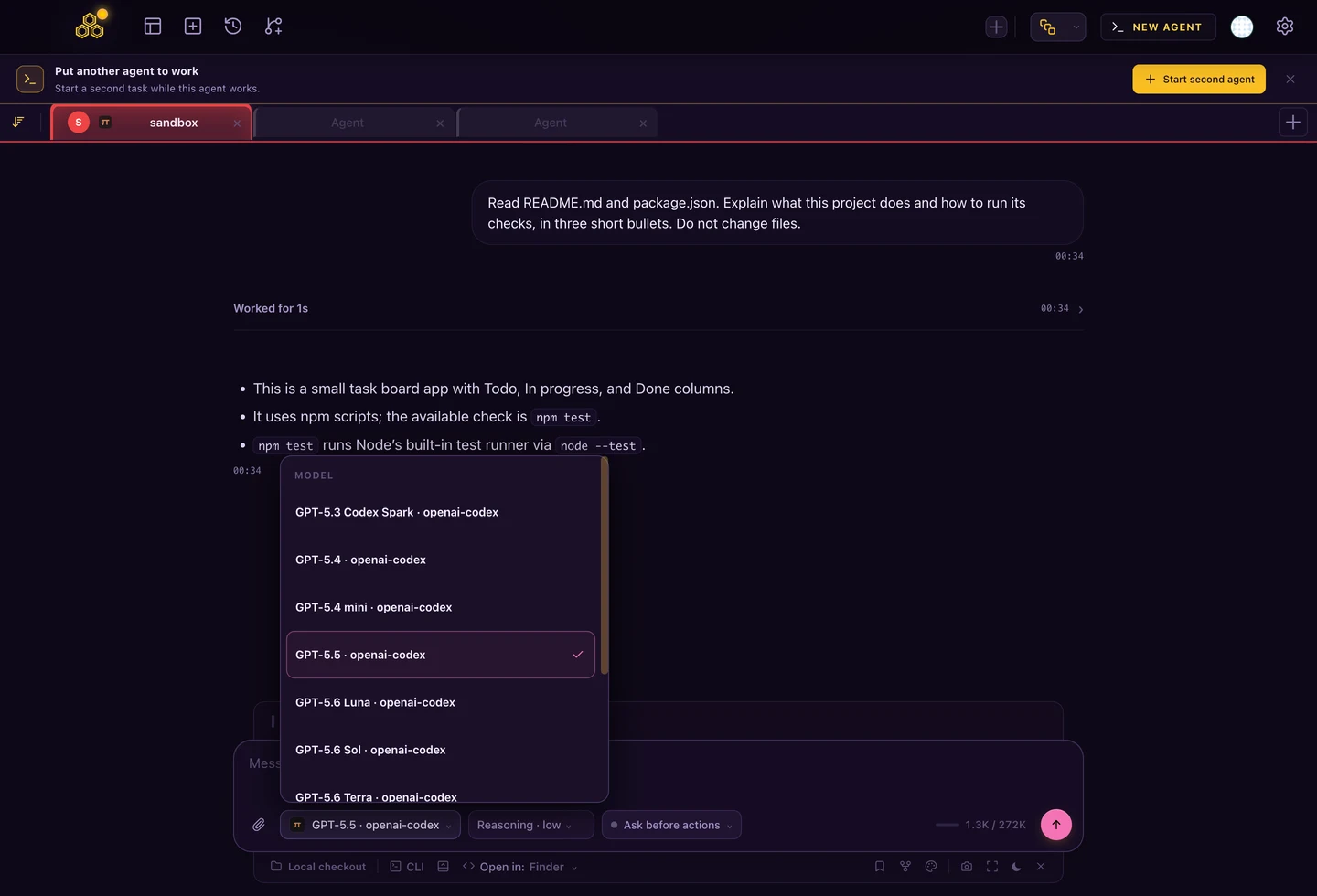
The picker shows the model and its provider. You can inspect that connection without leaving the project, while Chat keeps the task messages and tools together.
A first task you can verify
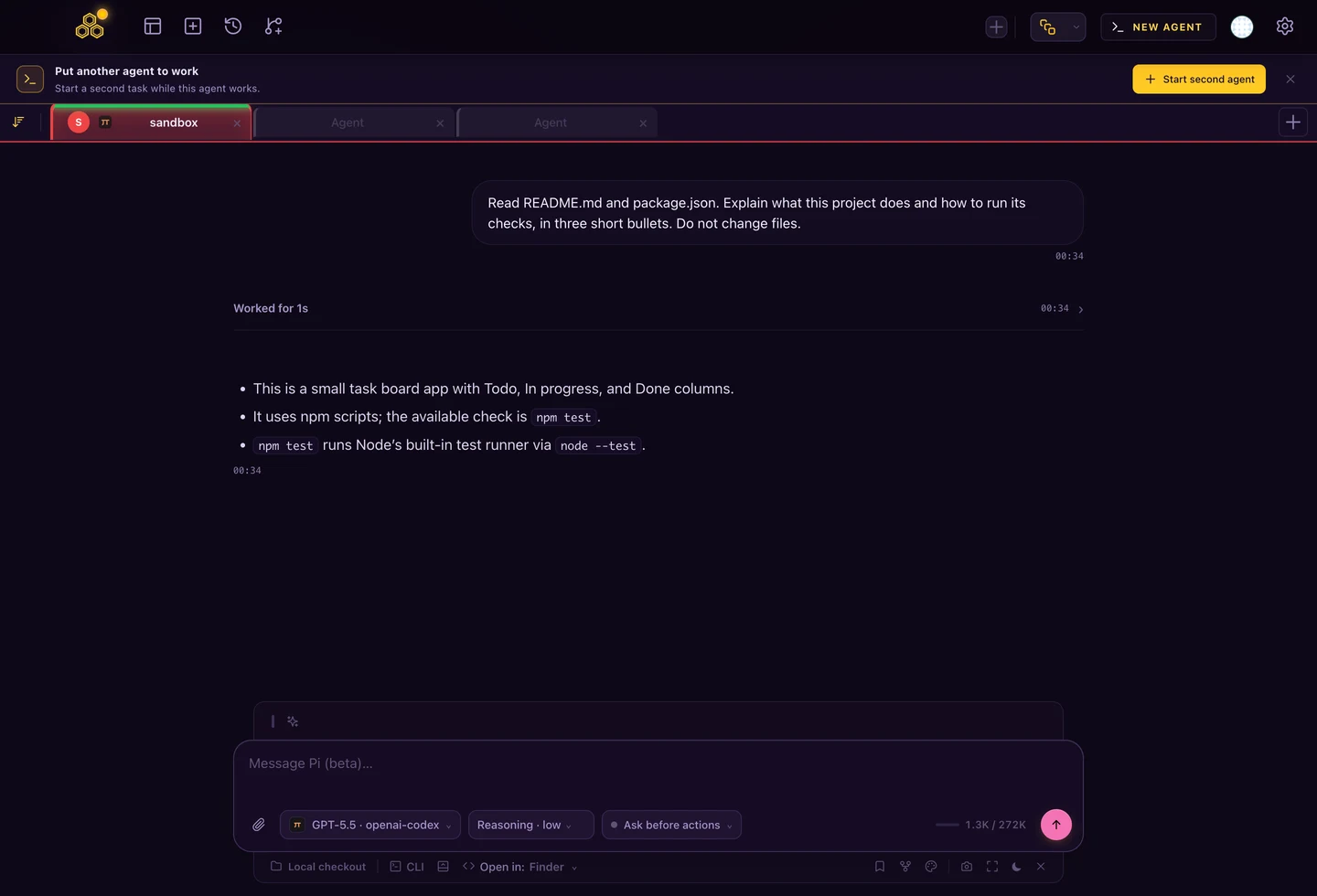
Use a small repository you understand. Start by asking Pi to read its README and package manifest, identify the test command and explain the project without changing files. This establishes whether it is working in the right directory before you ask for edits.
Read README.md and package.json. Explain what this project does
and how to run its checks, in three short bullets. Do not change files.
Next, ask for one change with an acceptance condition, such as adding a test for moving a task to Done. Review the files Pi changed and run the actual test command. A successful chat response is not the same as passing checks.
What is Pi, and what does the harness do?
A coding harness supplies the working environment around a model: conversation state, project context and tools. In Pi, a request can lead to reading files, editing code and running a command. The answer depends on both the selected model and the instructions and tools available to it.
Pi can be extended with skills, prompt templates and extensions. Its built-in workflow does not include a native plan mode or subagent manager. That distinction matters when comparing it with OpenCode. Pi overview.
Pi command not found or the wrong version?
command -v pi
npm list -g --depth=0 @earendil-works/pi-coding-agent
npm config get prefix
pi --version
Compare the installed package with the Pi command your shell resolves. Reopen the terminal after installation. A Node version manager can leave a global package under one Node installation while your current shell uses another. Reinstall into the active Node environment only after checking that mismatch.
If Pi starts but the first request fails, read the provider error and continue with model access and authentication. Reinstalling the CLI does not add credit to an API account.
Continue a conversation or split the work
Pi keeps session files under ~/.pi/agent/sessions/. Use the session picker to reopen previous work rather than pasting the whole conversation into a new chat.
pi -c
# Or choose a previous session
pi -r
Two Pi processes can work independently, but two processes editing the same checkout still share files. Use separate Git worktrees when their edits could overlap. A conversation boundary is not filesystem isolation.
Pi in CodeAgentSwarm: available in 2.4.0
Pi is available in CodeAgentSwarm 2.4.0 for macOS, Windows and Linux. CodeAgentSwarm exposes Pi in both Chat and CLI views, with streaming, model selection, permission decisions, history and resume.
The integration uses Pi's native RPC mode. In CodeAgentSwarm, sign in from Pi's CLI view, then open a new Pi Chat to load the available model catalog. Existing Codex and Claude CLI account credentials are not copied into Pi.
The same driver has been checked in the CAS Cloud package. Authentication belongs to the host running Pi; configuring your Mac does not sign in a remote host. See Pi RPC for the integration protocol.
FAQ
Is Pi a model or a coding agent?
Pi is a coding agent and harness. You connect a supported model provider and choose the model used by the session.
Which npm package should I install?
Use @earendil-works/pi-coding-agent. CodeAgentSwarm verified Pi 0.85.1 with Node.js 22.19.0 or newer.
Can I use Pi in the public CodeAgentSwarm download today?
Pi is included in CodeAgentSwarm 2.4.0 for macOS, Windows and Linux.