
Cline conversation history: find, search and resume sessions
By CodeAgentSwarm · Updated October 31, 2026
Where Cline CLI stores its history

| What | Where |
|---|---|
| Session index | ~/.cline/data/db/sessions.db |
| Session files | ~/.cline/data/sessions/<id>/ |
| Move the data folder | CLINE_DATA_DIR or --data-dir |
The index is a SQLite database, and each session keeps its messages in its own folder. Back up the whole ~/.cline/data folder if you want to keep your history when you move to another machine.
List and resume sessions from the terminal
cline history            # list recent sessions
cline history --limit 200
cline history --json     # machine-readable list
cline --id <session-id>  # resume one
cline history (or cline h) shows the last 50 sessions by default. It also has export, delete and update subcommands. To continue a session, pass its id to --id.
The catch: the list is per tool. If you also use Claude Code, Codex or Copilot, each one keeps its own history in its own format, and there is no single place to search them all.
Cline history in CodeAgentSwarm
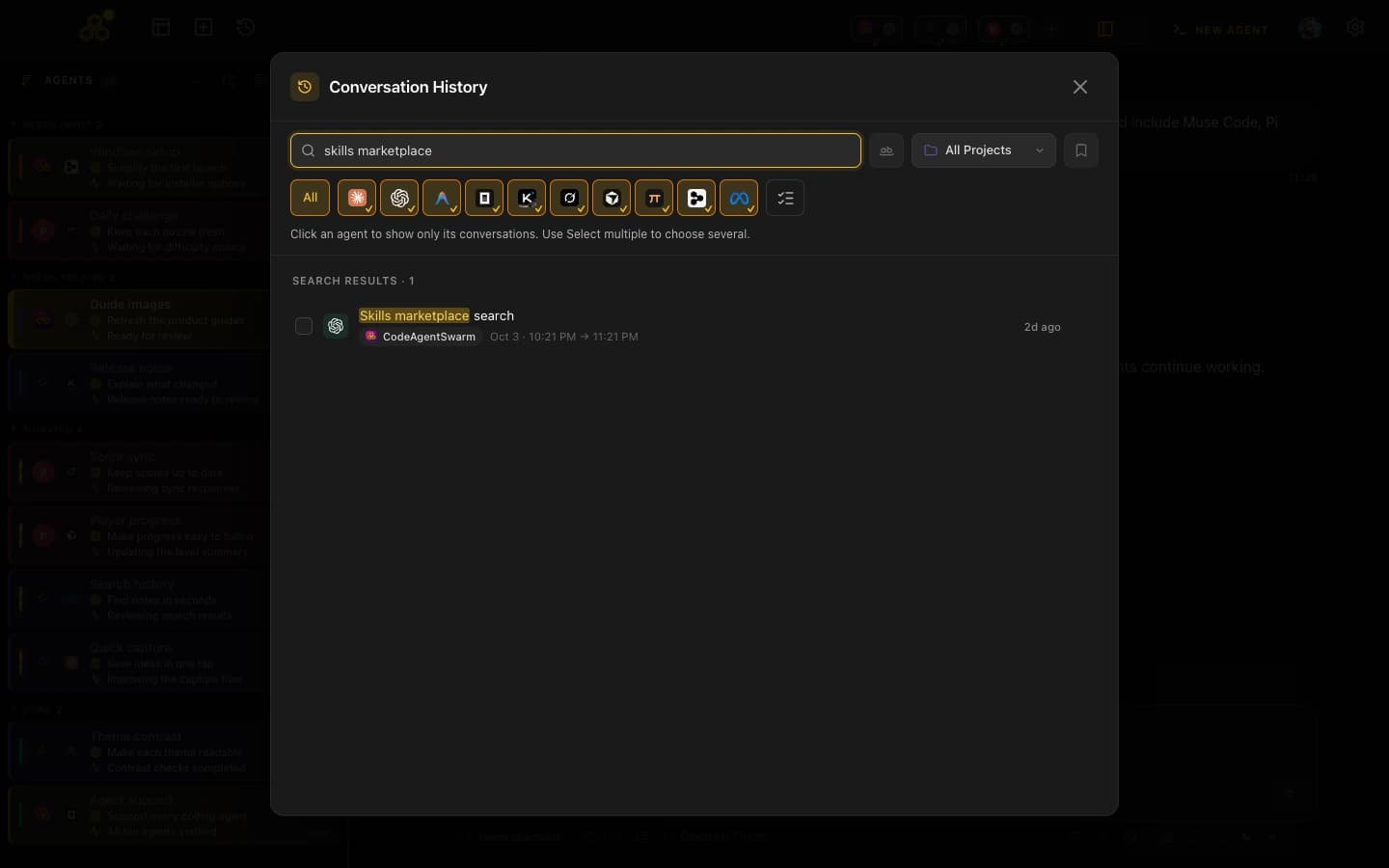
CodeAgentSwarm reads the same Cline index, read-only, and lists your Cline sessions in Conversation History next to every other agent. Filter by agent to see only Cline, filter by project, or search inside the messages. Titles come from Cline's own session data.
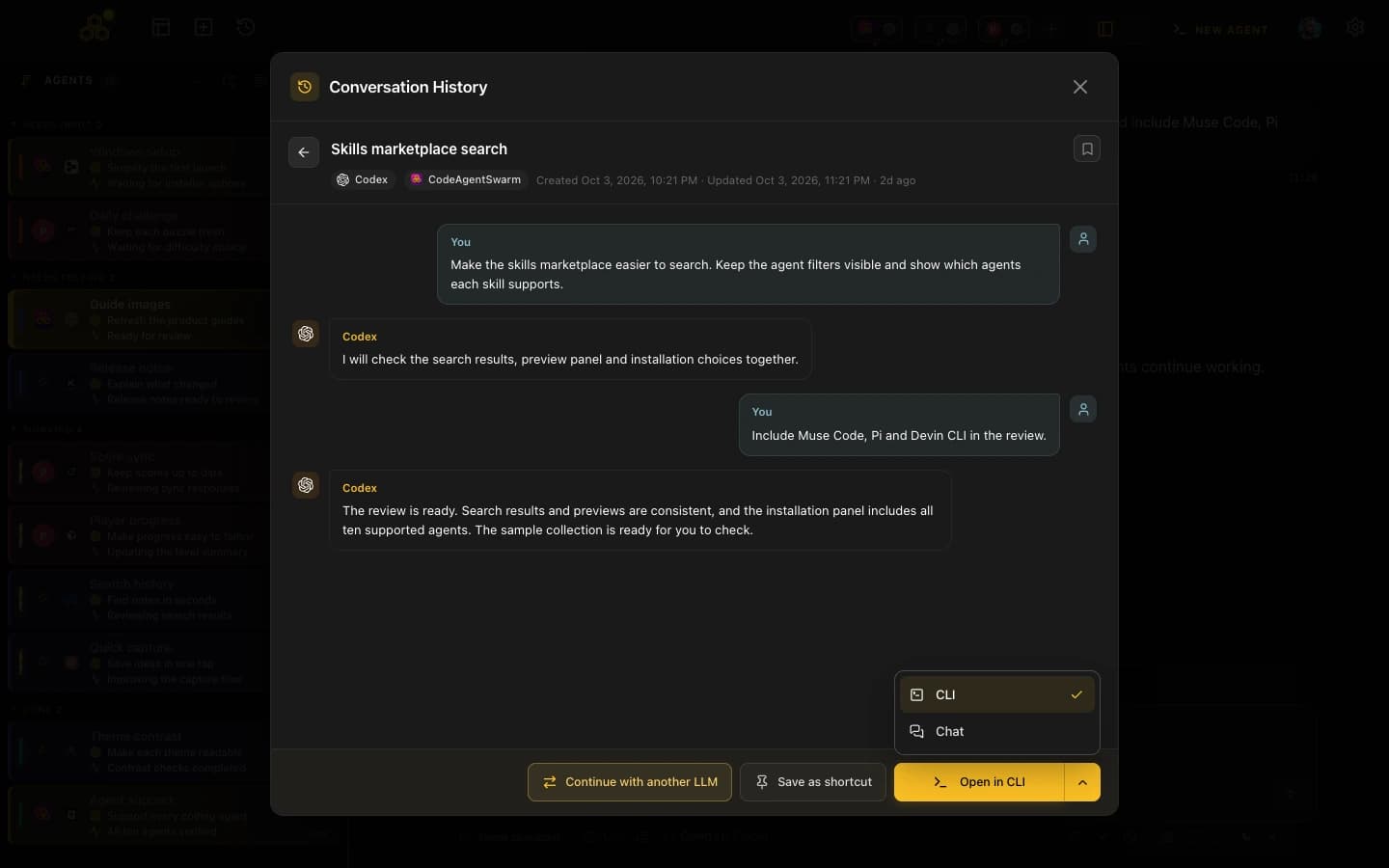
Pick a session and reopen it where you want. The terminal view runs cline --id <id>. Chat loads the session through Cline's ACP server, so you keep the conversation and can switch between the two views.
Details worth knowing
- Only main sessions: Cline subagents run inside the session that started them, so the history shows one row per conversation you can resume.
- Old sessions in Chat: if your Cline version cannot load a session over ACP, Chat says so instead of opening an empty one. Update Cline or reopen it in the terminal.
- Cleaning up: deleting a Cline conversation from CodeAgentSwarm removes that session's files and leaves Cline's shared index intact.
- No forks yet: Cline's native conversation forks are not available in the 2.5.0 beta.
Related guides: how to install and use Cline CLI, running several Cline sessions in parallel and Claude Code conversation history.
FAQ
Where does Cline CLI save conversations?
In ~/.cline/data: a SQLite index at db/sessions.db and one folder per session under sessions/. Set CLINE_DATA_DIR to move it.
How do I see my Cline history?
Run cline history, or cline h. It lists the last 50 sessions by default; add --limit for more or --json for a machine-readable list.
How do I resume a Cline session?
Run cline --id followed by the session id. In CodeAgentSwarm, pick the session in Conversation History and reopen it in the terminal or in Chat.
Can I search Cline conversations?
Not across tools from the CLI. CodeAgentSwarm searches the messages of your Cline sessions together with those of your other agents.