
Run multiple Cline sessions in parallel (Cline agent swarm)
By CodeAgentSwarm · Updated October 31, 2026
Why run several Cline sessions

An agent spends most of its time reading files and waiting for the model. While one Cline session writes tests, another can fix a bug and a third can draft docs. Because Cline lets you pick the provider per run, you can also put a cheap model on the routine task and a stronger one on the hard task.
The rule that keeps this safe: never let two sessions edit the same working copy. Give each one its own folder or git worktree.
The plain terminal way
# terminal 1
cd ~/code/app && cline --worktree "add tests for the billing module"

# terminal 2
cd ~/code/app && cline --worktree -m <model-id> "fix the date parsing bug"
--worktree runs the task in a detached git worktree under ~/.cline/worktrees/, so the two sessions never touch each other's files. You merge the result yourself when you are happy with it. Source: Cline CLI reference, checked October 31, 2026.
This works, but you have to keep an eye on every terminal to know which session is waiting for you and which one is done.
Run a Cline agent swarm in CodeAgentSwarm
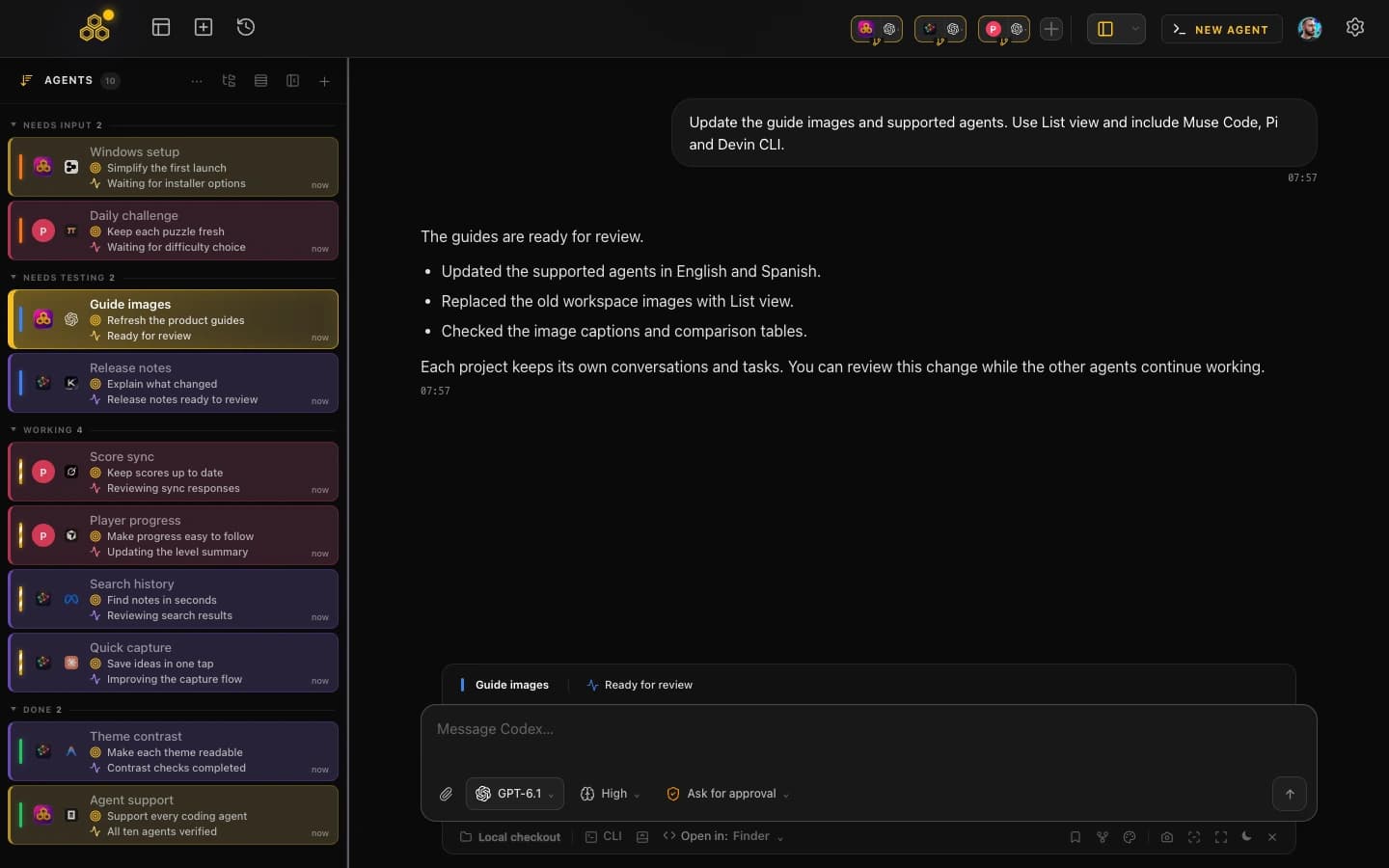
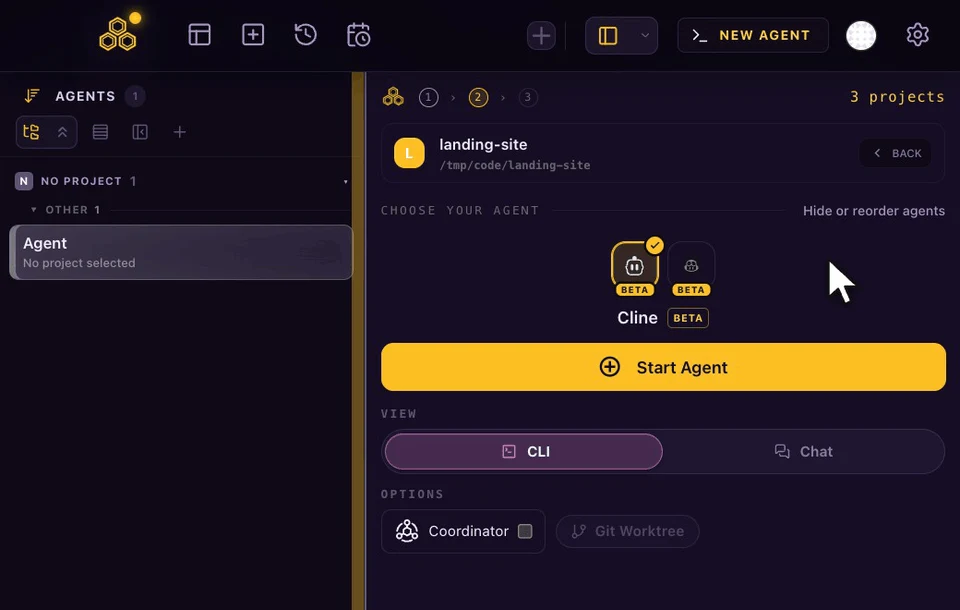
CodeAgentSwarm keeps every session in one window. Pick Cline in the agent picker for each session you want, choose CLI or Chat view, and turn on Git Worktree for the session so it gets its own branch. Cline sessions sit next to Claude Code, Codex, OpenCode, Kimi Code, Antigravity, Grok Build, Cursor Agent, Muse Code, Pi, Devin CLI and GitHub Copilot CLI, so you can mix agents in the same project.
- See who needs you: each session shows whether it is working or waiting, and you get a desktop notification when a Cline task finishes.
- Review changes as they happen: the app follows the files Cline edits, so you can check the diff before you merge.
- Approve from one place: in Chat, every permission request appears in the session, with Ask before actions, Auto-accept edits or Full access.
- Track spend: the usage panel shows what each Cline session cost, from Cline's own token and cost data.
More on the shared pieces: git worktrees for AI coding agents and CodeAgentSwarm notifications.
How CodeAgentSwarm keeps Cline sessions apart
By default Cline can share one background hub process between sessions. CodeAgentSwarm starts each Cline session in local mode instead, so every session has its own process and the CodeAgentSwarm tools always know which session called them.
Cline also has its own subagents. They run inside the session that started them, and the conversation history shows only the main session, so each row is something you can resume.
Tips for a calm Cline swarm
- One task per session, written so it can finish without you: what to change, how to check it, when to stop.
- Start risky sessions in plan mode (
-pin the terminal, or the plan mode switch in Chat) and switch to act once the plan looks right. - Keep shared rules in
AGENTS.mdor.clinerules/so every session follows the same conventions. - Cap how many sessions edit code at once. Four focused sessions usually beat ten you cannot review.
New to Cline? Read how to install and use Cline CLI first. For the cross-agent picture, see how an AI CLI agent swarm works.
FAQ
Can I run multiple Cline CLI sessions at once?
Yes. Each cline process is independent. Give each one its own folder or git worktree, for example with cline --worktree, so they do not edit the same files.
What is a Cline agent swarm?
Several Cline sessions working on separate tasks at the same time, usually in separate worktrees, with one person reviewing and merging the results.
Can each Cline session use a different model?
Yes. Pass -m (and -P for the provider) per run in the terminal, or pick the model per session in CodeAgentSwarm Chat.
Does CodeAgentSwarm show Cline usage limits?
It shows what each session spent, using Cline's own cost and token data. Cline has no account quota to read, so there is no percentage ring or daily budget for it.