
Claude Code Notifications: Know When AI Finishes Without Watching the Terminal
By CodeAgentSwarm · Updated October 5, 2026
The real problem: waiting for the AI without knowing when it's done
Working with Claude Code "raw" usually looks like this:
- You ask for a big implementation or a serious refactor.
- The model takes several minutes to process it.
- You change context: open another tab, review some code, check an incident, whatever.
- When you go back to the terminal, you realise Claude had finished a while ago... and you had no idea.
If that happens once, fine. But when you repeat it many times a day, it turns into:
- Accumulated dead time
- Constant micro-interruptions
- That feeling of "I'm not really getting the most out of this AI"
And if you also do divide & conquer - several Claude Code terminals in parallel, each one with a different task, and you jumping between projects... without a decent notification system it's just a matter of time before you lose the thread. If you're not yet familiar with creating and managing multiple sessions, see this guide: How to Use Multiple Claude Code Terminals (Without Losing Your Head).
The question is simple: who is in control here? Are you controlling the AI, or is the AI working and the app tells you when you're needed? If you are not yet familiar with Claude Code, it is Anthropic's agentic coding tool that runs in your terminal.
What CodeAgentSwarm notifications actually do
The app notifies you at the moments that really matter:
When Claude finishes the task you asked for
- It implements a feature.
- It completes a refactor.
- It prepares some tests.
- It finishes the part you had assigned to that terminal.
When Claude is waiting for something from you
- It needs a confirmation to continue.
- It asks you to choose between options.
- It needs more context or data before going on.
Instead of having to constantly watch the terminal, CodeAgentSwarm tells you clearly: "Hey, this terminal has finished" or "This terminal is waiting for your decision".
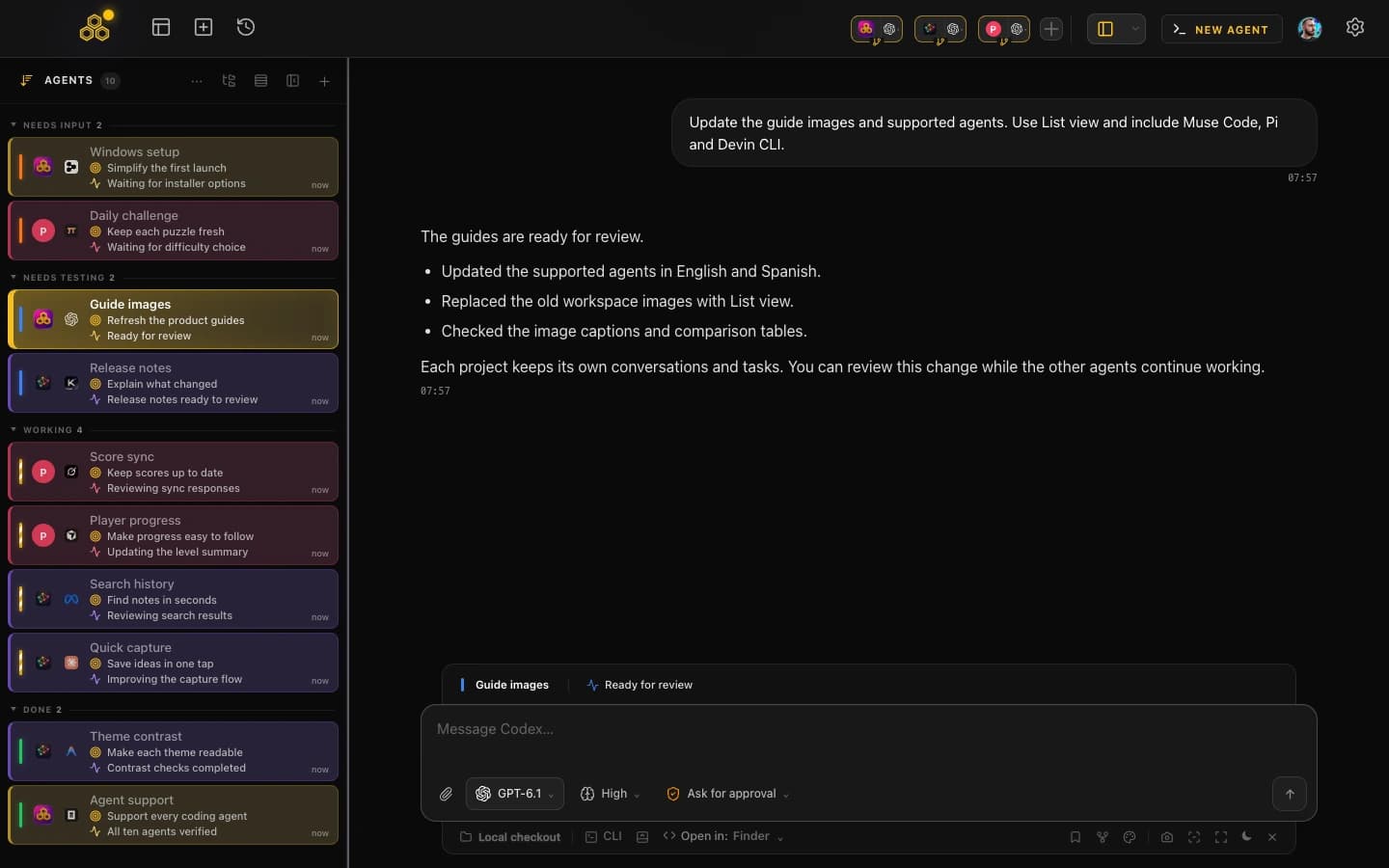
Seeing multiple terminals' status at a glance
On top of notifications, CodeAgentSwarm also shows the status of your terminals visually.
The idea is that you can glance at the app for one second and know:
- Which terminals are still working
- Which ones have already finished
- Which ones are blocked waiting for you
For example:
- "Notifications backend" terminal in finished state.
- "UI Panel" terminal still generating code.
- "Tests" terminal waiting for your confirmation before applying changes.
Each state is reflected with clear colours and statuses in the terminal UI, so you don't have to guess what's going on.
If you also want to inspect the specific changes made in each session or the project as a whole, see this guide: How to view Claude Code changes in real time (and know what the AI is doing).
How to enable Claude Code notifications in CodeAgentSwarm
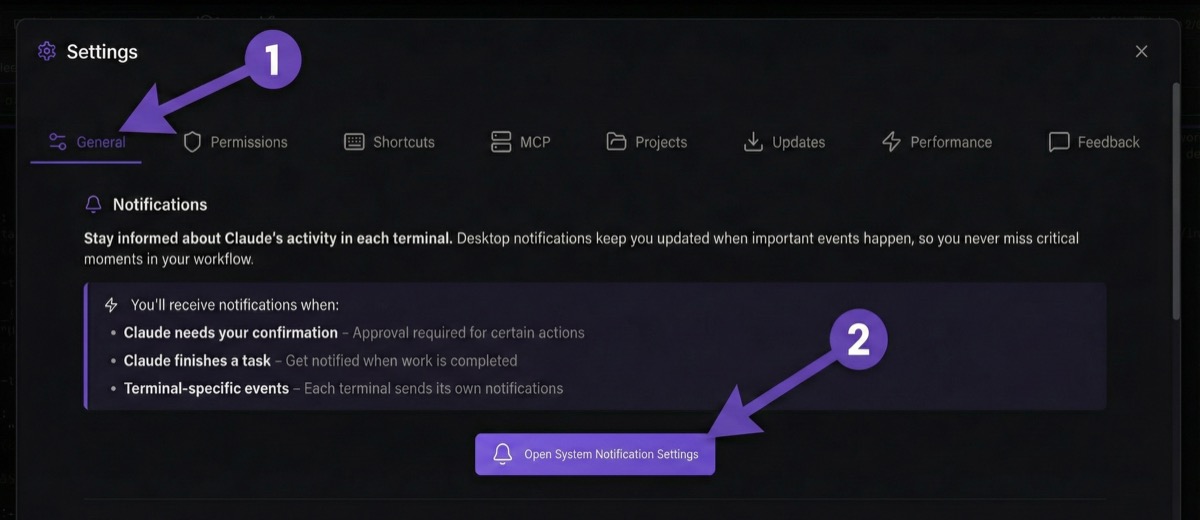
If you're wondering how to enable Claude Code notifications so you don't miss when it's done, CodeAgentSwarm handles that from a single place: the app's notification settings.
The flow should look something like this:
- Open CodeAgentSwarm and log in as usual.
- Go to the app settings / configuration section.
- Find the notifications section.
- Activate Claude Code notifications when a terminal finishes a task, and when a terminal is waiting for something from you.
On some systems you might also need to grant permission to the operating system itself so it can show desktop notifications. If the app asks for it, allow it so the alerts can appear while you're working in other windows.
Conclusion
CodeAgentSwarm notifications are not there "just because it's nice to have them". They're there to prevent exactly what happens when you work with Claude Code with no control: dead time, forgotten tabs and answers that arrive too late.
Once you have them properly configured:
- You can safely ask Claude for bigger tasks without worrying you'll forget about them
- You can use multiple terminals in parallel without losing the thread
- And you can keep doing your own work knowing that, if something happens, you'll hear about it
The AI handles the heavy lifting in the background. CodeAgentSwarm lets you know exactly when it needs you back. You just decide what the next step is.
FAQ
Do notifications work even if the app is minimised?
Yes. Desktop notifications appear even if the app is minimised or you're in another window, as long as you've granted the necessary permissions to the operating system.
Can I disable notifications if I don't want them?
Yes. You can enable or disable notifications anytime from the app settings.
Do notifications work with multiple terminals at once?
Yes. Each terminal sends its own notifications independently, so you know exactly which one has finished or which one needs you.
What happens when I click on a notification?
It takes you directly to the terminal that generated it. You don't have to search for it - the app positions you automatically.