
OpenCode YOLO Mode: Does opencode Have One? Permissions Explained
By CodeAgentSwarm · Updated September 1, 2026
--yolo, no --full-auto, no dangerously-skip-anything flag. Instead of one blunt switch, opencode reads how much freedom you gave it from its permission configuration. You decide, in a config file, which kinds of actions run automatically, which ask first, and which are blocked. The closest thing to "YOLO mode" is setting everything to allow, and that carries exactly the same risks as any bypass flag.
This guide explains what that config-driven model actually looks like, what genuinely goes wrong when you allow everything, and how to get full-auto speed without losing control. That last part is where CodeAgentSwarm comes in: it does not add a Turbo Mode toggle for opencode, because opencode's own config is the control plane, but it does keep a permissive opencode config supervised with live diffs, desktop notifications and searchable history.What "YOLO mode" means, and the short answer for opencode
opencode bypass permissions: is there a flag?
There is no opencode bypass permissions flag. opencode ships no --yolo, no --full-auto and no dangerously-skip-permissions option. Permissions are config-driven: in opencode.json you set each action type to allow, ask or deny, and setting everything to allow is the closest opencode gets to bypassing permissions.
"YOLO mode" is the community nickname for running a coding agent with approvals bypassed, so it works without stopping to ask you. The name comes from tools like Claude Code and Codex, where a single flag turns the prompts off. The idea stuck because it captures the feeling: you only live once, so turn the prompts off and let the agent run.
The short answer for opencode is that there is no such flag. No --yolo, no --full-auto, no dangerously-skip-anything option exists. opencode, the open-source terminal agent from SST, does not ship a one-switch bypass at all. Instead, it reads how much freedom you gave it from its permission configuration.
That means the question "how do I turn on YOLO mode in opencode?" does not have a flag as its answer. The answer is a config file. You tell opencode which kinds of actions auto-run, which ask first, and which are denied, and it behaves accordingly on every session.
This is a design difference, not a missing feature. Instead of one blunt switch you type in a hurry, opencode asks you to say which kinds of actions auto-run, which ask, and which are blocked. The permissive state becomes something explicit you configure rather than a flag you flip.
If your real goal is running several opencode agents at once rather than just one in full auto, the opencode agent swarm guide covers that side, and the broader AI CLI agent swarm overview compares it across every CLI.
How opencode permissions actually work
opencode autonomy lives in configuration, not in a flag. Permissions are defined in opencode.json. There is a global config at ~/.config/opencode/opencode.json, plus project-level config and per-agent config, so different agents can run with different amounts of freedom. A trusted refactor agent can run freer than a general one, and your day job repo can stay stricter than a side project.
The values follow an allow, ask, deny pattern per action type. You decide, for example, that file edits run automatically while shell commands stop to ask first. A minimal config looks like this:
{
  "permission": {
    "edit": "allow",
    "bash": "ask"
  }
}
Treat this as illustrative. The exact keys and values evolve between opencode versions, and the schema grows over time, so the official opencode docs are the source of truth for what your installed version supports. Do not copy a config you saw in an old post without checking it against the current docs.
Setting everything to allow is the closest thing opencode has to YOLO mode. It makes opencode read, write and run commands on its own, with no prompt in between. The speed is real, and so is the risk: an all-allow config carries exactly the same danger as any bypass flag, because there is nothing left to stop a destructive command.
How this differs from Claude Code and Codex
Claude Code and Codex both expose a one-flag bypass. Claude Code has --dangerously-skip-permissions, Codex has --full-auto. You type the flag and approvals go off for that run. The CodeAgentSwarm Claude Code YOLO Turbo Mode guide walks through that model in detail.
opencode's config-driven approach is arguably saner. The permissive state is explicit, versionable and scoped: it lives in a file you can read, commit and share, rather than a flag someone types in a hurry and forgets. You can see at a glance which actions your project auto-approves, and you can keep that policy consistent across every session instead of relying on remembering to add or drop a flag each time.
The real risks of allowing everything
These are not hypotheticals. With everything set to allow, opencode runs on a live repo with a real Git history and real data, and any of these can happen inside a single session with no prompt to catch it first.
- Git push to the wrong branch - opencode decides to commit and push half-finished work to main, or force-pushes and overwrites a teammate.
- Deleting files or directories - A misread instruction turns into
rm -rfon a path you did not mean to remove. - Irreversible shell commands -
DROP TABLE,docker system prune, or anything that cannot be undone once it runs. - Installing the wrong dependency -
npm installon a typosquatted or compromised package that looked correct at a glance. - Unintended network calls - Hitting production endpoints, sending data to external services, or triggering webhooks you did not expect.
- Overwriting uncommitted work - opencode edits files you were mid-change on, and your uncommitted work is gone before you notice.
The all-allow config is exactly as dangerous as any YOLO flag. The advantage of opencode's model is that you do not have to go all-or-nothing: the config lets you allow file edits while keeping shell or Git risky actions on ask, so the safe work flies through while the dangerous commands still stop.
Full auto is not bad in itself. It is the right setting for a lot of work. The risk comes from setting everything to allow without keeping the genuinely dangerous operations gated. The next section is about doing exactly that.
How to run opencode full auto safely
There are a few approaches, from least controlled to most. The goal is the same throughout: keep full-auto speed on the safe operations while never letting a destructive command run unattended.
Method 1: allow everything on throwaway work
Set every permission to allow and let opencode run unattended. This is fine for scratch projects and disposable branches, where you are confident nothing destructive can matter and you can throw the whole thing away. On a real repo with real history, running fully open is a gamble, because a single misread instruction reaches Git, deletions, and the network with no prompt in the way.
Method 2: a selective permission config (the sweet spot)
A better baseline is a selective config. Allow file edits and reads so the routine work flies through, but keep shell commands, or at least the destructive ones, on ask. Set this per project or per agent, so a trusted refactor agent runs freer than a general one, and your main repo stays stricter than a scratch project. Then put your house rules in AGENTS.md, the cross-tool instructions file, so every session inherits the same standing guidance without you repeating it.
This is the sweet spot because it keeps the parts of full auto that actually save time while gating the handful of actions that cause real damage. Unlike a single bypass flag, you are not forced to choose between asking about everything and asking about nothing.
Method 3: run the permissive config inside CodeAgentSwarm (recommended for swarms)
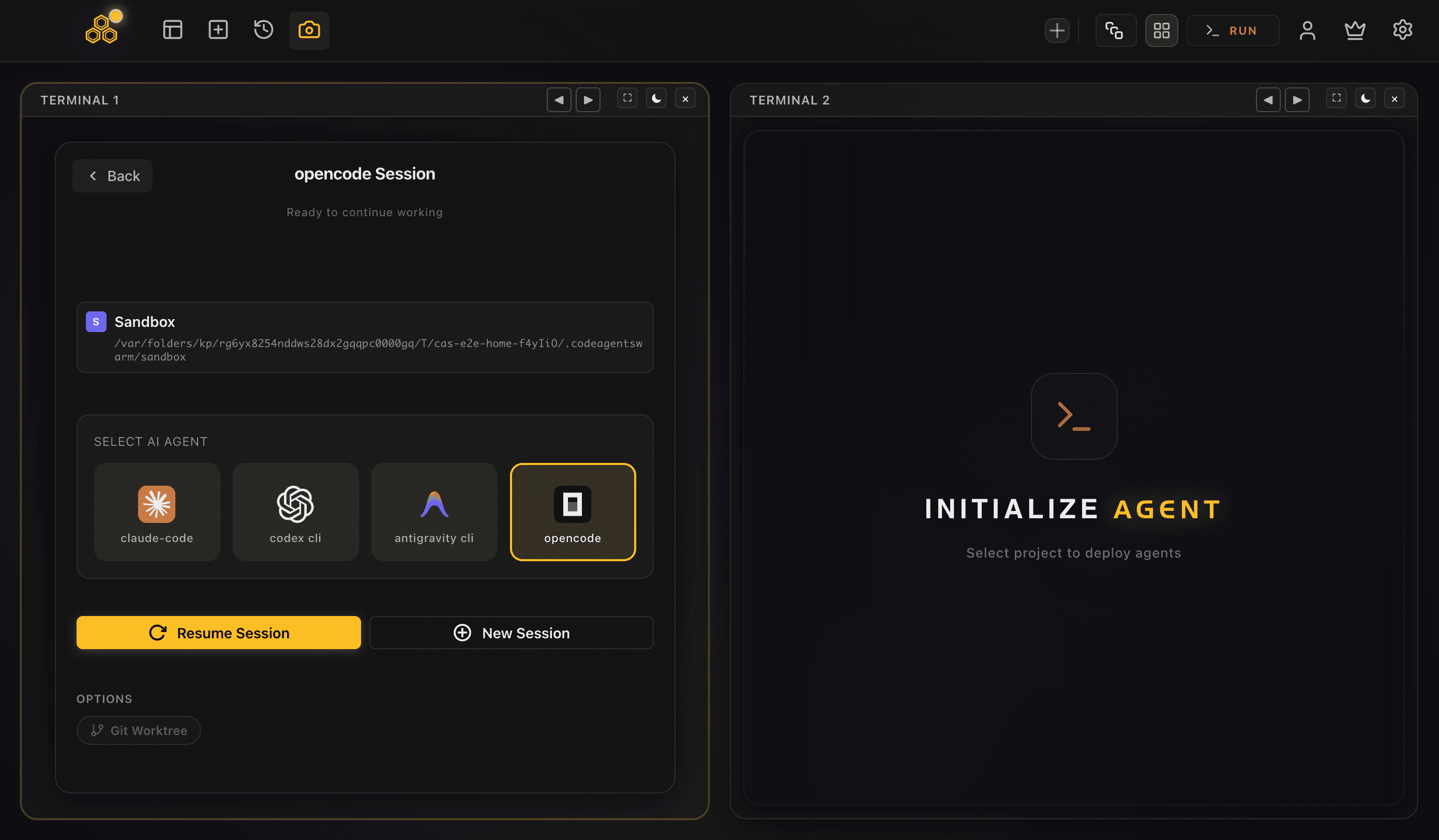
To be clear: CodeAgentSwarm does not expose a Turbo Mode toggle for opencode. Turbo Mode exists for Claude Code and Codex, which have a bypass flag to turn on. opencode has no such flag, so its own permission config is the control plane, and there is nothing for a toggle to switch. What CodeAgentSwarm adds instead is supervision around your permissive opencode config, so full-auto work is never a black box.
Here is what that supervision gives you on top of opencode:
- Several opencode terminals in one window - Run a whole opencode swarm side by side instead of juggling separate windows.
- Live per-terminal file diffs - Watch exactly what each opencode agent is changing in real time, so a permissive config never runs unseen.
- Desktop notifications - Get pinged when an agent finishes or stalls waiting for input, instead of babysitting each terminal.
- Dynamic titles - Each terminal shows what its agent is working on, so you can tell the swarm apart at a glance.
- Searchable, resumable history - Audit what an agent did after the fact and pick a session back up with opencode's own resume support.
The combination of a selective config plus real-time supervision is what makes a permissive opencode swarm workable. The config decides what auto-runs; CodeAgentSwarm makes sure you can see and audit every one of those runs. For running many opencode agents at once, the run multiple opencode sessions guide covers the setup end to end.
Per-project config means your day job repo can stay strict while a side project runs wide open, and CodeAgentSwarm shows both kinds of terminal side by side in the same window, each with its own live diff.
Best practices for full-auto opencode runs
Whichever method you use, these habits keep the worst full-auto accidents off the table:
- Always work on a feature branch, never main. If opencode makes a mess, you throw the branch away. If it messes up main, the whole team feels it.
- Commit before starting a permissive run. A clean restore point means
git checkout .brings you straight back if something goes wrong. - Keep destructive Git and shell actions on ask. Even with everything else set to allow, push, force-push, merge, branch delete, and irreversible shell commands should still stop for confirmation. These are the highest-impact, hardest-to-undo actions.
- Put standing instructions in AGENTS.md. House rules in the shared instructions file mean every opencode session inherits the same guardrails without you repeating them.
- Watch the live diff. A per-terminal file change view turns a permissive config from a black box into something you can actually supervise.
- Keep prompts focused. "Refactor the auth middleware to use JWT" is far safer in full auto than "improve the codebase". The tighter the scope, the less room opencode has to go off-script.
A selective config plus a feature branch plus a live diff gives you almost all of the full-auto speed with almost none of the risk. Most people who set this up never go back to allowing everything on a real repo.
FAQ
Does opencode have a YOLO mode?
Not as a single flag. "YOLO mode" is the community nickname for running a coding agent with approvals bypassed, and opencode has no one-switch bypass. Instead, autonomy is config-driven: in opencode.json you set which kinds of actions run automatically, which ask first, and which are denied. Setting everything to allow is the closest opencode gets to YOLO mode.
Is there an opencode --yolo or --full-auto flag?
No. Unlike Claude Code or Codex, opencode does not ship a --yolo, --full-auto, or dangerously-skip-permissions flag. There is nothing to type to turn approvals off for a run. You configure autonomy through opencode's permission settings in opencode.json instead, which is where all of its allow, ask, and deny behaviour lives.
How do I make opencode run without asking for approval?
Set the permissions to allow in opencode.json. A minimal example is { "permission": { "edit": "allow", "bash": "ask" } }, and allowing every action type is the fully unattended version. Because the exact keys and values change between versions, check the official opencode docs for the schema your installed version supports before relying on a config.
How do I bypass permissions in opencode?
You cannot bypass them with a flag, because opencode does not have one. You bypass them in configuration: set the permissions to allow in opencode.json, and an all-allow config is the fully unattended version. Since the exact keys and values change between versions, check the official opencode docs for the schema your installed version supports.
Does opencode have a --dangerously-skip-permissions flag?
No. That flag belongs to Claude Code, and Codex has --full-auto. opencode ships no equivalent, so there is nothing to type to turn approvals off for a run. Its allow, ask and deny behaviour lives in opencode.json instead.
How do I make opencode skip permission prompts?
Set the action types you want unattended to allow in opencode.json, either globally at ~/.config/opencode/opencode.json or per project and per agent. A selective config is the safer version: allow file edits so routine work flies through, and keep shell and destructive Git actions on ask.
Is it safe to set all opencode permissions to allow?
An all-allow config is fast but exactly as dangerous as any YOLO flag: with nothing on ask, opencode can run git push, rm -rf, or DROP TABLE with no prompt. It is reasonable on a throwaway branch. On a real repo, use a selective config that allows file edits while keeping shell and Git risky actions on ask, and supervise the run with live diffs.
Where does opencode's permission config live?
The global config is at ~/.config/opencode/opencode.json, following the XDG layout. There is also project-level config and per-agent config, so different agents and different repos can run with different amounts of freedom. Standing instructions go in AGENTS.md, the cross-tool instructions file that every session inherits.
How is opencode's approach different from Codex --full-auto or Claude Code --dangerously-skip-permissions?
Codex and Claude Code both bypass approvals with a single flag you type per run. opencode has no such flag; its autonomy is config-driven through opencode.json. The practical difference is that the permissive state is explicit, versionable and scoped in a file you can read and commit, rather than a flag someone types in a hurry and forgets.
Does CodeAgentSwarm have Turbo Mode for opencode?
No, and that is intentional. Turbo Mode exists for Claude Code and Codex because those have a bypass flag to switch on. opencode's own permission config drives its autonomy, so there is nothing for a toggle to flip. What CodeAgentSwarm adds for opencode instead is supervision: live per-terminal diffs, desktop notifications when an agent finishes or stalls, dynamic titles, and searchable, resumable history.
Can opencode delete files or push to the wrong branch in full auto?
Yes, if you allow it. With shell and Git actions set to allow, opencode can run rm -rf, overwrite uncommitted work, and commit or force-push to the wrong branch, all without asking. Keeping destructive Git and shell actions on ask, working on a feature branch, and committing before a run are the guardrails that prevent the most common accidents.