
Claude Code Mobile App: What Exists and Which One to Use
By CodeAgentSwarm · Updated October 31, 2026
Is there a Claude Code mobile app?
Not a separate one. The Claude Code on mobile docs say it plainly: cloud sessions and Remote Control both live in the Code tab of the Claude app for iOS and Android. The app is a client for Claude Code sessions. Code never runs on the phone.
To install it, run /mobile in a Claude Code session. It shows a QR code that opens the right store for your phone. Sign in with the same claude.ai account you use for Claude Code. If you do not see the Code tab, your plan or organization may not include it.
What the Code tab can connect to
| Option | Where the work runs | Good for |
|---|---|---|
| Cloud sessions | Anthropic cloud infrastructure | Repositories on GitHub; the task keeps going with your laptop closed |
| Remote Control | A Claude Code session on your computer | Work that needs your local files, tools or MCP servers |
| Dispatch | The Claude Desktop app on your computer | Messaging a task and letting Dispatch decide how to run it (Pro, Max or Ultra) |
| Projects | The cloud | A stream of related work split into parallel threads |
Cloud sessions and Remote Control need a claude.ai account. They are not reachable with an Anthropic Console API key or through a third-party provider such as Amazon Bedrock.
Cloud sessions
You pick a repository and a branch, describe the task and submit it. The session runs in the cloud, so it continues when you put the phone away, and you can pick it up later from your laptop. Cloud sessions and projects are the options that keep working with your computer off.
Remote Control
You start claude remote-control on your computer and drive that session from the phone. Files, tools and MCP servers stay on your machine, and photos you attach in the app reach the local session. The step-by-step setup is in how to control Claude Code from your phone.
Limits of the official app
- Terminal-only commands such as
/pluginand/resumedo not work from the app. - Bypass permissions cannot be selected from the app. Cloud sessions offer Accept edits, Plan and Auto; Remote Control adds Manual.
- Dispatch is not available on Team or Enterprise plans.
Where the CodeAgentSwarm phone app fits
CodeAgentSwarm is a desktop app for macOS, Windows and Linux where you run Claude Code, Codex, OpenCode and other coding agents side by side. Its phone app pairs with that desktop app once, by QR code, and then shows every session you have open there in Chat view.
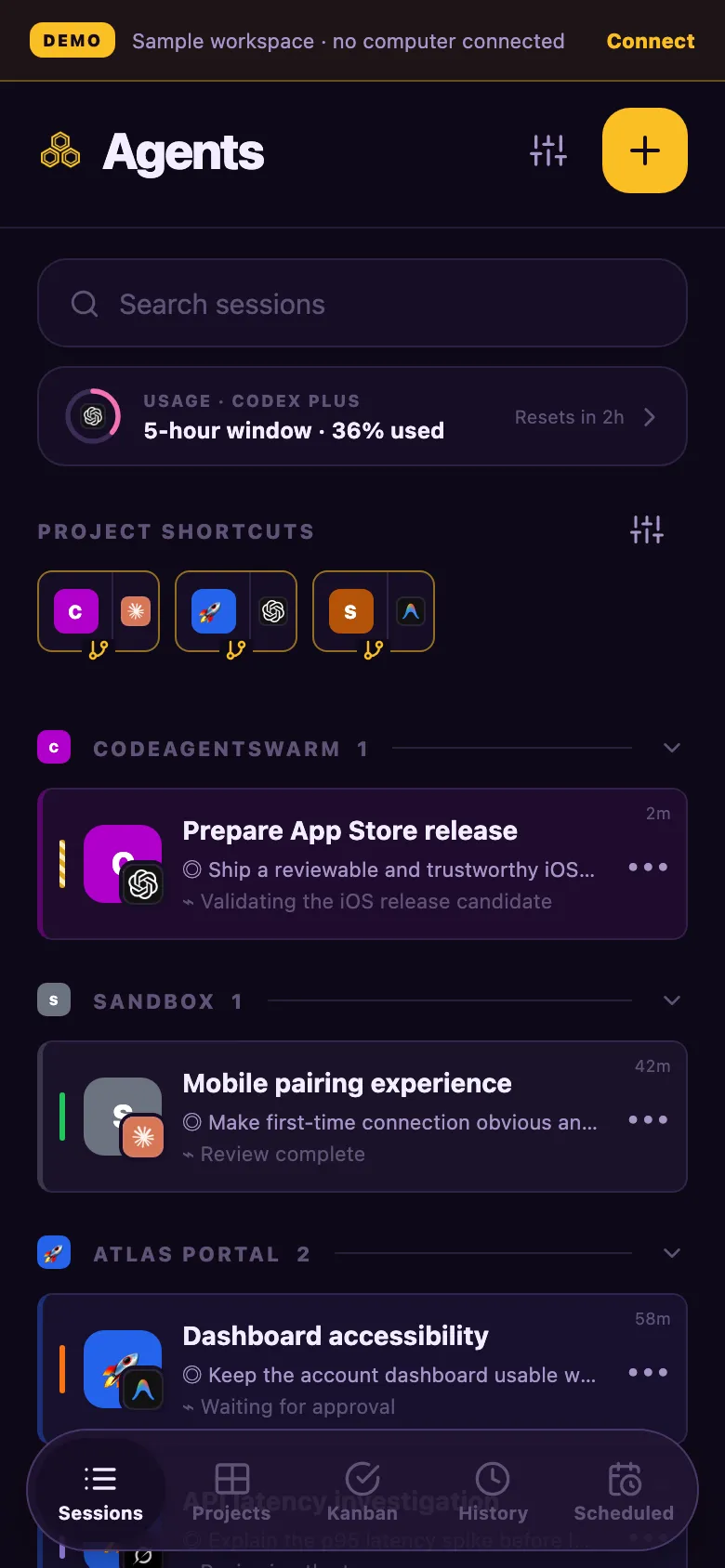
- Your Chat sessions in one list, grouped by project, with their status.
- Reply, answer questions and approvals, and start new sessions in your projects.
- Attach photos, draw on them, attach files or dictate a voice note.
- Push notifications on iPhone and Android when a session needs you.
- End-to-end encryption between phone and computer: the relay cannot read your conversations.
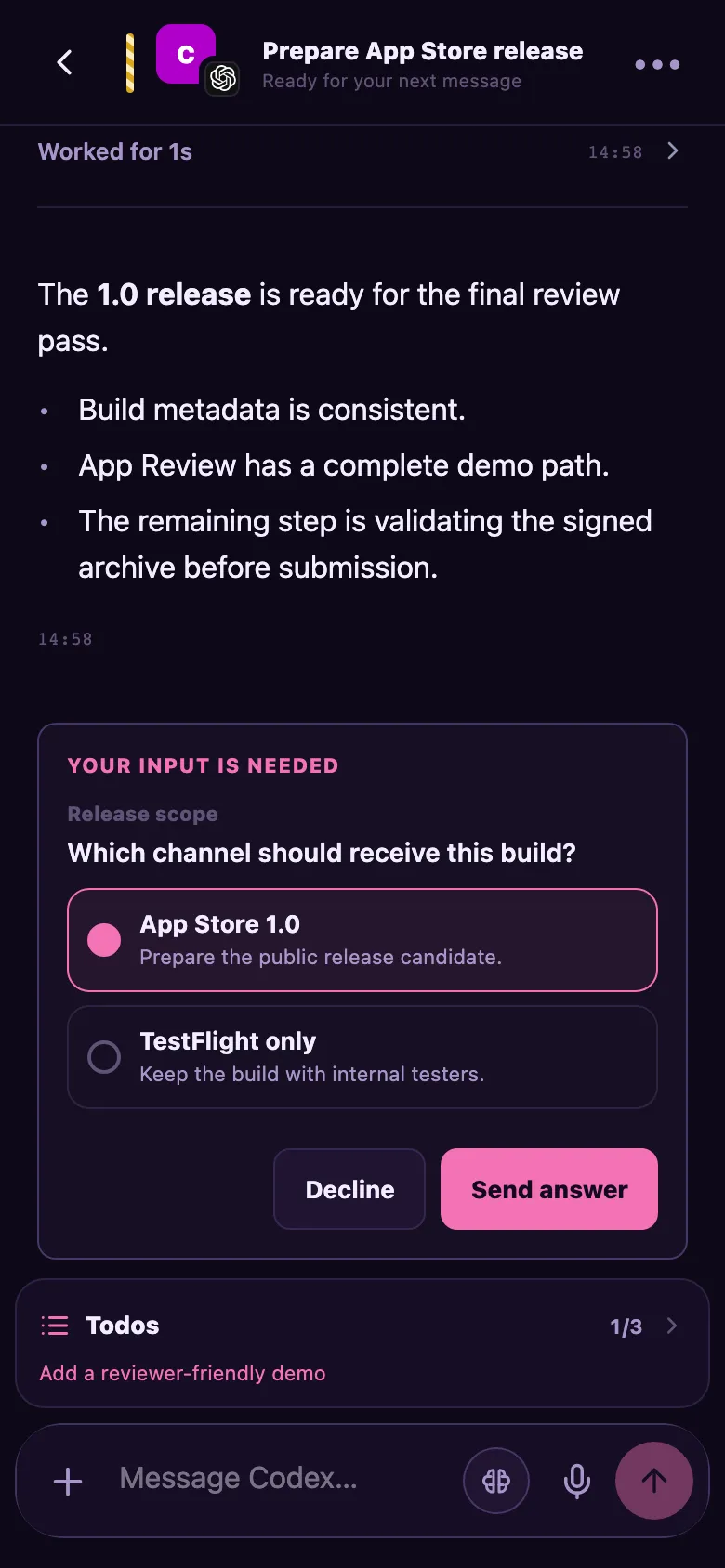
Get it on the App Store (iPhone and Apple Watch), request the Android beta in the #mobile-relay-beta Discord channel, or open web.codeagentswarm.com in any browser.
Which one should you use?
- Your computer will be off: cloud sessions or projects in the Claude app.
- You run one Claude Code session in a terminal: Remote Control in the Claude app.
- You run several agents or many sessions on your computer: the CodeAgentSwarm phone app, paired with CodeAgentSwarm.
Using Codex too? OpenAI has its own option inside the ChatGPT app. It is covered in Codex mobile app. For a desktop interface around Claude Code, see Claude Code GUI.
FAQ
Is there a Claude Code app for iPhone or Android?
Not a separate one. Claude Code is in the Code tab of the Claude app for iOS and Android. From there you reach cloud sessions and, with Remote Control, sessions running on your computer.
Can I write code on my phone with Claude Code?
You can give instructions and review results, but the code runs elsewhere: in Anthropic cloud sessions or on your own computer through Remote Control.
Does the Claude Code mobile app work with an API key?
No. Cloud sessions and Remote Control require a claude.ai account and are not reachable with a Console API key or through providers such as Amazon Bedrock.
What is the CodeAgentSwarm phone app?
A companion for the CodeAgentSwarm desktop app. You pair it once and then follow and answer every agent session you run in Chat view on your computer, including Claude Code and Codex. Sessions switched to the Terminal (CLI) view are not reachable from the phone. It is on the App Store for iPhone, in beta for Android and available as a web app.