
How to Install Grok Build on Linux (Ubuntu, Debian, Fedora)
By CodeAgentSwarm · Updated September 29, 2026
Quick answer: install Grok Build on Linux in one line
Quick answer: run the official installer in any terminal. No sudo, no Node.js. When it finishes, open a new terminal, type grok in your project and sign in.
# Official installer
curl -fsSL https://x.ai/cli/install.sh | bash

# Verify the install
grok --version

# Start it inside a project
cd ~/my-project
grok
Update later with grok update. The commands in this guide come from the official Grok Build documentation and the official grok-build repository, which hosts the full user guide.
Requirements
- A 64-bit Linux on x64 (x86_64) or ARM64 (aarch64). The installer stops on any other architecture.
curlorwget, plus Bash to run the install script.- A grok.com account for the browser login, or an xAI API key from console.x.ai.
- An internet connection.
You do not need Node.js or root. Grok Build is a native binary and the installer only writes inside your home folder. Plans and usage limits change often, so check the Grok Build pricing and access guide before rolling it out to a team.
What the installer changes on your system
- It downloads the binary for your architecture and links it as
~/.grok/bin/grok, plus anagentalias next to it. - It adds
~/.grok/binto your PATH in~/.bashrc,~/.zshrcor your fish config, depending on your shell, and installs shell completions. - If
~/.local/binor/usr/local/binis already on your PATH and writable, it also creates a symlink there, sogrokworks right away. - Config, credentials and sessions live under
~/.grok/. SetGROK_HOMEto move that folder somewhere else.
First run and logging in (also over SSH)
- Open a terminal in a project folder and type
grok. - Your browser opens so you can sign in with grok.com. Credentials are saved in
~/.grok/auth.jsonand refresh on their own. - On a server, over SSH or inside a container, run
grok login --device-auth. It prints a URL and a code: open the URL on any other device, enter the code and Grok Build picks up the login. - For CI or scripts, export
XAI_API_KEYinstead. Grok Build uses it when there is no active session token.
# Headless login with a device code
grok login --device-auth

# Or use an API key
export XAI_API_KEY="xai-..."
grok
The official authentication guide also covers company SSO through OIDC and external auth scripts.
Common Linux errors and how to fix them
- "grok: command not found" after installing: your current shell has not read the new PATH yet. Open a new terminal, or run
export PATH="$HOME/.grok/bin:$PATH". - "Either curl or wget is required but neither is installed": minimal images often ship without both. Install one with your package manager and run the installer again.
- "Unsupported architecture" or "Grok is not yet available for your system": there is no prebuilt binary for your machine. Only 64-bit x86_64 and aarch64 are published.
- "Authentication failed": run
grok logoutto clear cached credentials, thengrok login(orgrok login --device-authover SSH). - Broken copy and paste, colors or keys in tmux, over SSH or on Wayland: run
grok doctorin your shell, or/doctorinside Grok Build. It checks your terminal, multiplexer and clipboard and lists the available fixes.
Need more detail? Run GROK_LOG_FILE=/tmp/grok.log RUST_LOG=debug grok and read the log with tail -f /tmp/grok.log.
Running several Grok Build sessions on Linux
With Grok Build working, the next limit shows up quickly: one terminal is one task at a time. You hand Grok a job and wait. Opening more tabs in GNOME Terminal or tmux helps, until you lose track of which session finished, which one is waiting for approval and what each one changed.
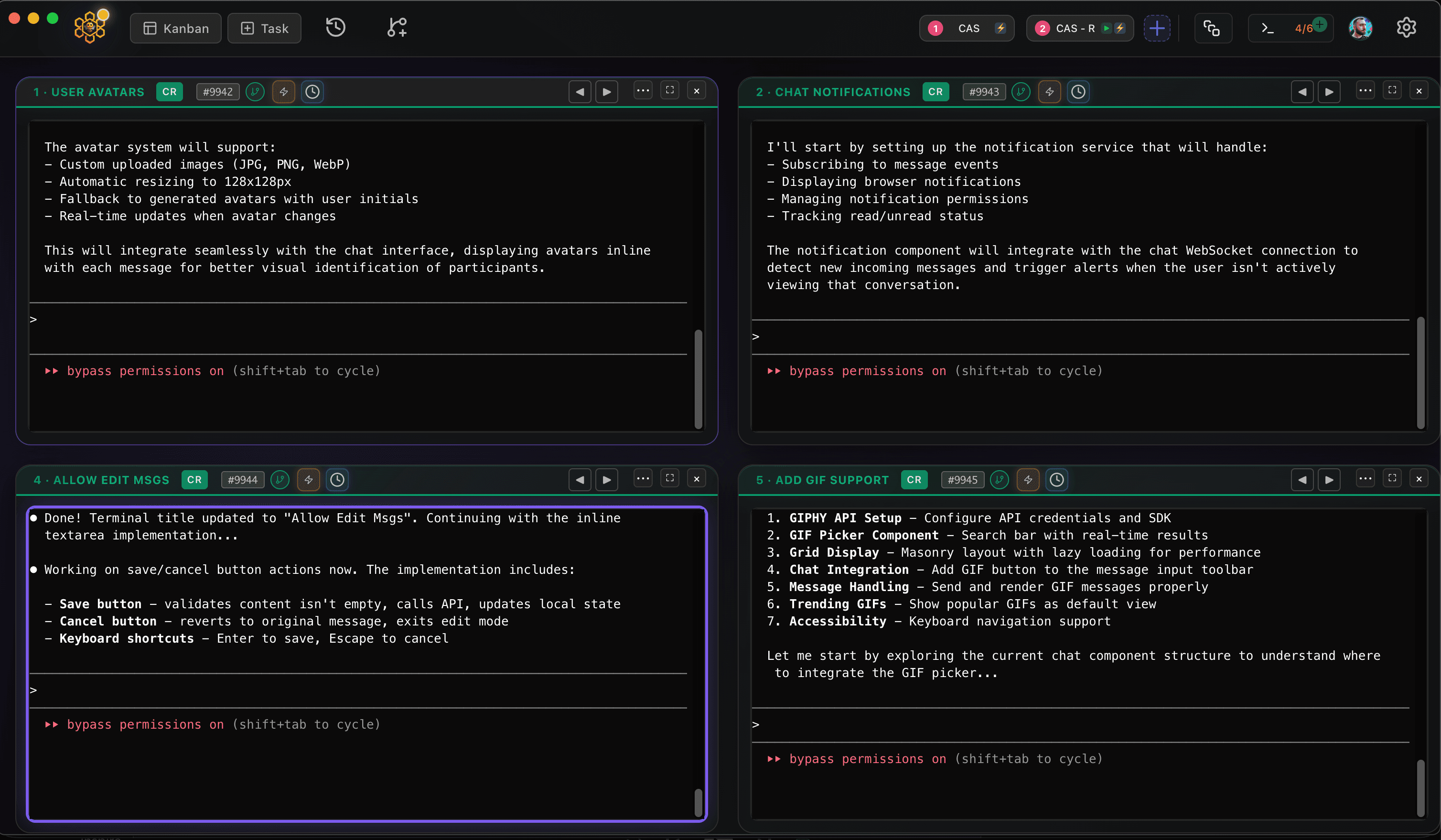
CodeAgentSwarm is a desktop app for exactly that, and it now runs on Linux as a .deb (Ubuntu, Debian and derivatives) or an AppImage (Fedora and most other distros), for x64 and ARM64. It is a free download. Pick Grok Build in any terminal and run it next to Claude Code, Codex and other agents, with desktop notifications when an agent finishes or needs input, searchable history across every session and a live diff of what each terminal changed.
Good next steps: how to use Grok Build for the commands you will use every day, and Grok Build in headless mode and CI if your Linux box is a build server.
Conclusion
On Linux, Grok Build is one curl command away, and grok login --device-auth covers servers without a browser. Run grok doctor if anything looks off. When a single terminal stops being enough, CodeAgentSwarm lets you run several at once.
FAQ
Does Grok Build work on Linux?
Yes. xAI publishes prebuilt Grok Build binaries for Linux on x64 and ARM64. You install them with the official script at x.ai/cli/install.sh.
How do I install Grok Build on Ubuntu?
Run "curl -fsSL https://x.ai/cli/install.sh | bash" in a terminal, open a new terminal and type "grok". The same command works on Debian, Fedora and other distributions.
How do I log in to Grok Build over SSH?
Run "grok login --device-auth" on the server. It prints a URL and a code; open the URL on any other device and enter the code. For scripts and CI you can set the XAI_API_KEY environment variable instead.
Do I need sudo or Node.js to install Grok Build on Linux?
No. Grok Build is a native binary and the installer puts it in ~/.grok/bin inside your home folder, so it needs neither root nor Node.js.
Does CodeAgentSwarm work on Linux?
Yes. CodeAgentSwarm runs on Linux as a .deb for Ubuntu, Debian and derivatives or as an AppImage for Fedora and most other distros, on x64 and ARM64. It uses your existing Grok Build install and lets you run several sessions in parallel.