
Antigravity CLI vs Gemini CLI: What Changed and How to Migrate
By CodeAgentSwarm · Updated September 29, 2026
What happened: Gemini CLI was retired
Gemini CLI was Google's first terminal coding agent. It shipped as an open-source, Node-based tool you installed from npm and ran with the gemini command, signed in with a Google account, and pointed at a project. It got popular fast because it was free to start, had a large context window per session, and lived right in the terminal where developers already worked.
On June 18, 2026, Google retired Gemini CLI and transitioned it into Antigravity CLI, the official successor that runs under the agy command. This was announced ahead of time on the Google developers blog, and the project repository carries a pinned discussion explaining the change and the timeline.
- An important update: transitioning Gemini CLI to Antigravity CLI (the official announcement)
- The GitHub discussion on the gemini-cli repo, with the rationale and migration notes
Short version: Gemini CLI is not getting new features, and the gemini command is being wound down. Antigravity CLI is where Google is putting its terminal-agent work now. If you used Gemini CLI, the next step is to install Antigravity CLI and let it import your old config, which is what the rest of this guide walks through.
The reason for the change is more than a rename. Antigravity CLI is a different architecture: a single compiled binary instead of a Node package, multiple models in the same terminal instead of Gemini only, and a multi-agent design instead of a single linear chat. The next section breaks those differences down.
Antigravity CLI vs Gemini CLI: what changed
Here is how Antigravity CLI compares to Gemini CLI across the things that actually affect your day. Each dimension lists the old behavior and the new one so you can see exactly what moved.
Runtime and install
- Gemini CLI: An npm package that needed Node installed. You updated it like any other Node tool, and your version depended on your local runtime.
- Antigravity CLI: One compiled binary, no Node or Python runtime required. You install it with a single script and run
agydirectly.
# Install Antigravity CLI (one binary, no Node needed)
curl -fsSL https://antigravity.google/cli/install.sh | bash

# Then run it
agy
Models
- Gemini CLI: Gemini models only. The whole point was a Gemini-powered terminal agent, and you selected the Gemini model you wanted.
- Antigravity CLI: Eight models in the same terminal, including Gemini 3.x, Claude Sonnet 4.6, Claude Opus 4.6, and GPT-OSS 120B. It defaults to Gemini 3.5 Flash and auto-selects the right model for the task, so there is no
--modelflag to manage.
This is the biggest practical change. Antigravity CLI is no longer a Gemini-only tool. It still leads with Gemini and defaults to Gemini 3.5 Flash, but it can route a task to a Claude or open-weight model when that fits better, all from the one agy session.
Multi-agent vs single chat
- Gemini CLI: A single linear chat. One conversation, one agent, working through your request step by step.
- Antigravity CLI: Multi-agent by default. It can dispatch and coordinate sub-agents to work on parts of a task, rather than running everything as one thread.
Config and home directory
- Gemini CLI: Stored its settings, registered MCP servers, and preferences under the
~/.geminihome directory. - Antigravity CLI: Reuses the same
~/.geminihome, and on first launch it offers to import your old Gemini CLI config automatically into~/.gemini/antigravity-cli/settings.json. That is what makes the migration painless.
Flags and everyday commands
- Turbo / skip permissions: run
agy --dangerously-skip-permissionsfor an unattended, auto-approving session. As with any yolo-style flag, use it carefully, since the agent will run actions you might have wanted to review. - Continue the last conversation:
agy -c. - Resume a specific conversation:
agy --conversation <id>.
If you want a fuller tour of the new tool on its own terms, the how to use Antigravity CLI guide covers the basics end to end.
How to migrate from Gemini CLI to Antigravity CLI
Migration is short on purpose. In practice it is two things: install Antigravity CLI, then accept the import prompt on first launch. Here are the steps.
1. Install Antigravity CLI
Run the install script. It drops a single binary, so you do not need to touch Node or your old npm install of Gemini CLI.
curl -fsSL https://antigravity.google/cli/install.sh | bash2. Launch agy and accept the import prompt
The first time you run agy, it detects your existing ~/.gemini home and offers to import your Gemini CLI configuration. Accept it. Your settings are written into ~/.gemini/antigravity-cli/settings.json, so the old and new tools coexist on the same home directory.
# First launch - it will ask to import your old Gemini CLI config
agy
What the import brings across:
- Your registered MCP servers, so your tools are available immediately
- Your allowed-without-confirmation commands, so you do not re-approve everything
- Your keybindings
- Your theme
Because Antigravity CLI reuses ~/.gemini, you are not starting from a blank config. If you spent time wiring MCP servers or tuning which commands run without a prompt under Gemini CLI, that work carries over instead of being thrown away.
3. Verify it works
Open a project, start a session, and confirm your MCP servers and approvals behave the way they did before. Try continuing your last conversation and resuming a specific one to make sure your history is reachable.
# Continue your last conversation
agy -c

# Resume a specific conversation by id
agy --conversation <id>
Do not assume the import happened if you skipped the prompt. If your MCP servers or approvals are missing, you probably declined or missed the import on first launch. Check that ~/.gemini/antigravity-cli/settings.json exists and contains your servers, and re-run the import flow if it does not.
That is the whole migration. Since Gemini CLI is retired, this is the move that keeps you current, and it costs a couple of minutes.
Running Antigravity CLI (and Claude and Codex) in one workspace
If you ran several Gemini CLI sessions at once, the thing you do not want to lose in the move is that multi-session workflow. Antigravity CLI sessions are still independent processes, so you can run many of them, and you can keep them in one place with CodeAgentSwarm.
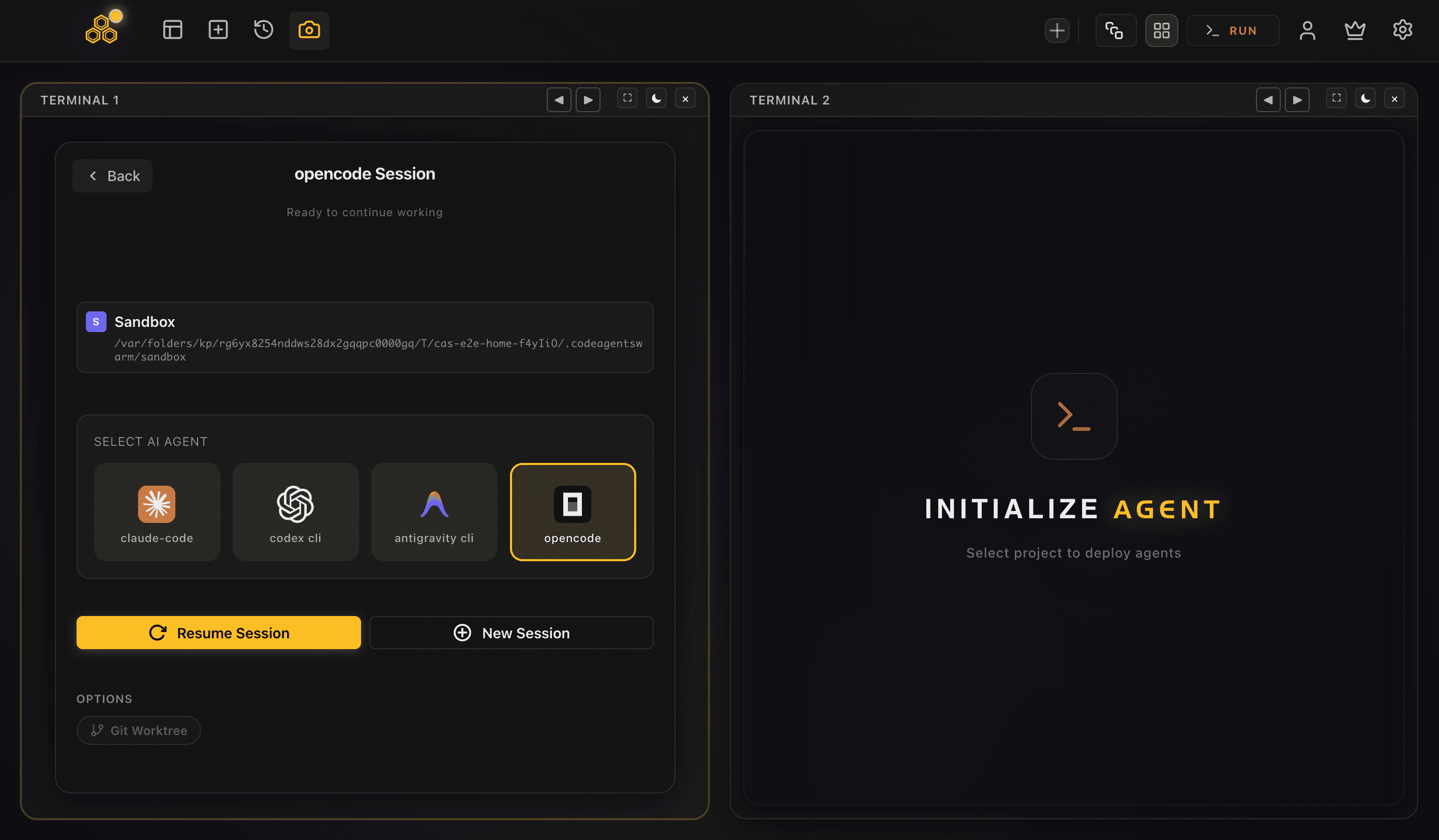
CodeAgentSwarm is a desktop app for running several AI CLI sessions in parallel with real visibility. It runs on macOS, Windows and Linux, and it is not a model provider, so each Antigravity CLI session keeps using your own Google sign-in and your own agy install. The app just gives the sessions a place to live: multiple terminals in one workspace, the agent chosen per terminal from the SELECT AI AGENT picker.
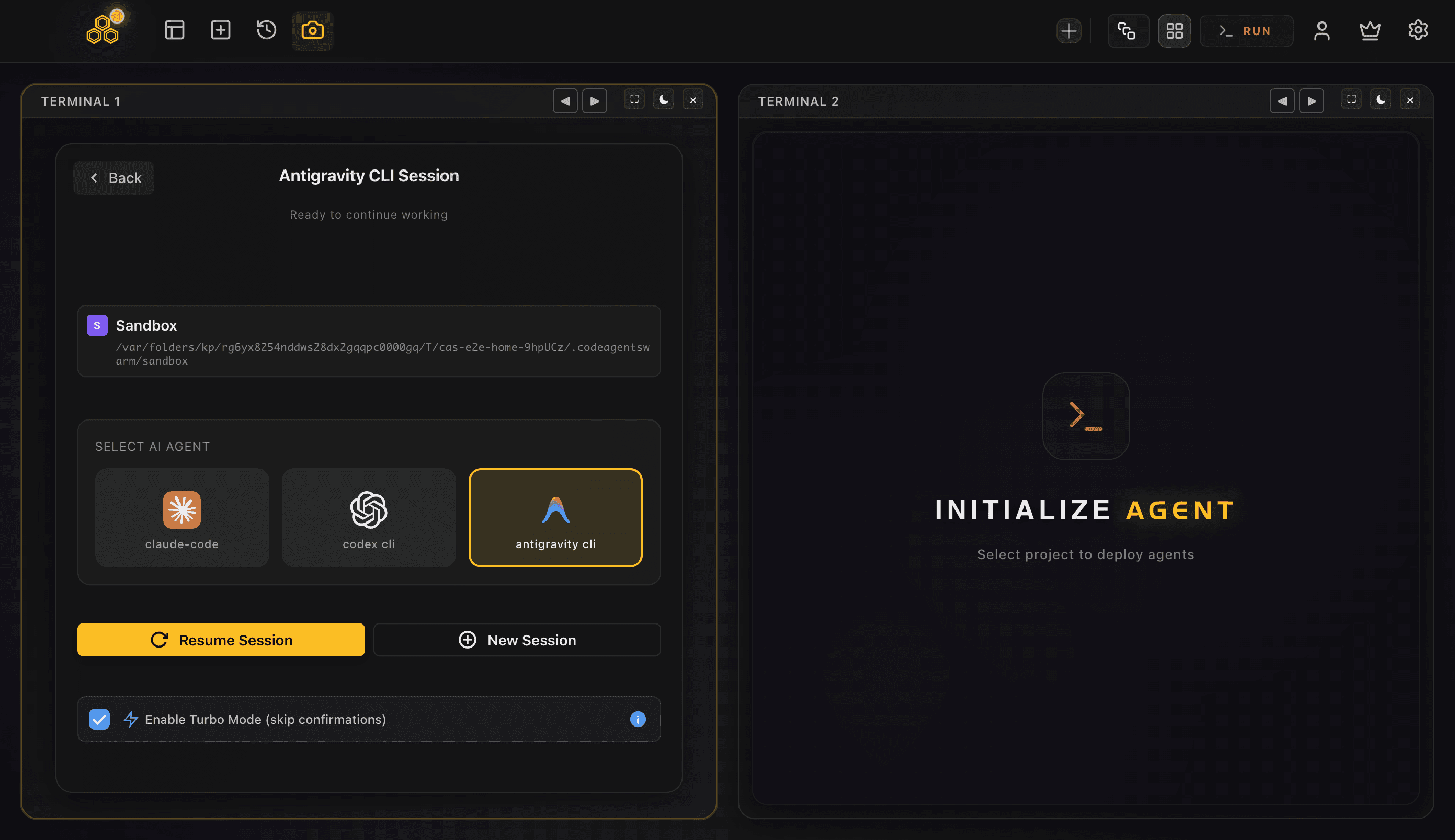
This matters most during a transition. If your team had Gemini CLI sessions spread across tabs, you can move them to Antigravity CLI and keep the exact same multi-session setup, without juggling terminals by hand. And because the agent is per terminal, you are not locked in: one terminal on Antigravity CLI, another on Claude Code, a third on Codex CLI, all sharing one searchable history.
- Run several Antigravity CLI sessions at once, each independent
- Mix Antigravity CLI with Claude Code and Codex CLI per terminal
- Get a desktop notification when a session finishes or needs input
- Keep a searchable conversation history across every terminal
For the step-by-step on running many Antigravity sessions at once, see run multiple Antigravity CLI sessions. For the broader pattern across vendors, start with the AI CLI agent swarm hub.
If you are coming from the old Gemini CLI workflow, it carries over directly: running multiple Antigravity CLI sessions and the Antigravity agent swarm guide describe the same pattern on agy.
FAQ
Is Gemini CLI dead or deprecated?
Yes. Google retired Gemini CLI on June 18, 2026 and transitioned it to Antigravity CLI, which runs under the agy command. Gemini CLI is not getting new features, and Antigravity CLI is the official successor. The announcement is on the Google developers blog and there is a pinned discussion on the gemini-cli GitHub repo with the details.
Do I have to migrate from Gemini CLI to Antigravity CLI?
Practically, yes, because Gemini CLI is shut down and will not get updates. The upside is that migration is short: install Antigravity CLI with one script, then accept the import prompt on first launch. Your existing config comes across, so you are not rebuilding your setup from scratch.
Will my Gemini CLI config and MCP servers transfer?
Yes. Antigravity CLI reuses the same ~/.gemini home directory, and on first launch it offers to import your Gemini CLI configuration into ~/.gemini/antigravity-cli/settings.json. That import brings over your registered MCP servers, your allowed-without-confirmation commands, your keybindings, and your theme. If something is missing afterward, you likely skipped the prompt and should re-run the import.
What is the difference between Antigravity CLI and Gemini CLI?
Antigravity CLI ships as one compiled binary with no Node or Python runtime, while Gemini CLI was an npm/Node tool. Antigravity CLI runs eight models in the same terminal, including Gemini 3.x, Claude Sonnet 4.6, Claude Opus 4.6, and GPT-OSS 120B, whereas Gemini CLI was Gemini only. Antigravity CLI is multi-agent by default and can coordinate sub-agents, while Gemini CLI was a single linear chat. It also reuses the ~/.gemini home and imports your old config.
Is Antigravity CLI better than Gemini CLI?
It is the supported successor, so it is the one that will keep improving. It adds real capabilities over Gemini CLI: a single-binary install with no Node runtime, multiple models in one terminal with automatic selection, and a multi-agent design. Whether every change suits your workflow is up to you, but since Gemini CLI is retired, Antigravity CLI is the current tool to use.
Can I still use Gemini CLI?
An existing Gemini CLI install may still run for now, but it is retired and no longer maintained, so it will not receive updates or new features. The recommended path is to install Antigravity CLI and import your config. Treat any continued Gemini CLI use as temporary rather than a long-term setup.
Does Antigravity CLI use Gemini models?
Yes, and it leads with them. Antigravity CLI defaults to Gemini 3.5 Flash and auto-selects the best model for the task, with no --model flag to manage. It also goes beyond Gemini: the same terminal can use Gemini 3.x, Claude Sonnet 4.6, Claude Opus 4.6, and GPT-OSS 120B, among eight models in total.