
How to Install Antigravity CLI on Linux (Ubuntu, Debian, Fedora)
By CodeAgentSwarm · Updated September 29, 2026
Quick answer: install Antigravity CLI on Linux in one line
Quick answer: run the official installer in any terminal. No sudo, no Node.js. When it finishes, open a new terminal, type agy in your project and sign in.
# Official installer for macOS and Linux
curl -fsSL https://antigravity.google/cli/install.sh | bash

# Start it inside a project
cd ~/my-project
agy
This is the same command CodeAgentSwarm uses when it installs Antigravity for you on Linux. Every command in this guide comes from the official Antigravity CLI getting started page and its install and auth guide.
Requirements
- A 64-bit Linux on x64 or ARM64.
- glibc 2.28 or newer and glibcxx 3.4.25 or newer. Google gives Ubuntu 20, Debian 10, Fedora 36 and RHEL 8 as examples of distributions that meet it.
- Bash or Zsh, plus
curlto run the installer. - A Google account. Antigravity has a free tier, and paid Google AI plans raise the limits. For headless machines you can use a Gemini API key instead.
Check your glibc with ldd --version. The requirement is glibc, so musl-based distributions such as Alpine are not in the supported list.
What the installer does
The script downloads the agy binary to ~/.local/bin/agy and adds that folder to the PATH in your shell profile. Nothing goes into system directories, which is why it needs no root. That is also why you should open a new terminal afterwards: the current one has not read the updated profile yet.
agy updates itself in the background, so there is no apt or dnf package to upgrade. If you manage versions yourself, set AGY_CLI_DISABLE_AUTO_UPDATE=true in your environment to turn the updater off.
Antigravity keeps its settings and conversations under ~/.gemini, the same home Gemini CLI used. If you had Gemini CLI installed, the first launch offers to import your old config. The guide to using Antigravity CLI covers that import and the everyday commands.
First run and signing in (also over SSH)
- Open a terminal in a project folder and type
agy. The first launch asks for a color scheme and rendering mode and whether you trust the workspace. - On a Linux desktop, agy stores your credentials in the system keyring through Secret Service (GNOME Keyring or KWallet). It either signs you in silently or opens your browser for the Google login.
- Over SSH, agy prints a sign-in URL. Open it in a browser on your own machine, then paste the code it gives you back into the terminal.
- On headless servers or in CI, export
GEMINI_API_KEYand set{"modelProvider": "gemini"}in~/.gemini/antigravity-cli/settings.json.
To sign out, run /logout inside agy. It disconnects your account and removes the saved credentials.
Common Linux errors and how to fix them
- "bash: agy: command not found" after installing:
~/.local/binis not on your PATH yet. Open a new terminal, or addexport PATH="$HOME/.local/bin:$PATH"to your~/.bashrcor~/.zshrcand reload it withsource. - "secret keyring is locked": GNOME Keyring or KWallet is locked or unreachable. Open it and enter its password, and on a headless or SSH session start a D-Bus session first with
export $(dbus-launch). On servers, the API key route above avoids the keyring entirely. - "local pasteboard is empty or unreachable over SSH connection": plain SSH does not forward the clipboard. Use a terminal that supports it, such as Ghostty or iTerm2, and if you work inside tmux add
set -s set-clipboard onto your tmux config. - "another background updater process is already active (update.lock)": an earlier update crashed and left its lock behind. Delete it with
rm -f ~/.gemini/antigravity-cli/updater/update.lockand check that you can write to~/.local/bin.
For anything else, see the official Antigravity CLI troubleshooting page.
Running several Antigravity sessions on Linux
One agy session already coordinates its own sub-agents for the task in front of it. But one terminal is still one task. When you want a feature in one project and a bug fix in another, you open more tabs in GNOME Terminal or tmux, and soon you lose track of which session finished, which one is waiting for approval and what each one changed.
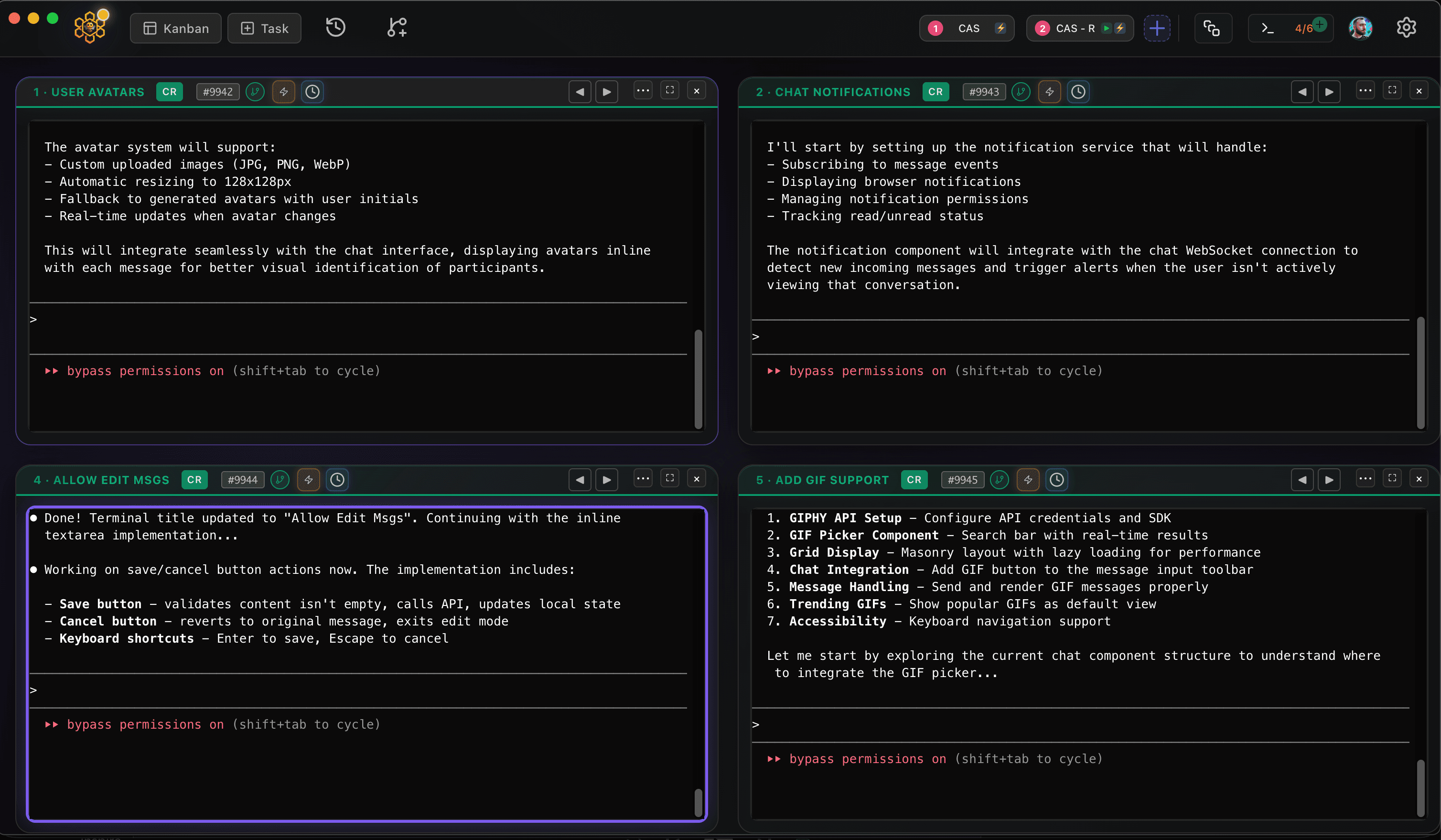
CodeAgentSwarm is a desktop app for exactly that, and it now runs on Linux as a .deb (Ubuntu, Debian and derivatives) or an AppImage (Fedora and most other distros), for x64 and ARM64. It puts several Antigravity terminals side by side and adds desktop notifications when an agent finishes or needs input, searchable history across every session and a live diff of what each terminal changed. You can mix agy with Claude Code, Codex and other agents in the same window, and each session keeps using your own Google sign-in.
Good next steps: run multiple Antigravity CLI sessions and, if you also work on Windows, Antigravity CLI on Windows.
Conclusion
On Linux, Antigravity CLI is one curl command away. Check your glibc version, open a new terminal after installing, and sign in through the browser, the SSH code flow or an API key. When a single terminal stops being enough, CodeAgentSwarm lets you run several agy sessions at once.
FAQ
Does Antigravity CLI work on Linux?
Yes. Antigravity CLI runs natively on Linux, on x64 and ARM64. It needs glibc 2.28 or newer, which covers Ubuntu 20, Debian 10, Fedora 36, RHEL 8 and later releases.
How do I install Antigravity CLI on Ubuntu?
Run "curl -fsSL https://antigravity.google/cli/install.sh | bash" in a terminal, open a new terminal and type "agy". The binary goes to ~/.local/bin/agy and updates itself, so you do not need sudo or a package repository.
Do I need Node.js or Python to run Antigravity CLI on Linux?
No. Antigravity CLI is a single compiled binary. Unlike Gemini CLI, which was installed through npm, there is no runtime to set up first.
Can I use Antigravity CLI on a Linux server over SSH?
Yes. Install it the same way and run "agy". Over SSH it prints a sign-in URL that you open in a browser on your own machine, then you paste the code back into the terminal. For fully headless use, set the GEMINI_API_KEY environment variable and choose the gemini model provider in ~/.gemini/antigravity-cli/settings.json.
Does CodeAgentSwarm work on Linux?
Yes. CodeAgentSwarm runs on Linux as a .deb for Ubuntu, Debian and derivatives or as an AppImage for Fedora and most other distros, on x64 and ARM64. It uses your existing Antigravity install and lets you run several agy sessions in parallel.