
OpenCode vs Cursor: Open Source Terminal Agent vs AI IDE
By CodeAgentSwarm · Updated August 16, 2026
Two different shapes of tool
Before comparing features, it helps to be honest about what each tool actually is, because opencode and Cursor are not the same kind of product. They solve overlapping problems from opposite directions.
opencode is SST's open-source terminal coding agent. You run it with the opencode command, point it at a repository, and describe what you want in natural language. It reads your files, plans an approach, edits across the codebase, runs commands, and iterates. It lives in your shell, so it is scriptable and works alongside whatever editor you already use. And unlike most agents, it is not tied to one vendor's models: you connect the provider you prefer.
Cursor is an AI-first IDE, a fork of VS Code with AI woven into the editing experience. You write code inside it. As you type, it suggests inline Tab completions, a chat sidebar answers questions about your code, and an agent mode can take on larger multi-file tasks. It supports several AI models, including OpenAI and Claude.
The core distinction: opencode is a terminal agent (it works alongside your editor and runs in your shell), while Cursor is an editor you code inside. This is the same split covered in our Claude Code vs Cursor vs Codex CLI comparison, just narrowed to these two.
opencode
What it is
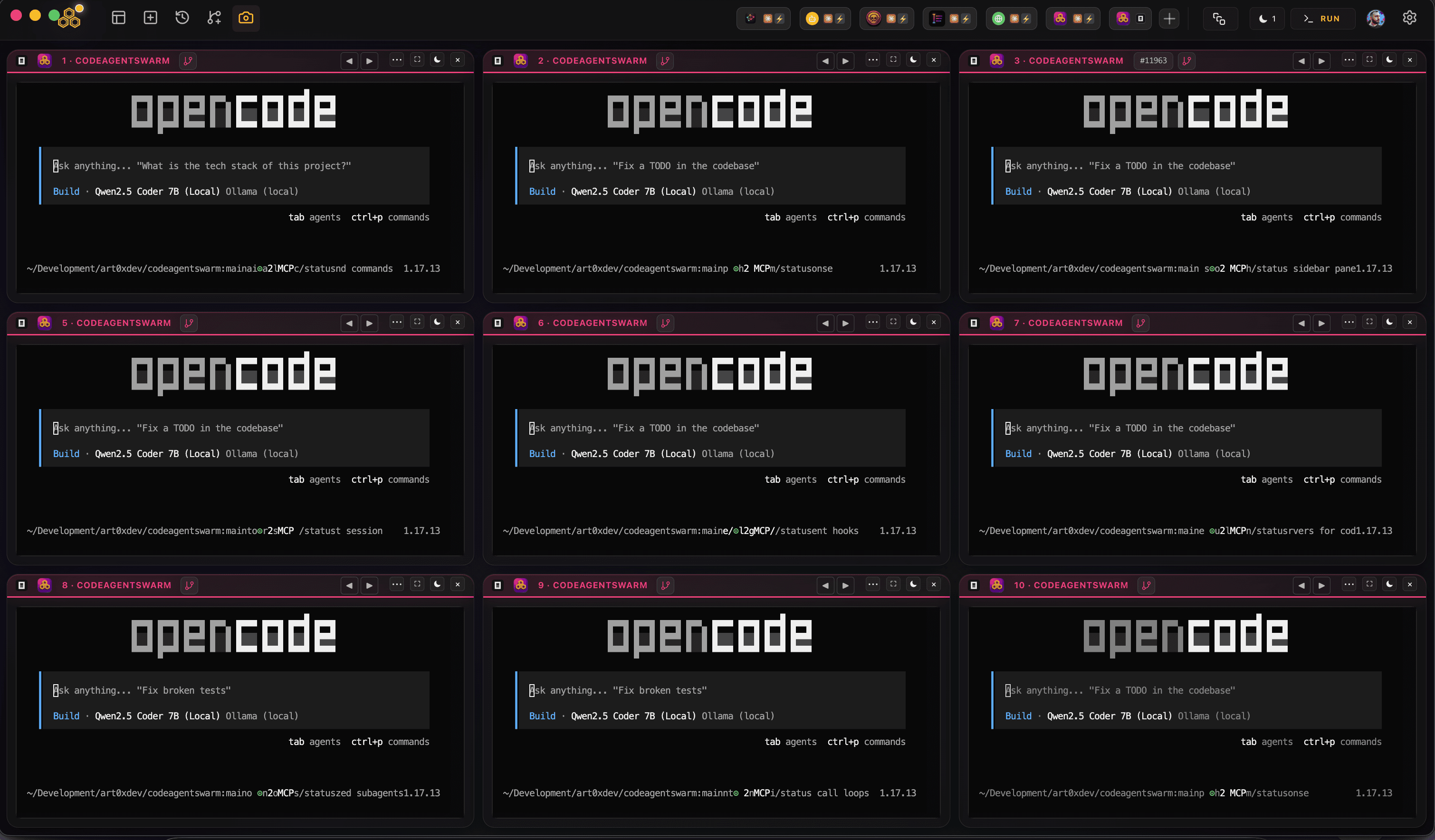
opencode is an open-source agent built by the SST team. It runs as a TUI in your terminal, and you connect the model provider you prefer once (for example with opencode auth login, though you should check the official opencode docs for the exact commands). From then on, each session keeps its own conversation and working directory.
It reads project instructions from an AGENTS.md file, a cross-tool standard so your rules travel with the project rather than being locked to one agent. Global settings live in ~/.config/opencode/opencode.json, with project-level and per-agent config layered on top.
Key strengths
- Lives in your terminal - Works alongside any editor (VS Code, Neovim, JetBrains, Cursor itself) with no editor lock-in
- Open source, no black box - The code is public, so you get transparency, community contributions, and no proprietary runtime to trust
- Provider-agnostic - Connect Anthropic, OpenAI, Google, or local models, the strength neither Codex nor Cursor matches, since Codex is OpenAI-only and Cursor is a proprietary app
- Agentic by design - It plans, edits multiple files, runs commands, and iterates on failures rather than handing you snippets to paste
- Config-driven permissions - Decide what runs automatically versus what asks first, defined in opencode.json globally, per project, or per agent
- MCP support - Connect it to databases, browsers, and other tools through the Model Context Protocol
- AGENTS.md standard - Your instructions travel across tools instead of being tied to one agent's config format
Where it falls short
- No inline editor experience. There is no Tab completion as you type, because it is not an editor
- Comfort in the terminal is assumed, which can be a hurdle if you prefer a GUI
- A single session is one agent in one terminal. Running several at once is easy to start but quickly hard to track
Best for
Developers comfortable in the terminal who want an autonomous agent for multi-file changes, anyone who wants to pick or swap model providers (or run local models), people who prefer open-source tooling, and those who want to keep their current editor. If you want to scale this up, see running an opencode agent swarm.
Cursor
What it is
Cursor is a full IDE built on top of VS Code. It looks and feels like VS Code, so your extensions, themes, and keybindings mostly carry over, but AI is baked into every part of editing. You write code inside it, and the AI helps as you go.
This comparison uses Cursor to mean the Cursor IDE: the editor with inline suggestions, Chat and Agent mode. Cursor now also ships a separate cursor-agent CLI. Read the Cursor CLI guide for installation, modes and ACP without changing the IDE comparison on this page.
Key strengths
- Familiar IDE experience - If you already use VS Code, Cursor feels like home and your existing setup mostly just works
- Inline Tab completions - Cursor predicts your next edit as you type and lets you accept it with Tab, which is great for line-by-line coding
- Multi-model support - Switch between OpenAI, Claude, Gemini, and other models inside the app depending on the task
- Agent mode - For bigger jobs, Cursor can make multi-file changes and run commands, closer to what a CLI agent does
- Visual code review - You see diffs, accept or reject changes inline, and stay in one window the whole time
- Team features - Admin controls, usage analytics, and shared configuration for teams
Where it falls short
- It is a whole editor, so adopting it means switching IDEs rather than adding a tool to the one you already have
- Less natural to script or automate from the shell than a CLI agent
- If you prefer Neovim or JetBrains, you give up your editor to get the full experience
Best for
Developers who want AI assistance directly inside their editor, people who love inline completions while typing, anyone happy to make Cursor their primary IDE, and teams that need admin controls and a graphical workflow.
Side-by-side comparison
Here is how opencode and Cursor compare across the dimensions that matter most day to day. The honest summary: they are strong at different things, so the right pick depends on how you work.
Tool type
- opencode - Terminal coding agent (runs in your shell, alongside any editor)
- Cursor - AI-first IDE (a VS Code fork you write code inside)
Where it runs
- opencode - Any terminal on macOS, Linux, or Windows, on top of your current editor and workflow
- Cursor - Its own desktop application, which becomes your editor
Inline completions
- opencode - No. It is an agent, not an editor, so there is no Tab completion
- Cursor - Yes. Tab completion as you type is one of its strongest features
Agentic, autonomous tasks
- opencode - Strong. Built as an agent, with config-driven permissions for how much runs unattended
- Cursor - Good. Agent mode handles multi-file tasks, but the core experience is editor-first
Automation and scripting
- opencode - Strong. As a CLI it fits naturally into scripts and pipelines
- Cursor - Limited. It is a GUI app, designed for interactive use rather than scripting
AI model support
- opencode - Any major provider (Anthropic, OpenAI, Google) plus local models, you choose
- Cursor - Multiple models inside one proprietary app (OpenAI, Claude, Gemini, and more)
Open source
- opencode - Fully open source, public code you can read, fork, and contribute to
- Cursor - Proprietary. You use the app as shipped, without access to its source
MCP support
- opencode - Full MCP integration
- Cursor - MCP support, though more limited than a dedicated CLI agent
Editor lock-in
- opencode - None. Keep Neovim, JetBrains, VS Code, or anything else
- Cursor - You adopt Cursor as your editor to get the full experience
Pricing
opencode itself is free and open source: you pay whichever model provider you connect, through an API key or a subscription you already have. Cursor offers a free tier plus paid plans. Rather than quote figures that go stale, check each tool's official site for current pricing before you decide.
When to use each one
There is no single winner here. The better question is which shape fits the work in front of you.
Use opencode if...
- You prefer working in the terminal and want the AI alongside your editor, not as your editor
- Open source matters to you and you want to read or fork the tool you rely on
- You want to choose your model provider, or run local models, instead of being locked to one vendor
- You want to keep your current editor (Neovim, JetBrains, VS Code, or even Cursor itself)
- You want config-driven autonomy, deciding in opencode.json what runs on its own and what asks first
Use Cursor if...
- You want AI assistance directly inside your editor as you type
- You love inline Tab completions for fast, line-by-line coding
- You are happy to make Cursor your primary IDE
- You want to switch between models (OpenAI, Claude, Gemini) inside one app
- You work in a team that needs admin controls and a graphical workflow
Use both together
These tools are not mutually exclusive. A common setup is Cursor for inline edits and quick suggestions while you write, plus opencode in a terminal for bigger tasks that need autonomous, multi-file execution. Using one does not stop you from running the other.
In practice, the editor and the terminal agent cover different moments of the same workflow. You stay in Cursor for hands-on editing and hand off the heavier, repetitive, or long-running work to opencode in the background. Cursor even has an integrated terminal you could run opencode inside.
Skip the choice at the swarm level with CodeAgentSwarm
There is a third angle worth knowing about. If your real question is "how do I get the most out of terminal coding agents", you do not have to pick a single CLI either. Once opencode is doing serious work, the next problem is running more than one of it without losing track.
CodeAgentSwarm is a desktop app for running and supervising a swarm of AI CLI agents in one workspace. You get multiple terminals at once, and you choose the agent per terminal. Set them all to opencode for a pure opencode swarm, or mix in Claude Code and Codex CLI where they fit better.
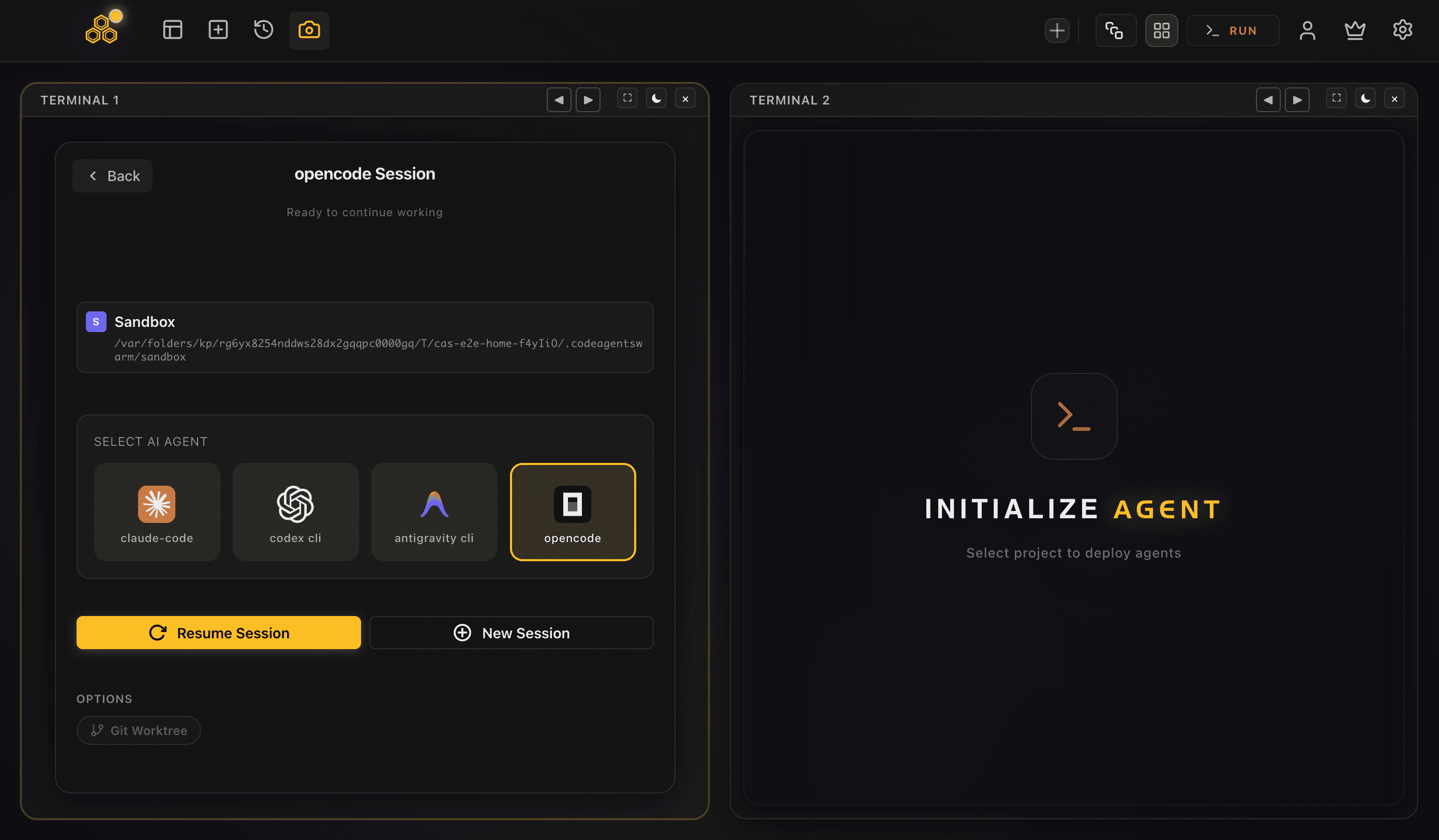
- Multiple agents in parallel - Run several opencode sessions side by side, each an independent process with its own task and context
- Desktop notifications - Get pinged when an agent finishes or stops for an approval, so you stop babysitting terminals
- Dynamic terminal titles - Each terminal shows what its agent is doing right now, so you read "Migrating User Schema" instead of several tabs all labelled "opencode"
- Searchable conversation history - opencode stores its sessions locally, and CodeAgentSwarm reads them so every conversation across every terminal is saved, searchable, and resumable in-app
- Per-terminal live file diffs - Watch what each agent is changing in real time, so overlapping edits never surprise you
- Supervision for permissive configs - opencode's autonomy comes from its own opencode.json permissions, and CodeAgentSwarm keeps it visible with live diffs and notifications
CodeAgentSwarm is not a model provider. It runs on top of the accounts you already pay for and just orchestrates the agents. So OpenCode vs Cursor stops being an either-or: keep Cursor as your editor if you like it, and let CodeAgentSwarm run a fleet of opencode agents in the background.
Want the full picture across every CLI agent? Start with the AI CLI agent swarm overview, then dive into running an opencode agent swarm.
FAQ
Is OpenCode better than Cursor?
Neither is strictly better, because they are different shapes of tool. opencode is an open-source terminal coding agent that works alongside your editor, runs autonomous multi-step tasks, and connects to any model provider. Cursor is an AI-first IDE you write code inside, with inline completions as you type. The right pick depends on whether you prefer the terminal or a graphical editor, and many developers use both.
What is the difference between OpenCode and Cursor?
opencode is SST's open-source terminal agent: you run it in your shell, point it at a repo, and it reads files, edits across the codebase, and runs commands, using whichever model provider you connect. Cursor is an editor, a VS Code fork with AI built in, where you write code and get inline Tab completions, a chat panel, and an agent mode. One lives in the terminal alongside your editor, the other is the editor.
Can I use OpenCode and Cursor together?
Yes, and it is a common setup. You can use Cursor as your editor for hands-on coding and inline suggestions, while running opencode in a terminal for bigger autonomous tasks. They do not conflict, and Cursor even has an integrated terminal you could run opencode inside.
Does OpenCode work with any editor?
Yes. Because opencode lives in your terminal, it works alongside any editor, including VS Code, Neovim, JetBrains, and Cursor itself. There is no editor lock-in, which is one of the main differences from adopting Cursor as your IDE.
Which models does OpenCode support?
opencode is provider-agnostic. You connect the model provider you prefer, including Anthropic, OpenAI, and Google, and it can also run local models. That is a key difference from Codex, which is OpenAI-only, and from Cursor, which offers multiple models but inside one proprietary app. Check the official opencode docs for how to connect a provider.
Can I run multiple OpenCode agents at once?
Yes. Each opencode session is its own process, so you can run several in separate terminals at the same time, each on a different task. CodeAgentSwarm makes this practical by giving you multiple organized terminals with desktop notifications, searchable resumable history, and live file diffs for each agent.
How much do OpenCode and Cursor cost?
opencode itself is free and open source: you pay whichever model provider you connect, through an API key or a subscription. Cursor has a free tier plus paid plans. Pricing changes over time, so check each tool's official site for current figures rather than relying on numbers that may be out of date.