
How to Install Devin CLI on Linux (Ubuntu, Debian, Fedora)
By CodeAgentSwarm · Updated September 29, 2026
Quick answer: install Devin CLI on Linux in one line
Quick answer: run the official installer in any terminal. No sudo needed. It finishes by starting devin setup, a short wizard for login and MCP. Then open a new terminal and type devin in your project.
# Official installer for macOS, Linux and WSL
curl -fsSL https://cli.devin.ai/install.sh | bash

# Verify the install
devin --version

# Start it inside a project
cd ~/my-project
devin
The commands in this guide come from the official Devin CLI installation page and the official command reference.
Requirements
- A 64-bit Linux on x64 (x86_64) or ARM64 (aarch64). The installer stops with "Unsupported platform" on any other architecture.
- Bash and
curl, plustarandsha256sum(orshasum). The installer uses them to download the release and check its checksum. - A Devin account with CLI access. On Enterprise plans, your administrator has to give you a role with the "Use Devin CLI" permission.
Cognition does not publish a list of supported distributions. The installer only checks the operating system and the architecture, so the same command works on Ubuntu, Debian, Fedora and WSL.
What the installer puts on your system
| Item | Linux location |
|---|---|
| Launcher | ~/.local/bin/devin |
| Installed versions | ~/.local/share/devin/cli/_versions |
| Login token | ~/.local/share/devin/credentials.toml |
Everything stays in your home folder, which is why no sudo is needed. To update later, run devin update. Add --force to reinstall the current version.
First run and logging in (also over SSH)
- The installer starts
devin setupwhen it finishes. It walks you through login and MCP configuration. You can run it again at any time. - To log in on its own, run
devin auth login. It opens the browser sign-in. - On a server or over SSH, where no browser can open, run
devin auth login --force-manual-token-flowand paste the token by hand.devin setup --force-manual-token-flowdoes the same inside the wizard. - Check the result with
devin auth status.devin auth logoutremoves the stored credentials.
The token in credentials.toml does not expire by default. Anyone who can read that file can use your account, so keep it out of backups you share and never commit it.
Enterprise users pick "Log in with Devin for Enterprise" to sign in through their company identity provider. See the official authentication page.
Common Linux errors and how to fix them
- "devin: command not found" after installing:
~/.local/binis not on your PATH. Open a new terminal, or addexport PATH="$HOME/.local/bin:$PATH"to your~/.bashrcor~/.zshrc. - "Error: Unsupported platform": your machine is not x86_64 or aarch64. Check it with
uname -m. 32-bit systems are not supported. - "Cannot verify checksum (no sha256sum or shasum)": install coreutils (it provides
sha256sum) from your package manager and run the installer again. - "Failed to fetch manifest": the machine cannot reach Devin's download servers. Check your proxy or firewall and try again.
- Login never finishes over SSH: the browser flow cannot reach your server. Use
--force-manual-token-flowas shown above.
For anything else, run devin doctor. It checks your local configuration and exits with an error if something is wrong.
Running several Devin sessions on Linux
With Devin working, the next limit shows up quickly: one terminal runs one task at a time. You give Devin a job and wait. Opening more tabs in GNOME Terminal or tmux helps, until you lose track of which session finished, which one is waiting for you and what each one changed.
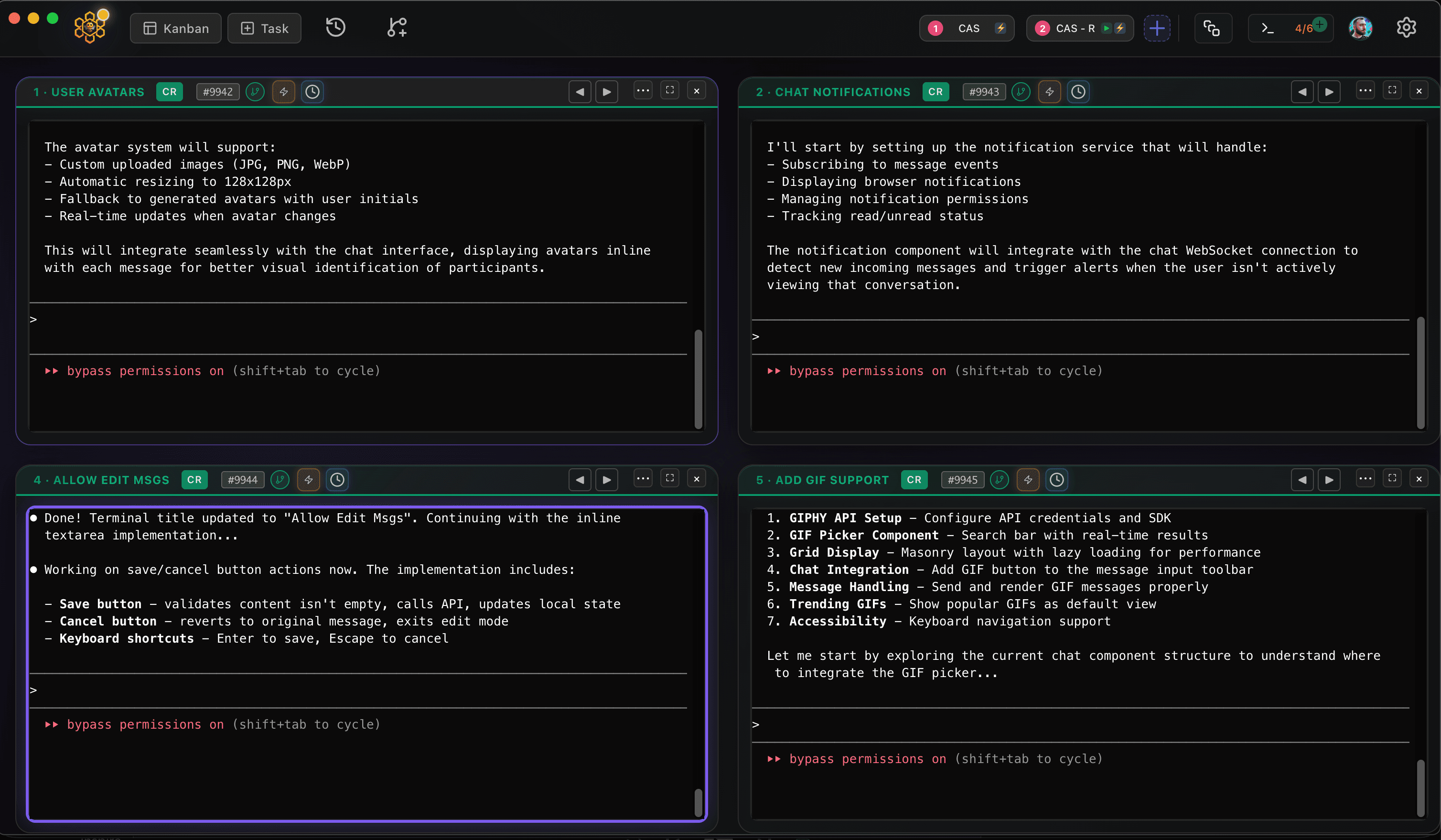
CodeAgentSwarm is a desktop app for exactly that, and it now runs on Linux as a .deb (Ubuntu, Debian and derivatives) or an AppImage (Fedora and most other distros), for x64 and ARM64. On Linux it can install Devin CLI for you and launch it. It puts several agent terminals side by side, mixes Devin with Claude Code, Codex and other agents, and adds desktop notifications, searchable history across every session and a live diff of what each terminal changed.
Next steps: how to use Devin CLI for your first tasks, and Devin CLI MCP and history to resume conversations and add tools.
Conclusion
On Linux, Devin CLI is one curl command away and lives in your home folder. Use --force-manual-token-flow to log in over SSH, devin doctor when something looks off and devin update to stay current. When one terminal is not enough, CodeAgentSwarm lets you run several at once.
FAQ
Does Devin CLI work on Linux?
Yes. The official installer supports Linux on x64 and ARM64, and also works inside WSL. Cognition does not publish a list of supported distributions; the installer only checks the architecture.
How do I install Devin CLI on Ubuntu?
Run "curl -fsSL https://cli.devin.ai/install.sh | bash" in a terminal, complete the setup wizard, open a new terminal and type "devin". The same command works on Debian, Fedora and other distributions.
Can I log in to Devin CLI on a server over SSH?
Yes. Run "devin auth login --force-manual-token-flow" to skip the browser and paste the token by hand. Then check the result with "devin auth status".
How do I update Devin CLI on Linux?
Run "devin update". It checks for a new version and installs it. Use "devin update --force" to reinstall the current version.
Does CodeAgentSwarm support Devin on Linux?
CodeAgentSwarm runs on Linux as a .deb or an AppImage, on x64 and ARM64, and it can install and launch Devin CLI there. You can run several Devin sessions side by side and mix them with other agents.